
Steve Scargall
Steve Scargall is a Senior Product Manager and Software Architect at MemVerge , delivering software-defined memory solutions using Compute Express Link (CXL) devices. Steve works with industry leaders in the CXL hardware vendor, Original Equipment Manufacturers (OEMs), Cloud Service Providers (CSPs), Enterprise, and System Integrator spaces to architect cutting-edge solutions. Steve holds a bachelor’s degree in BSc Applied Computer Science and Cybernetics from the University of Reading, UK. He has made significant contributions to the SNIA NVM Programming Technical Work Group, PMDK, NDCTL, IPMCTL, and other memory-centric open-source projects. Steve is the author of Programming Persistent Memory: A Comprehensive Guide for Developers .

Linux 7.2 Seeds "Blackwell-Next": A Deep Dive into the nvgrace-gpu VFIO CXL DVSEC Change
Linux 7.2’s VFIO pull request dropped a commit with a codename I hadn’t seen before: Blackwell-Next. A Phoronix post brought this to my attention - Linux 7.2 Begins Making Preparations For NVIDIA “Blackwell-Next” - which, on the face of it looks like a minor prep patch. It is — but it’s also a clean window into where NVIDIA is taking its CPU-coherent GPU stack, how CXL is quietly becoming the standard signaling interface for next-generation accelerators, and what that means if you’re building infrastructure or tooling on top of these platforms.
Read More
Linux Kernel v7.1 is Released: This is What's New for Compute Express Link (CXL)
The Linux Kernel v7.1 release brings several improvements and additions related to Compute Express Link (CXL) technology.
Release Highlights
Linux Kernel v7.1 includes 47 commits to the CXL and DAX subsystems:
| Category | Commits |
|---|---|
| New Features & Hardware | 1 |
| Bug Fixes | 5 |
| Refactoring & Cleanup | 5 |
| Testing | 1 |
| Other | 35 |
The v7.1 CXL/DAX cycle is defined by three interlocking themes: laying the groundwork for Type 2 accelerator support, hardening the DAX/HMEM subsystem against a cluster of correctness bugs, and a focused refactoring of the region layer that splits a monolithic file into purpose-specific translation units. None of these is a headline splash feature on its own, but together they represent the kind of steady, unglamorous investment that makes the subsystem reliable enough to build production systems on.
Read More
Graphify + MemMachine: 79× Token Reduction, Zero Vector Database
I help maintain MemMachine — an open-source long-term memory layer for AI agents. It’s a real codebase: 442 source files, 171 docs, a graph database, a SQL store, an MCP server, a REST API, a Python SDK, and integrations with eight different agent frameworks. When a new contributor asks “where does episodic memory actually get written?”, grep, the tool of choice for many AI coding assistants, doesn’t cut it. The answer threads through five files in three folders, plus a docker-compose service definition and a Helm chart. Each question you ask, it has to search all of these files, using the LLM to semantically understand the question and the files, then piece together an answer. This can take a lot of tokens and consume much of the context window.
Read More
Is Thinking Mode Affecting Your Agentic Workflows?
I jumped on the trend of running local LLMs and agents and was having a lot of fun until my agents kept failing, timing out, and just stopping without any obvious reason. I tried PaperClip + ZeroClaw, PaperClip + Hermes-Agent, and Hermes-Agent + Hermes-Workspace with Qwen 3.6 and Gemma 4 models (various sizes and quantization levels). All of them failed in the same way at some point in the workflow with almost nothing reported in the logs to indicate what was happening. Some tasks completed without any problem, but most did not, often leaving me to wonder what was going on. After many hours of debugging and reading many forums, I finally found that this was a model serving configuration trap that catches many people the first time they self-host a reasoning model.
Read More
How To Run ZeroClaw in Docker with local LLMs (Qwen3 on an NVIDIA DGX Spark)
ZeroClaw is an open-source agent runtime. By default it expects a frontier model API key such as Claude, OpenAI, etc. This guide shows how to use a local Qwen3.6 model served by vLLM on an NVIDIA DGX Spark, routed through LiteLLM, with ZeroClaw and Firecrawl running in Docker on a separate host.
It also documents the onboarding bug I hit on a fresh install in v0.7.4 — ZeroClaw issue #6123 — and the config-only workaround.
Read More
Run Free LLMs at Scale: LiteLLM Gateway with Groq, NVIDIA NIM, OpenRouter, and Local vLLM
Introduction
Running large language models is increasingly affordable — but “affordable” rarely means “free, all the time, for every request.” Cloud providers each come with their own rate limits, daily quotas, and occasional model deprecations. Local hardware is fast and private, but not always available (DGX Spark powered down, model being updated, VRAM needed elsewhere). Somewhere between “I have an API key” and “my agents work reliably at scale” is a configuration problem that most guides skip over entirely.
Read More
vLLM Recipe: RedHatAI/Qwen3.6-35B-A3B-NVFP4 on DGX Spark
This is a vLLM Recipe - a production-ready Docker Compose configuration for running open-weight models on local hardware. It documents the exact setup, configuration rationale, and benchmark results so you can get a model running quickly. You are welcome to change the parameters to suit your workloads. This worked for me, so I hope you find it helpful.
This recipe covers Qwen3.6-35B-A3B-NVFP4 - a Mixture-of-Experts model with 35B total parameters but only ~3B active at inference - quantized to NVFP4 by Red Hat AI and running on the NVIDIA DGX Spark (my GigaByte AI Top Atom) with a GB10 Blackwell GPU and 128 GB of unified CPU/GPU memory.
Read More
Self-Hosting Firecrawl on Ubuntu 25.04 with Docker Compose
Modern AI agents — Claude Code, Codex, OpenClaw, Hermes-Agent, and custom LangChain pipelines — need a way to read the web. Not raw HTML full of navigation debris, cookie banners, and JavaScript noise, but clean structured text that a language model can actually reason about. Firecrawl is the missing piece: an open-source web scraping and crawling API that fetches any URL and returns clean Markdown, ready to drop straight into a context window or a RAG pipeline.
Read MoreBuilding an Agentic Team for an Open Source Project with Claude Code
A core engineer on MemMachine — the one who owned the Semantic Memory subsystem — left the project. The codebase didn’t grow any less complex overnight, but the human attention available to maintain it did. That’s a familiar shape of problem in any open source project, and it’s the exact shape where a well-designed Claude Code agent team earns its keep.
This post documents what I built: a 22-agent maintenance team that lives entirely inside MemMachine’s repository, coordinates via Claude Code’s experimental Agent Teams runtime, and operates under a design I can reproduce for any existing repository with real code. The agents don’t push code, don’t sign commits, don’t merge pull requests, and don’t cut releases — humans still gatekeep every consequential action. What the agents do do is the tedious and error-prone middle of software maintenance: triage, spec drafting, implementation, QA, security review, docs, dependency and upstream tracking.
Read More
Linux Kernel v7.0 is Released: This is What's New for Compute Express Link (CXL)
The Linux Kernel v7.0 release brings several improvements and additions related to Compute Express Link (CXL) technology.
Release Highlights
Linux Kernel v7.0 includes 73 commits to the CXL and DAX subsystems:
| Category | Commits |
|---|---|
| New Features & Hardware | 3 |
| Bug Fixes | 11 |
| Refactoring & Cleanup | 9 |
| Testing | 2 |
| Other | 48 |
Linux v7.0 brings focused but meaningful progress to the CXL/DAX subsystem, with the headline work centered on platform-specific address translation. The cxl/atl subsystem gains AMD Zen5 support through the ACPI Platform Runtime Mechanism Table (PRMT), enabling hardware-assisted Host Physical Address (HPA) to System Physical Address (SPA) translation on AMD’s latest server platforms. This required scaffolding across several layers: EFI runtime services preparation in cxl/acpi, new translation callback hooks, decoder locking for address translation paths, and explicit disabling of these handlers when Normalized Addressing is active — a sign the translation infrastructure is maturing toward multi-vendor, multi-mode support.
Using the API to Find Free Hosted Models on NVIDIA Builder
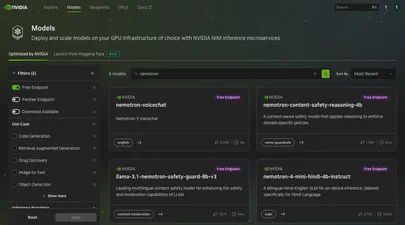
The NVIDIA Developer Program provides access to a wide catalog of AI models through NVIDIA Inference Microservices (NIM), offering an OpenAI-compatible API. You can browse and discover available models at build.nvidia.com/explore/discover .
If you want to find models with free hosted endpoints in the browser, you can enable the “Free Endpoint” filter
on the model catalog page. But what if you need that information programmatically – in a script, a CI pipeline, or as part of an automated workflow? The browser filter is not accessible through the API, and the /v1/models endpoint does not distinguish between free hosted models and everything else.

Linux Kernel v6.19 is Released: This is What's New for Compute Express Link (CXL)
The Linux Kernel v6.19 release brings several improvements and additions related to Compute Express Link (CXL) technology.
Release Highlights
Linux Kernel v6.19 includes 31 commits to the CXL and DAX subsystems:
| Category | Commits |
|---|---|
| New Features & Hardware | 1 |
| Bug Fixes | 4 |
| Refactoring & Cleanup | 5 |
| Testing | 1 |
| Documentation | 2 |
| Other | 18 |
Linux v6.19 is a measured release for the CXL/DAX subsystem — 31 commits spread across correctness fixes, code hardening, and targeted new functionality. The headline addition is extended linear cache (ELC) region support: regions can now be flagged to indicate they carry an ELC mapping, a prerequisite for properly managing CXL memory that participates in CPU-side cache hierarchies. Alongside the feature itself, the release includes adjustments to how ELC failures are reported through cxl_acpi, and the HBIW platform-data guard that was accidentally dropped has been restored.

Reflections and What's Next: Lessons from Building lib3mf-rs
Series: Building lib3mf-rs
This post is part of a 5-part series on building a comprehensive 3MF library in Rust:
- Part 1: My Journey Building a 3MF Native Rust Library from Scratch
- Part 2: The Library Landscape - Why Build Another One?
- Part 3: Into the 3MF Specification Wilderness - Reading 1000+ Pages of Specifications
- Part 4: Design for Developers - Features, Flags, and the CLI
- Part 5: Reflections and What’s Next - Lessons from Building lib3mf-rs
On February 4th, 2026, lib3mf-rs is a published open-source project with complete specification coverage, available for anyone to use.
Read More
Design for Developers: Features, Flags, and the CLI
Series: Building lib3mf-rs
This post is part of a 5-part series on building a comprehensive 3MF library in Rust:
- Part 1: My Journey Building a 3MF Native Rust Library from Scratch
- Part 2: The Library Landscape - Why Build Another One?
- Part 3: Into the 3MF Specification Wilderness - Reading 1000+ Pages of Specifications
- Part 4: Design for Developers - Features, Flags, and the CLI
- Part 5: Reflections and What’s Next - Lessons from Building lib3mf-rs
Understanding the specifications was one thing. Designing a library that developers would actually want to use? That was another challenge entirely. I’ve worked on many libraries over the years, and I’ve learned a lot about what makes a good library, for example the Persistent Memory Development Kit . The difference is understanding how Rust does things.
Read More
Into the 3MF Specification Wilderness: Reading 1000+ Pages of Specifications
Series: Building lib3mf-rs
This post is part of a 5-part series on building a comprehensive 3MF library in Rust:
- Part 1: My Journey Building a 3MF Native Rust Library from Scratch
- Part 2: The Library Landscape - Why Build Another One?
- Part 3: Into the 3MF Specification Wilderness - Reading 1000+ Pages of Specifications
- Part 4: Design for Developers - Features, Flags, and the CLI
- Part 5: Reflections and What’s Next - Lessons from Building lib3mf-rs
“How hard can it be? It’s just a file format.”
That’s what I thought before I started reading the 3MF specifications. After reading, re-reading, and getting AI to help summarize and dig deeper into the interpretations and understandings, I was ready to begin.
Read More
The Library Landscape: Why Build Another One?
Series: Building lib3mf-rs
This post is part of a 5-part series on building a comprehensive 3MF library in Rust:
- Part 1: My Journey Building a 3MF Native Rust Library from Scratch
- Part 2: The Library Landscape - Why Build Another One?
- Part 3: Into the 3MF Specification Wilderness - Reading 1000+ Pages of Specifications
- Part 4: Design for Developers - Features, Flags, and the CLI
- Part 5: Reflections and What’s Next - Lessons from Building lib3mf-rs
“Why not just use the existing library?”
It’s a fair question. One I asked myself many times during the early days of this project. The 3MF Consortium maintains lib3MF , a comprehensive C++ implementation used by major companies in additive manufacturing. Why build another one?
Read More
My Journey Building a 3MF Native Rust Library from Scratch
For the past few years, I’ve been getting more and more into 3D printing as a hobbyist. Like everyone, I started with one, a Bambu Lab X1 Carbon, which has now grown to three printers. I find the hobby fascinating as it entangles software, firmware, hardware, physics, and materials science.
As a software engineer, I’m naturally drawn to the software side of things (Slicer and Firmware). But what interests me most, is how the software interacts with the hardware and the materials. How the slicer translates the 3D model into instructions for the printer (G-Code). How the printer executes those instructions. How the materials behave under the printer’s control.
Read More
Linux Kernel v6.18 is Released: This is What's New for Compute Express Link (CXL)
The Linux Kernel v6.18 release brings several improvements and additions related to Compute Express Link (CXL) technology.
Release Highlights
Linux Kernel v6.18 includes 32 commits to the CXL and DAX subsystems:
| Category | Commits |
|---|---|
| New Features & Hardware | 1 |
| Bug Fixes | 4 |
| Refactoring & Cleanup | 5 |
| Testing | 2 |
| Other | 20 |
The v6.18 kernel cycle for CXL/DAX is defined by two architectural threads running in parallel: hardening the address-translation stack and untangling port initialization from topology discovery. On the translation side, the new SPA-to-DPA region mapping infrastructure lands alongside a dedicated root-decoder ops structure that formalizes how the host physical address space is projected into CXL’s device physical address space — including XOR-interleaving math that was previously implicit. These foundations make region geometry computable and auditable in ways that earlier releases left to convention.
Read More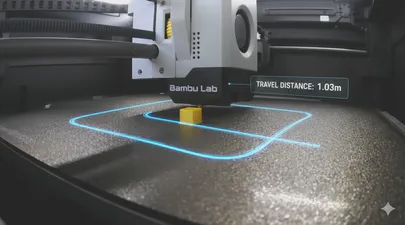
I Added a Feature to OrcaSlicer to Show Travel Distance and Moves
OrcaSlicer is a powerful and popular slicer for 3D printers, known for its rich feature set and active development community. In this blog post, we’ll take a closer look at a new feature I proposed and implemented that provides more insight into your prints: the display of total travel distance and the number of travel moves. See the feat: Display travel distance and move count in G-code summary for more details.
Read More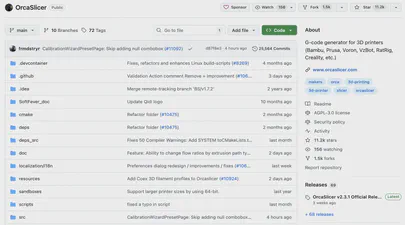
How to Build OrcaSlicer from Source on macOS 15 Sequoia - A Step-by-Step Guide
Building OrcaSlicer from source on macOS 15 (15.6.1 Sequoia) can be straightforward, but recent changes in macOS, Xcode, and CMake require some extra care. This guide updates the official instructions with important tips and fixes from this GitHub issue to avoid common build issues.
For this article, we will be using this build system:
- Apple MacBook Pro M1 (Apple Silicon)
- macOS 15.6.1 (Sequoia)
- Orca Slicer 2.3.1 from https://github.com/SoftFever/OrcaSlicer
Prerequisites
Before you start, ensure you have the following installed:
Read More
Linux Kernel v6.17 is Released: This is What's New for Compute Express Link (CXL)
The Linux Kernel v6.17 release brings several improvements and additions related to Compute Express Link (CXL) technology.
Release Highlights
Linux Kernel v6.17 includes 32 commits to the CXL and DAX subsystems:
| Category | Commits |
|---|---|
| New Features & Hardware | 1 |
| Bug Fixes | 6 |
| Refactoring & Cleanup | 3 |
| Other | 22 |
The v6.17 cycle for CXL and DAX is a consolidation release rather than a feature-heavy one, with 32 commits that reflect the subsystem maturing around correctness, specification compliance, and architectural hygiene. The most visible theme is alignment with CXL specification revision 3.2: the Common Event Record has been updated to match the new spec, the Memory Sparing Event Record gains kernel tracing support for the first time, and additional validity checks land for corrected volatile memory error (CVME) counts in both DRAM and General Media Event Records. This work strengthens the kernel’s ability to correctly interpret and surface CXL RAS events to userspace tooling and monitoring infrastructure.
Read More
How to Build acpidump from Source and use it to Debug Complex CXL and PCI Issues
This article is a detailed guide on how to build the latest version of the acpidump tool from its source code. While many Linux distributions, like Ubuntu, offer a packaged version of this utility, it’s often outdated. For developers and enthusiasts working with modern hardware features, particularly those related to Compute Express Link (CXL), having the most current version is essential.
Before you begin, it’s important to remove any old, conflicting versions of the tools. If you have previously installed the acpica-tools package from your distribution’s repository, you should remove it to prevent conflicts.

Linux Kernel v6.16 is Released: This is What's New for Compute Express Link (CXL)
The Linux Kernel v6.16 release brings several improvements and additions related to Compute Express Link (CXL) technology.
Release Highlights
Linux Kernel v6.16 includes 37 commits to the CXL and DAX subsystems:
| Category | Commits |
|---|---|
| New Features & Hardware | 2 |
| Bug Fixes | 6 |
| Refactoring & Cleanup | 8 |
| Documentation | 3 |
| Other | 18 |
The Linux v6.16 kernel cycle is dominated by one clear theme: hardening CXL memory device reliability and serviceability through the EDAC subsystem. Four new control features land in this release — patrol scrub, Error Check Scrub (ECS), soft Post Package Repair (PPR), and memory sparing — each exposing a distinct class of CXL 3.0 memory maintenance operations to userspace through a consistent sysfs interface. Alongside these, support for the PERFORM_MAINTENANCE command provides the underlying mechanism that drives scrub and repair operations on compliant devices. Taken together, this work moves CXL from a device class that Linux can merely enumerate and map to one where the kernel actively participates in proactive memory health management.

Is Your Application Really Using Persistent Memory? Here’s How to Tell.
Persistent memory (PMEM), especially when accessed via technologies like CXL, promises the best of both worlds: DRAM-like speed with the durability of an SSD. When you set up a filesystem like XFS or EXT4 in FSDAX (File System Direct Access) mode on a PMEM device, you’re paving a superhighway for your applications, allowing them to map files directly into their address space and bypass the kernel’s page cache entirely.
But here’s the crucial question: after all the setup and configuration, how do you prove that your application’s data is physically residing on the PMEM device and not just in regular RAM? I’ve run into this question myself, so I wrote a small Python script to get a definitive answer using SQLite3 as an example application. However, before we proceed with the script, let’s examine how you can verify this manually.
Read More
How to Confirm Virtual to Physical Memory Mappings for PMem and FSDAX Files
Are you curious whether your application’s memory-mapped files are really using Intel Optane Persistent Memory (PMem), Compute Express Link (CXL) Non-Volatile Memory Modules (NV-CMM), or another DAX-enabled persistent memory device? Want to understand how virtual memory maps onto physical, non-volatile regions? Let’s use easily adaptable scripts in both Python and C to confirm this on your Linux system, definitively.
Why Does This Matter?
With the advent of persistent memory and DAX (Direct Access) filesystems, applications can memory-map files directly onto PMem, bypassing the traditional DRAM page cache. This promises significant performance and durability improvements for data-intensive workloads and databases, such as SQLite, Redis, and others.
Read More
CXL Memory NUMA Node Mapping with Sub-NUMA Clustering (SNC) on Linux
CXL (Compute Express Link) memory devices are revolutionizing server architectures, but they also introduce new NUMA complexity, especially when advanced memory configurations, such as Sub-NUMA Clustering (SNC), are enabled. One of the most confusing issues is the mismatch between NUMA node numbers reported by CXL sysfs attributes and those used by Linux memory management tools.
This blog post walks through a real-world scenario, complete with command outputs and diagrams, to help you understand and resolve the CXL NUMA node mapping issue with SNC enabled.
Read More
CXL Device & Fabric Buyer's Guide: A List of GA Components
Last Updated: June 2, 2026
This guide provides a curated list of generally available (GA) Compute Express Link (CXL) devices, fabric components, and memory appliances. It is a technical resource for engineers, architects, and hardware specialists looking to identify and compare CXL memory expansion modules, switches, and full system-level appliances from leading vendors. The tables below detail market-ready components, focusing on the specifications required to design and build CXL-enabled infrastructure.
Read More
CXL Server Buyer's Guide: A Complete List of GA Platforms
Last Updated: June 2, 2026
This quick-reference guide provides a definitive, up-to-date list of generally available (GA) Compute Express Link (CXL) servers from major OEMs including Dell, HPE, Lenovo, and Supermicro. It is designed for data center architects, engineers, and IT decision-makers who need to identify and compare server platforms that support CXL 1.1 and CXL 2.0 for memory expansion and pooling.
Compute Express Link (CXL) is an open-standard interconnect that enables high-speed, low-latency communication between processors and attached devices such as accelerators and memory expanders. CXL 2.0 adoption has accelerated significantly since 2025, with all major CPU platforms now supporting it natively and the first hyperscale cloud deployments validated in production.
Read More
Your Personal Codespace: Self-Host VS Code on Any Server
GitHub Codespaces and other cloud IDEs have revolutionized development, offering a complete VS Code environment that runs on a remote server and is accessible from any browser. It’s a game-changer for productivity and flexibility.
But what if you could have that same powerful, seamless experience on your own terms?
This guide will show you how to build your very own private Codespace, replicating the convenience of the GitHub experience on any server you control—be it a machine in your home lab, a dedicated server, or a budget-friendly cloud VM. We’ll explore two distinct paths to get you up and running with a persistent, browser-based VS Code instance on Ubuntu 24.04, complete with AI assistants like Gemini and GitHub Copilot to boost your workflow.
Read More
Unlock Your CXL Memory: How to Switch from NUMA (System-RAM) to Direct Access (DAX) Mode
As a Linux System Administrator working with Compute Express Link (CXL) memory devices, you should be aware that as of Linux Kernel 6.3, Type 3 CXL.mem devices are now automatically brought online as memory-only NUMA nodes. While this can be beneficial for most situations, it might not be ideal if your application is designed to directly manage the CXL memory as a DAX (Direct Access) device using mmap().
This blog post will explain this behavior and provide a step-by-step guide on how to convert a CXL memory device from a memory-only NUMA node back to DAX mode, allowing applications to mmap the underlying /dev/daxX.Y device. We’ll also cover troubleshooting steps if the memory is actively in use by the kernel or other processes.

Linux Kernel v6.15 is Released: This is What's New for Compute Express Link (CXL)
The Linux Kernel v6.15 release brings several improvements and additions related to Compute Express Link (CXL) technology.
Release Highlights
Linux Kernel v6.15 includes 55 commits to the CXL and DAX subsystems:
| Category | Commits |
|---|---|
| New Features & Hardware | 6 |
| Bug Fixes | 4 |
| Performance | 1 |
| Refactoring & Cleanup | 9 |
| Other | 35 |
The Linux v6.15 kernel marks a meaningful expansion of CXL’s userspace interface story. The headline addition is FWCTL support: CXL devices can now expose get-feature and set-feature mailbox commands to userspace through the fwctl subsystem, giving operators and tooling a standardized RPC path to query and configure device-specific feature registers without requiring bespoke kernel drivers for each capability. This is the groundwork that enables feature negotiation at the management layer — expect CXL tooling to start consuming these interfaces quickly.
Fastfetch: The Speedy Successor Neofetch Replacement Your Ubuntu Terminal Needs
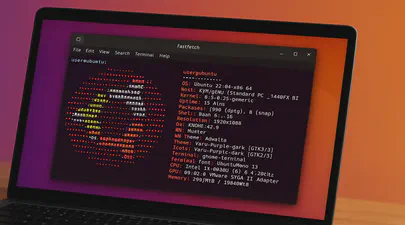
If you love customizing your Linux terminal and getting a quick, visually appealing overview of your system specs, you might have used neofetch in the past. However, neofetch is now deprecated and no longer actively maintained. A fantastic, actively maintained alternative is Fastfetch – known for its speed, extensive customization options, and feature set.
While you might be able to install Fastfetch on Ubuntu 22.04 (Jammy Jellyfish) using the standard sudo apt install fastfetch, the version available in the default Ubuntu repositories is often outdated. To get the latest features, bug fixes, and performance improvements, you’ll want to use a different method.

How I Created a Custom ChatGPT Trained on the CXL Specification Documents
If you’re working with Compute Express Link (CXL) and wish you had an AI assistant trained on all the different versions of the specification—1.0, 1.1, 2.0, 3.0, 3.1… you’re in luck.
Whether you’re a CXL device vendor, a firmware engineer, a Linux Kernel developer, a memory subsystem architect, a hardware validation engineer, or even an application developer working on CXL tools and utilities, chances are you’ve had to reference the CXL spec at some point. And if you have, you already know: these documents are dense, extremely technical, and constantly evolving.
Read More
I Turned Myself Into an Action Figure
Part of being in tech, especially in emerging memory technology, is constantly switching between the serious and the surreal. One day you’re in kernel debug mode, the next you’re explaining complex system architectures on a whiteboard, and then suddenly you’re jumping on the latest craze such as making yourself into an action figure.
It’s fun. It’s human. And honestly? It’s a reminder not to take yourself too seriously. (Even if your job title suggests differently)
Read More
Linux Kernel 6.14 is Released: This is What's New for Compute Express Link (CXL)
The Linux Kernel 6.14 release brings several improvements and additions related to Compute Express Link (CXL) technology.
CXL related changes from Kernel v6.13 to v6.14
Here is the detailed list of all commits merged into the 6.14 Kernel for CXL and DAX. This list was generated by the Linux Kernel CXL Feature Tracker .
- Merge tag ‘cxl-for-6.14’ of git://git.kernel.org/pub/scm/linux/kernel/git/cxl/cxl
- cxl/core/regs: Refactor out functions to count regblocks of given type
- cxl/events: Update Memory Module Event Record to CXL spec rev 3.1
- cxl/events: Update DRAM Event Record to CXL spec rev 3.1
- cxl/events: Update General Media Event Record to CXL spec rev 3.1
- cxl/events: Add Component Identifier formatting for CXL spec rev 3.1
- cxl/events: Update Common Event Record to CXL spec rev 3.1
- Merge 6.13-rc7 into driver-core-next
- driver core: Correct API device_for_each_child_reverse_from() prototype
- cxl/pmem: Remove is_cxl_nvdimm_bridge()
- cxl/pmem: Replace match_nvdimm_bridge() with API device_match_type()
- driver core: Constify API device_find_child() and adapt for various usages
- cxl/pci: Add CXL Type 1/2 support to cxl_dvsec_rr_decode()
- cxl/region: Fix region creation for greater than x2 switches
- cxl/pci: Check dport->regs.rcd_pcie_cap availability before accessing
- cxl/pci: Fix potential bogus return value upon successful probing
- module: Convert symbol namespace to string literal
- Merge tag ‘driver-core-6.13-rc1’ of git://git.kernel.org/pub/scm/linux/kernel/git/gregkh/driver-core
- Merge tag ‘cxl-for-6.13’ of git://git.kernel.org/pub/scm/linux/kernel/git/cxl/cxl
- Merge branch ‘cxl/for-6.13/dcd-prep’ into cxl-for-next
- cxl/region: Refactor common create region code
- cxl/hdm: Use guard() in cxl_dpa_set_mode()
- cxl/pci: Delay event buffer allocation
- sysfs: treewide: constify attribute callback of bin_is_visible()
- Merge branch ‘cxl/for-6.12/printf’ into cxl-for-next
- cxl/cdat: Use %pra for dpa range outputs
- cxl: downgrade a warning message to debug level in cxl_probe_component_regs()
- cxl/pci: Add sysfs attribute for CXL 1.1 device link status
- cxl/core/regs: Add rcd_pcie_cap initialization
- cxl/port: Prevent out-of-order decoder allocation
- cxl/port: Fix use-after-free, permit out-of-order decoder shutdown
- cxl/acpi: Ensure ports ready at cxl_acpi_probe() return
- cxl/port: Fix cxl_bus_rescan() vs bus_rescan_devices()
- cxl/port: Fix CXL port initialization order when the subsystem is built-in
- cxl/events: Fix Trace DRAM Event Record
- cxl/core: Return error when cxl_endpoint_gather_bandwidth() handles a non-PCI device
- move asm/unaligned.h to linux/unaligned.h
- Merge tag ‘cxl-for-6.12’ of git://git.kernel.org/pub/scm/linux/kernel/git/cxl/cxl
- cxl: Calculate region bandwidth of targets with shared upstream link
- cxl: Preserve the CDAT access_coordinate for an endpoint
- cxl: Fix comment regarding cxl_query_cmd() return data
- cxl: Convert cxl_internal_send_cmd() to use ‘struct cxl_mailbox’ as input
- cxl: Move mailbox related bits to the same context
- cxl: move cxl headers to new include/cxl/ directory
- cxl/region: Remove lock from memory notifier callback
- cxl/pci: simplify the check of mem_enabled in cxl_hdm_decode_init()
- cxl/pci: Check Mem_info_valid bit for each applicable DVSEC
- cxl/pci: Remove duplicated implementation of waiting for memory_info_valid
- cxl/pci: Fix to record only non-zero ranges
- mm: make range-to-target_node lookup facility a part of numa_memblks
- cxl/pci: Remove duplicate host_bridge->native_aer checking
- cxl/pci: cxl_dport_map_rch_aer() cleanup
- cxl/pci: Rename cxl_setup_parent_dport() and cxl_dport_map_regs()
- cxl/port: Refactor __devm_cxl_add_port() to drop goto pattern
- cxl/port: Use scoped_guard()/guard() to drop device_lock() for cxl_port
- cxl/port: Use __free() to drop put_device() for cxl_port
- cxl: Remove duplicate included header file core.h
- cxl/port: Convert to use ERR_CAST()
- cxl/pci: Get AER capability address from RCRB only for RCH dport
- Merge tag ‘cxl-for-6.11’ of git://git.kernel.org/pub/scm/linux/kernel/git/cxl/cxl
- Merge tag ‘driver-core-6.11-rc1’ of git://git.kernel.org/pub/scm/linux/kernel/git/gregkh/driver-core
- cxl/core/pci: Move reading of control register to immediately before usage
- Merge branch ‘for-6.11/xor_fixes’ into cxl-for-next
- cxl: Remove defunct code calculating host bridge target positions
- cxl/region: Verify target positions using the ordered target list
- cxl: Restore XOR’d position bits during address translation
- cxl/core: Fold cxl_trace_hpa() into cxl_dpa_to_hpa()
- cxl/memdev: Replace ENXIO with EBUSY for inject poison limit reached
- cxl/acpi: Warn on mixed CXL VH and RCH/RCD Hierarchy
- cxl/core: Fix incorrect vendor debug UUID define
- driver core: have match() callback in struct bus_type take a const *
- cxl/region: Simplify cxl_region_nid()
- cxl/region: Support to calculate memory tier abstract distance
- cxl/region: Fix a race condition in memory hotplug notifier
- cxl: add missing MODULE_DESCRIPTION() macros
- cxl/events: Use a common struct for DRAM and General Media events
- cxl: documentation: add missing files to cxl driver-api
- cxl/region: check interleave capability
- cxl/region: Avoid null pointer dereference in region lookup
- cxl/mem: Fix no cxl_nvd during pmem region auto-assembling
- cxl/region: Fix memregion leaks in devm_cxl_add_region()
- tracing/treewide: Remove second parameter of __assign_str()
- Merge tag ‘pci-v6.10-changes’ of git://git.kernel.org/pub/scm/linux/kernel/git/pci/pci
- Merge tag ‘cxl-for-6.10’ of git://git.kernel.org/pub/scm/linux/kernel/git/cxl/cxl
- cxl: Add post-reset warning if reset results in loss of previously committed HDM decoders
- PCI/CXL: Move CXL Vendor ID to pci_ids.h
- Merge remote-tracking branch ‘cxl/for-6.10/cper’ into cxl-for-next
- cxl/pci: Process CPER events
- cxl/region: Convert cxl_pmem_region_alloc to scope-based resource management
- cxl/acpi: Cleanup __cxl_parse_cfmws()
- cxl/region: Fix cxlr_pmem leaks
- Merge remote-tracking branch ‘cxl/for-6.10/dpa-to-hpa’ into cxl-for-next
- cxl/core: Add region info to cxl_general_media and cxl_dram events
- cxl/region: Move cxl_trace_hpa() work to the region driver
- cxl/region: Move cxl_dpa_to_region() work to the region driver
- cxl/trace: Correct DPA field masks for general_media & dram events
- Merge remote-tracking branch ‘cxl/for-6.10/add-log-mbox-cmds’ into cxl-for-next
- cxl/hdm: Debug, use decoder name function
- cxl: Fix use of phys_to_target_node() for x86
- cxl/hdm: dev_warn() on unsupported mixed mode decoder
- cxl/hdm: Add debug message for invalid interleave granularity
- cxl: Fix compile warning for cxl_security_ops extern
- cxl/mbox: Add Clear Log mailbox command
- cxl/mbox: Add Get Log Capabilities and Get Supported Logs Sub-List commands
- cxl: Fix cxl_endpoint_get_perf_coordinate() support for RCH
- cxl/core: Fix potential payload size confusion in cxl_mem_get_poison()
- Merge tag ‘cxl-fixes-6.9-rc4’ of git://git.kernel.org/pub/scm/linux/kernel/git/cxl/cxl
- cxl: Add checks to access_coordinate calculation to fail missing data
- cxl: Consolidate dport access_coordinate ->hb_coord and ->sw_coord into ->coord
- cxl: Fix incorrect region perf data calculation
- cxl: Fix retrieving of access_coordinates in PCIe path
- cxl: Remove checking of iter in cxl_endpoint_get_perf_coordinates()
- cxl/core: Fix initialization of mbox_cmd.size_out in get event
- cxl/core/regs: Fix usage of map->reg_type in cxl_decode_regblock() before assigned
- cxl/mem: Fix for the index of Clear Event Record Handle
- cxl: remove CONFIG_CXL_PMU entry in drivers/cxl/Kconfig
- Merge tag ’trace-v6.9-2’ of git://git.kernel.org/pub/scm/linux/kernel/git/trace/linux-trace
- cxl/trace: Properly initialize cxl_poison region name
- Merge branch ‘for-6.9/cxl-fixes’ into for-6.9/cxl
- Merge branch ‘for-6.9/cxl-einj’ into for-6.9/cxl
- Merge branch ‘for-6.9/cxl-qos’ into for-6.9/cxl
- lib/firmware_table: Provide buffer length argument to cdat_table_parse()
- cxl/pci: Get rid of pointer arithmetic reading CDAT table
- cxl/pci: Rename DOE mailbox handle to doe_mb
- cxl: Fix the incorrect assignment of SSLBIS entry pointer initial location
- cxl/core: Add CXL EINJ debugfs files
- cxl/region: Deal with numa nodes not enumerated by SRAT
- cxl/region: Add memory hotplug notifier for cxl region
- cxl/region: Add sysfs attribute for locality attributes of CXL regions
- cxl/region: Calculate performance data for a region
- cxl: Set cxlmd->endpoint before adding port device
- cxl: Move QoS class to be calculated from the nearest CPU
- cxl: Split out host bridge access coordinates
- cxl: Split out combine_coordinates() for common shared usage
- ACPI: HMAT / cxl: Add retrieval of generic port coordinates for both access classes
- cxl/acpi: Fix load failures due to single window creation failure
- Merge branch ‘for-6.8/cxl-cper’ into for-6.8/cxl
- acpi/ghes: Remove CXL CPER notifications
- cxl/pci: Fix disabling memory if DVSEC CXL Range does not match a CFMWS window
- cxl: Fix sysfs export of qos_class for memdev
- cxl: Remove unnecessary type cast in cxl_qos_class_verify()
- cxl: Change ‘struct cxl_memdev_state’ *_perf_list to single ‘struct cxl_dpa_perf’
- cxl/region: Allow out of order assembly of autodiscovered regions
- cxl/region: Handle endpoint decoders in cxl_region_find_decoder()
- Merge tag ’efi-fixes-for-v6.8-1’ of git://git.kernel.org/pub/scm/linux/kernel/git/efi/efi
- cxl/trace: Remove unnecessary memcpy’s
- cxl/pci: Skip to handle RAS errors if CXL.mem device is detached
- cxl/region:Fix overflow issue in alloc_hpa()
- cxl/pci: Skip irq features if MSI/MSI-X are not supported
- cxl/core: use sysfs_emit() for attr’s _show()
- Merge branch ‘for-6.8/cxl-cper’ into for-6.8/cxl
- cxl/pci: Register for and process CPER events
- cxl/events: Create a CXL event union
- cxl/events: Separate UUID from event structures
- cxl/events: Remove passing a UUID to known event traces
- cxl/events: Create common event UUID defines
- Merge branch ‘for-6.7/cxl’ into for-6.8/cxl
- Merge branch ‘for-6.8/cxl-misc’ into for-6.8/cxl
- Merge branch ‘for-6.8/cxl-cdat’ into for-6.8/cxl
- cxl/events: Promote CXL event structures to a core header
- cxl: Refactor to use __free() for cxl_root allocation in cxl_endpoint_port_probe()
- cxl: Refactor to use __free() for cxl_root allocation in cxl_find_nvdimm_bridge()
- cxl: Fix device reference leak in cxl_port_perf_data_calculate()
- cxl: Convert find_cxl_root() to return a ‘struct cxl_root *’
- cxl: Introduce put_cxl_root() helper
- cxl/port: Fix missing target list lock
- cxl/port: Fix decoder initialization when nr_targets > interleave_ways
- cxl/region: fix x9 interleave typo
- cxl/trace: Pass UUID explicitly to event traces
- Merge branch ‘for-6.8/cxl-cdat’ into for-6.8/cxl
- cxl/region: use %pap format to print resource_size_t
- cxl/region: Add dev_dbg() detail on failure to allocate HPA space
- cxl: Check qos_class validity on memdev probe
- cxl: Export sysfs attributes for memory device QoS class
- cxl: Store QTG IDs and related info to the CXL memory device context
- cxl: Compute the entire CXL path latency and bandwidth data
- cxl: Add helper function that calculate performance data for downstream ports
- cxl: Store the access coordinates for the generic ports
- cxl: Calculate and store PCI link latency for the downstream ports
- cxl: Add support for _DSM Function for retrieving QTG ID
- cxl: Add callback to parse the SSLBIS subtable from CDAT
- cxl: Add callback to parse the DSLBIS subtable from CDAT
- cxl: Add callback to parse the DSMAS subtables from CDAT
- cxl: Fix unregister_region() callback parameter assignment
- cxl/pmu: Ensure put_device on pmu devices
- cxl/cdat: Free correct buffer on checksum error
- cxl/hdm: Fix dpa translation locking
- cxl: Add Support for Get Timestamp
- cxl/memdev: Hold region_rwsem during inject and clear poison ops
- cxl/core: Always hold region_rwsem while reading poison lists
- cxl/hdm: Fix a benign lockdep splat
- cxl/pci: Change CXL AER support check to use native AER
- cxl/hdm: Remove broken error path
- cxl/hdm: Fix && vs || bug
- Merge branch ‘for-6.7/cxl-commited’ into cxl/next
- Merge branch ‘for-6.7/cxl’ into cxl/next
- Merge branch ‘for-6.7/cxl-qtg’ into cxl/next
- Merge branch ‘for-6.7/cxl-rch-eh’ into cxl/next
- cxl: Add support for reading CXL switch CDAT table
- cxl: Add checksum verification to CDAT from CXL
- cxl: Export QTG ids from CFMWS to sysfs as qos_class attribute
- cxl: Add decoders_committed sysfs attribute to cxl_port
- cxl: Add cxl_decoders_committed() helper
- cxl/core/regs: Rework cxl_map_pmu_regs() to use map->dev for devm
- cxl/core/regs: Rename phys_addr in cxl_map_component_regs()
- cxl/pci: Disable root port interrupts in RCH mode
- cxl/pci: Add RCH downstream port error logging
- cxl/pci: Map RCH downstream AER registers for logging protocol errors
- cxl/pci: Update CXL error logging to use RAS register address
- PCI/AER: Refactor cper_print_aer() for use by CXL driver module
- cxl/pci: Add RCH downstream port AER register discovery
- cxl/port: Remove Component Register base address from struct cxl_port
- cxl/pci: Remove Component Register base address from struct cxl_dev_state
- cxl/hdm: Use stored Component Register mappings to map HDM decoder capability
- cxl/pci: Store the endpoint’s Component Register mappings in struct cxl_dev_state
- cxl/port: Pre-initialize component register mappings
- cxl/port: Rename @comp_map to @reg_map in struct cxl_register_map
- cxl/port: Fix @host confusion in cxl_dport_setup_regs()
- cxl/core/regs: Rename @dev to @host in struct cxl_register_map
- cxl/port: Fix delete_endpoint() vs parent unregistration race
- cxl/region: Fix x1 root-decoder granularity calculations
- cxl/region: Fix cxl_region_rwsem lock held when returning to user space
- cxl/region: Use cxl_calc_interleave_pos() for auto-discovery
- cxl/region: Calculate a target position in a region interleave
- cxl/region: Prepare the decoder match range helper for reuse
- cxl/mbox: Remove useless cast in cxl_mem_create_range_info()
- cxl/region: Do not try to cleanup after cxl_region_setup_targets() fails
- cxl/mem: Fix shutdown order
- cxl/memdev: Fix sanitize vs decoder setup locking
- cxl/pci: Fix sanitize notifier setup
- cxl/pci: Clarify devm host for memdev relative setup
- cxl/pci: Remove inconsistent usage of dev_err_probe()
- cxl/pci: Remove hardirq handler for cxl_request_irq()
- cxl/pci: Cleanup ‘sanitize’ to always poll
- cxl/pci: Remove unnecessary device reference management in sanitize work
- cxl/acpi: Annotate struct cxl_cxims_data with __counted_by
- cxl/port: Fix cxl_test register enumeration regression
- cxl/pci: Update comment
- cxl/port: Quiet warning messages from the cxl_test environment
- cxl/region: Refactor granularity select in cxl_port_setup_targets()
- cxl/region: Match auto-discovered region decoders by HPA range
- cxl/mbox: Fix CEL logic for poison and security commands
- cxl/pci: Replace host_bridge->native_aer with pcie_aer_is_native()
- cxl/pci: Fix appropriate checking for _OSC while handling CXL RAS registers
- cxl/memdev: Only show sanitize sysfs files when supported
- cxl/memdev: Document security state in kern-doc
- cxl/acpi: Return ‘rc’ instead of ‘0’ in cxl_parse_cfmws()
- cxl/acpi: Fix a use-after-free in cxl_parse_cfmws()
- cxl/mem: Fix a double shift bug
- cxl: fix CONFIG_FW_LOADER dependency
- cxl: Fix one kernel-doc comment
- cxl/pci: Use correct flag for sanitize polling
- Merge branch ‘for-6.5/cxl-rch-eh’ into for-6.5/cxl
- Merge branch ‘for-6.5/cxl-perf’ into for-6.5/cxl
- perf: CXL Performance Monitoring Unit driver
- Merge branch ‘for-6.5/cxl-region-fixes’ into for-6.5/cxl
- Merge branch ‘for-6.5/cxl-type-2’ into for-6.5/cxl
- Merge branch ‘for-6.5/cxl-fwupd’ into for-6.5/cxl
- Merge branch ‘for-6.5/cxl-background’ into for-6.5/cxl
- cxl: add a firmware update mechanism using the sysfs firmware loader
- cxl/mem: Support Secure Erase
- cxl/mem: Wire up Sanitization support
- cxl/mbox: Add sanitization handling machinery
- cxl/mem: Introduce security state sysfs file
- cxl/mbox: Allow for IRQ_NONE case in the isr
- Revert “cxl/port: Enable the HDM decoder capability for switch ports”
- cxl/memdev: Formalize endpoint port linkage
- cxl/pci: Unconditionally unmask 256B Flit errors
- cxl/region: Manage decoder target_type at decoder-attach time
- cxl/hdm: Default CXL_DEVTYPE_DEVMEM decoders to CXL_DECODER_DEVMEM
- cxl/port: Rename CXL_DECODER_{EXPANDER, ACCELERATOR} => {HOSTONLYMEM, DEVMEM}
- cxl/memdev: Make mailbox functionality optional
- cxl/mbox: Move mailbox related driver state to its own data structure
- cxl: Remove leftover attribute documentation in ‘struct cxl_dev_state’
- cxl: Fix kernel-doc warnings
- cxl/regs: Clarify when a ‘struct cxl_register_map’ is input vs output
- cxl/region: Fix state transitions after reset failure
- cxl/region: Flag partially torn down regions as unusable
- cxl/region: Move cache invalidation before region teardown, and before setup
- cxl/port: Store the downstream port’s Component Register mappings in struct cxl_dport
- cxl/port: Store the port’s Component Register mappings in struct cxl_port
- cxl/pci: Early setup RCH dport component registers from RCRB
- cxl/mem: Prepare for early RCH dport component register setup
- cxl/regs: Remove early capability checks in Component Register setup
- cxl/port: Remove Component Register base address from struct cxl_dport
- cxl/acpi: Directly bind the CEDT detected CHBCR to the Host Bridge’s port
- cxl/acpi: Move add_host_bridge_uport() after cxl_get_chbs()
- cxl/pci: Refactor component register discovery for reuse
- cxl/core/regs: Add @dev to cxl_register_map
- cxl: Rename ‘uport’ to ‘uport_dev’
- cxl: Rename member @dport of struct cxl_dport to @dport_dev
- cxl/rch: Prepare for caching the MMIO mapped PCIe AER capability
- cxl/acpi: Probe RCRB later during RCH downstream port creation
- cxl/pci: Find and register CXL PMU devices
- cxl: Add functions to get an instance of / count regblocks of a given type
- cxl: Explicitly initialize resources when media is not ready
- cxl/mbox: Add background cmd handling machinery
- cxl/pci: Introduce cxl_request_irq()
- cxl/pci: Allocate irq vectors earlier during probe
- cxl/port: Fix NULL pointer access in devm_cxl_add_port()
- cxl: Move cxl_await_media_ready() to before capacity info retrieval
- cxl: Wait Memory_Info_Valid before access memory related info
- cxl/port: Enable the HDM decoder capability for switch ports
- cxl: Add missing return to cdat read error path
- Merge tag ‘cxl-for-6.4’ of git://git.kernel.org/pub/scm/linux/kernel/git/cxl/cxl
- Merge tag ‘driver-core-6.4-rc1’ of git://git.kernel.org/pub/scm/linux/kernel/git/gregkh/driver-core
- cxl/mbox: Update CMD_RC_TABLE
- Merge branch ‘for-6.3/cxl-autodetect-fixes’ into for-6.4/cxl
- Merge branch ‘for-6.4/cxl-poison’ into for-6.4/cxl
- cxl/mem: Add debugfs attributes for poison inject and clear
- cxl/memdev: Trace inject and clear poison as cxl_poison events
- cxl/memdev: Warn of poison inject or clear to a mapped region
- cxl/memdev: Add support for the Clear Poison mailbox command
- cxl/memdev: Add support for the Inject Poison mailbox command
- cxl/trace: Add an HPA to cxl_poison trace events
- cxl/region: Provide region info to the cxl_poison trace event
- cxl/memdev: Add trigger_poison_list sysfs attribute
- cxl/trace: Add TRACE support for CXL media-error records
- cxl/mbox: Add GET_POISON_LIST mailbox command
- cxl/mbox: Initialize the poison state
- cxl/mbox: Restrict poison cmds to debugfs cxl_raw_allow_all
- cxl/mbox: Deprecate poison commands
- cxl/port: Fix port to pci device assumptions in read_cdat_data()
- cxl/pci: Rightsize CDAT response allocation
- cxl/pci: Simplify CDAT retrieval error path
- cxl/pci: Use CDAT DOE mailbox created by PCI core
- cxl/pci: Use synchronous API for DOE
- cxl/hdm: Add more HDM decoder debug messages at startup
- cxl/port: Scan single-target ports for decoders
- cxl/core: Drop unused io-64-nonatomic-lo-hi.h
- cxl/hdm: Use 4-byte reads to retrieve HDM decoder base+limit
- cxl/hdm: Fail upon detecting 0-sized decoders
- Merge branch ‘for-6.3/cxl-doe-fixes’ into for-6.3/cxl
- cxl/hdm: Extend DVSEC range register emulation for region enumeration
- cxl/hdm: Limit emulation to the number of range registers
- cxl/region: Move coherence tracking into cxl_region_attach()
- cxl/region: Fix region setup/teardown for RCDs
- cxl/port: Fix find_cxl_root() for RCDs and simplify it
- cxl/hdm: Skip emulation when driver manages mem_enable
- cxl/hdm: Fix double allocation of @cxlhdm
- cxl/pci: Handle excessive CDAT length
- cxl/pci: Handle truncated CDAT entries
- cxl/pci: Handle truncated CDAT header
- driver core: bus: mark the struct bus_type for sysfs callbacks as constant
- cxl/pci: Fix CDAT retrieval on big endian
- Merge tag ‘cxl-for-6.3’ of git://git.kernel.org/pub/scm/linux/kernel/git/cxl/cxl
- Merge tag ‘driver-core-6.3-rc1’ of git://git.kernel.org/pub/scm/linux/kernel/git/gregkh/driver-core
- Merge branch ‘for-6.3/cxl-events’ into cxl/next
- cxl/mem: Add kdoc param for event log driver state
- cxl/trace: Add serial number to trace points
- cxl/trace: Add host output to trace points
- cxl/trace: Standardize device information output
- Merge branch ‘for-6.3/cxl-rr-emu’ into cxl/next
- cxl/pci: Remove locked check for dvsec_range_allowed()
- cxl/hdm: Add emulation when HDM decoders are not committed
- cxl/hdm: Create emulated cxl_hdm for devices that do not have HDM decoders
- cxl/hdm: Emulate HDM decoder from DVSEC range registers
- cxl/pci: Refactor cxl_hdm_decode_init()
- cxl/port: Export cxl_dvsec_rr_decode() to cxl_port
- cxl/pci: Break out range register decoding from cxl_hdm_decode_init()
- Merge branch ‘for-6.3/cxl’ into cxl/next
- Merge branch ‘for-6.3/cxl-ram-region’ into cxl/next
- cxl: add RAS status unmasking for CXL
- cxl: remove unnecessary calling of pci_enable_pcie_error_reporting()
- cxl: avoid returning uninitialized error code
- cxl/pmem: Fix nvdimm registration races
- Merge branch ‘for-6.3/cxl-ram-region’ into cxl/next
- Merge branch ‘for-6.3/cxl’ into cxl/next
- cxl/uapi: Tag commands from cxl_query_cmd()
- cxl/mem: Remove unused CXL_CMD_FLAG_NONE define
- cxl/dax: Create dax devices for CXL RAM regions
- tools/testing/cxl: Define a fixed volatile configuration to parse
- cxl/region: Add region autodiscovery
- cxl/port: Split endpoint and switch port probe
- cxl/region: Enable CONFIG_CXL_REGION to be toggled
- kernel/range: Uplevel the cxl subsystem’s range_contains() helper
- cxl/region: Move region-position validation to a helper
- cxl/region: Cleanup target list on attach error
- cxl/region: Refactor attach_target() for autodiscovery
- cxl/region: Add volatile region creation support
- cxl/region: Validate region mode vs decoder mode
- cxl/region: Support empty uuids for non-pmem regions
- cxl/region: Add a mode attribute for regions
- cxl/memdev: Fix endpoint port removal
- cxl/mem: Correct full ID range allocation
- Merge branch ‘for-6.3/cxl-events’ into cxl/next
- Merge branch ‘for-6.3/cxl’ into cxl/next
- cxl/region: Fix passthrough-decoder detection
- cxl/region: Fix null pointer dereference for resetting decoder
- cxl/pci: Fix irq oneshot expectations
- cxl/pci: Set the device timestamp
- cxl/mbox: Add missing parameter to docs.
- cxl/mbox: Fix Payload Length check for Get Log command
- driver core: make struct bus_type.uevent() take a const *
- driver core: make struct device_type.devnode() take a const *
- cxl/mem: Trace Memory Module Event Record
- cxl/mem: Trace DRAM Event Record
- cxl/mem: Trace General Media Event Record
- cxl/mem: Wire up event interrupts
- cxl: fix spelling mistakes
- cxl/mbox: Add debug messages for enabled mailbox commands
- cxl/mem: Read, trace, and clear events on driver load
- cxl/pmem: Fix nvdimm unregistration when cxl_pmem driver is absent
- cxl/port: Link the ‘parent_dport’ in portX/ and endpointX/ sysfs
- cxl/region: Clarify when a cxld->commit() callback is mandatory
- cxl/pci: Show opcode in debug messages when sending a command
- cxl: fix cxl_report_and_clear() RAS UE addr mis-assignment
- cxl/region: Only warn about cpu_cache_invalidate_memregion() once
- cxl/pci: Move tracepoint definitions to drivers/cxl/core/
- cxl/region: Fix memdev reuse check
- cxl/pci: Remove endian confusion
- cxl/pci: Add some type-safety to the AER trace points
- cxl/security: Drop security command ioctl uapi
- cxl/mbox: Add variable output size validation for internal commands
- cxl/mbox: Enable cxl_mbox_send_cmd() users to validate output size
- cxl/security: Fix Get Security State output payload endian handling
- cxl: update names for interleave ways conversion macros
- cxl: update names for interleave granularity conversion macros
- cxl/acpi: Warn about an invalid CHBCR in an existing CHBS entry
- cxl/acpi: Fail decoder add if CXIMS for HBIG is missing
- cxl/region: Fix spelling mistake “memergion” -> “memregion”
- cxl/regs: Fix sparse warning
- Merge branch ‘for-6.2/cxl-xor’ into for-6.2/cxl
- Merge branch ‘for-6.2/cxl-aer’ into for-6.2/cxl
- Merge branch ‘for-6.2/cxl-security’ into for-6.2/cxl
- cxl/port: Add RCD endpoint port enumeration
- cxl/mem: Move devm_cxl_add_endpoint() from cxl_core to cxl_mem
- cxl/acpi: Support CXL XOR Interleave Math (CXIMS)
- cxl/pci: Add callback to log AER correctable error
- cxl/pci: Add (hopeful) error handling support
- cxl/pci: add tracepoint events for CXL RAS
- cxl/pci: Find and map the RAS Capability Structure
- cxl/pci: Prepare for mapping RAS Capability Structure
- cxl/port: Limit the port driver to just the HDM Decoder Capability
- cxl/core/regs: Make cxl_map_{component, device}_regs() device generic
- cxl/pci: Kill cxl_map_regs()
- cxl/pci: Cleanup cxl_map_device_regs()
- cxl/pci: Cleanup repeated code in cxl_probe_regs() helpers
- cxl/acpi: Extract component registers of restricted hosts from RCRB
- cxl/region: Manage CPU caches relative to DPA invalidation events
- cxl/pmem: Enforce keyctl ABI for PMEM security
- cxl/region: Fix missing probe failure
- cxl: add dimm_id support for __nvdimm_create()
- cxl/ACPI: Register CXL host ports by bridge device
- tools/testing/cxl: Make mock CEDT parsing more robust
- cxl/acpi: Move rescan to the workqueue
- cxl/pmem: Remove the cxl_pmem_wq and related infrastructure
- cxl/pmem: Refactor nvdimm device registration, delete the workqueue
- cxl/region: Drop redundant pmem region release handling
- cxl/acpi: Simplify cxl_nvdimm_bridge probing
- cxl/pmem: add provider name to cxl pmem dimm attribute group
- cxl/pmem: add id attribute to CXL based nvdimm
- nvdimm/cxl/pmem: Add support for master passphrase disable security command
- cxl/pmem: Add “Passphrase Secure Erase” security command support
- cxl/pmem: Add “Unlock” security command support
- cxl/pmem: Add “Freeze Security State” security command support
- cxl/pmem: Add Disable Passphrase security command support
- cxl/pmem: Add “Set Passphrase” security command support
- cxl/pmem: Introduce nvdimm_security_ops with ->get_flags() operation
- cxl: Replace HDM decoder granularity magic numbers
- cxl/acpi: Improve debug messages in cxl_acpi_probe()
- cxl: Unify debug messages when calling devm_cxl_add_dport()
- cxl: Unify debug messages when calling devm_cxl_add_port()
- cxl/core: Check physical address before mapping it in devm_cxl_iomap_block()
- cxl/core: Remove duplicate declaration of devm_cxl_iomap_block()
- cxl/doe: Request exclusive DOE access
- cxl/region: Recycle region ids
- cxl/region: Fix ‘distance’ calculation with passthrough ports
- cxl/pmem: Fix cxl_pmem_region and cxl_memdev leak
- cxl/region: Fix cxl_region leak, cleanup targets at region delete
- cxl/region: Fix region HPA ordering validation
- cxl/pmem: Use size_add() against integer overflow
- cxl/region: Fix decoder allocation crash
- cxl/pmem: Fix failure to account for 8 byte header for writes to the device LSA.
- cxl/region: Fix null pointer dereference due to pass through decoder commit
- cxl/mbox: Add a check on input payload size
- cxl/hdm: Fix skip allocations vs multiple pmem allocations
- cxl/region: Disallow region granularity != window granularity
- cxl/region: Fix x1 interleave to greater than x1 interleave routing
- cxl/region: Move HPA setup to cxl_region_attach()
- cxl/region: Fix decoder interleave programming
- cxl/region: describe targets and nr_targets members of cxl_region_params
- cxl/regions: add padding for cxl_rr_ep_add nested lists
- cxl/region: Fix IS_ERR() vs NULL check
- cxl/region: Fix region reference target accounting
- cxl/region: Fix region commit uninitialized variable warning
- cxl/region: Fix port setup uninitialized variable warnings
- cxl/region: Stop initializing interleave granularity
- cxl/hdm: Fix DPA reservation vs cxl_endpoint_decoder lifetime
- cxl/acpi: Minimize granularity for x1 interleaves
- cxl/region: Delete ‘region’ attribute from root decoders
- cxl/acpi: Autoload driver for ‘cxl_acpi’ test devices
- cxl/region: decrement ->nr_targets on error in cxl_region_attach()
- cxl/region: prevent underflow in ways_to_cxl()
- cxl/region: uninitialized variable in alloc_hpa()
- cxl/region: Introduce cxl_pmem_region objects
- cxl/pmem: Fix offline_nvdimm_bus() to offline by bridge
- cxl/region: Add region driver boiler plate
- cxl/hdm: Commit decoder state to hardware
- cxl/region: Program target lists
- cxl/region: Attach endpoint decoders
- cxl/acpi: Add a host-bridge index lookup mechanism
- cxl/region: Enable the assignment of endpoint decoders to regions
- cxl/region: Allocate HPA capacity to regions
- cxl/region: Add interleave geometry attributes
- cxl/region: Add a ‘uuid’ attribute
- cxl/region: Add region creation support
- cxl/mem: Enumerate port targets before adding endpoints
- cxl/hdm: Add sysfs attributes for interleave ways + granularity
- cxl/port: Move dport tracking to an xarray
- cxl/port: Move ‘cxl_ep’ references to an xarray per port
- cxl/port: Record parent dport when adding ports
- cxl/port: Record dport in endpoint references
- cxl/hdm: Add support for allocating DPA to an endpoint decoder
- cxl/hdm: Track next decoder to allocate
- cxl/hdm: Add ‘mode’ attribute to decoder objects
- cxl/hdm: Enumerate allocated DPA
- cxl/core: Define a ‘struct cxl_endpoint_decoder’
- cxl/core: Define a ‘struct cxl_root_decoder’
- cxl/acpi: Track CXL resources in iomem_resource
- cxl/core: Define a ‘struct cxl_switch_decoder’
- cxl/port: Read CDAT table
- cxl/pci: Create PCI DOE mailbox’s for memory devices
- cxl/pmem: Delete unused nvdimm attribute
- cxl/hdm: Initialize decoder type for memory expander devices
- cxl/port: Cache CXL host bridge data
- tools/testing/cxl: Add partition support
- cxl/mem: Add a debugfs version of ‘iomem’ for DPA, ‘dpamem’
- cxl/debug: Move debugfs init to cxl_core_init()
- cxl/hdm: Require all decoders to be enumerated
- cxl/mem: Convert partition-info to resources
- cxl: Introduce cxl_to_{ways,granularity}
- cxl/core: Drop is_cxl_decoder()
- cxl/core: Drop ->platform_res attribute for root decoders
- cxl/core: Rename ->decoder_range ->hpa_range
- cxl/hdm: Use local hdm variable
- cxl/port: Keep port->uport valid for the entire life of a port
- cxl/mbox: Fix missing variable payload checks in cmd size validation
- cxl/mbox: Use __le32 in get,set_lsa mailbox structures
- cxl/core: Use is_endpoint_decoder
- cxl: Fix cleanup of port devices on failure to probe driver.
- cxl/port: Enable HDM Capability after validating DVSEC Ranges
- cxl/port: Reuse ‘struct cxl_hdm’ context for hdm init
- cxl/port: Move endpoint HDM Decoder Capability init to port driver
- cxl/pci: Drop @info argument to cxl_hdm_decode_init()
- cxl/mem: Merge cxl_dvsec_ranges() and cxl_hdm_decode_init()
- cxl/mem: Skip range enumeration if mem_enable clear
- cxl/mem: Consolidate CXL DVSEC Range enumeration in the core
- cxl/pci: Move cxl_await_media_ready() to the core
- cxl/mem: Validate port connectivity before dvsec ranges
- cxl/mem: Fix cxl_mem_probe() error exit
- cxl/pci: Drop wait_for_valid() from cxl_await_media_ready()
- cxl/pci: Consolidate wait_for_media() and wait_for_media_ready()
- cxl/mem: Drop mem_enabled check from wait_for_media()
- cxl: Drop cxl_device_lock()
- cxl/acpi: Add root device lockdep validation
- cxl: Replace lockdep_mutex with local lock classes
- cxl/mbox: fix logical vs bitwise typo
- cxl/mbox: Replace NULL check with IS_ERR() after vmemdup_user()
- cxl/mbox: Use type __u32 for mailbox payload sizes
- PM: CXL: Disable suspend
- cxl/mem: Replace redundant debug message with a comment
- cxl/mem: Rename cxl_dvsec_decode_init() to cxl_hdm_decode_init()
- cxl/pci: Make cxl_dvsec_ranges() failure not fatal to cxl_pci
- cxl/mem: Make cxl_dvsec_range() init failure fatal
- cxl/pci: Add debug for DVSEC range init failures
- cxl/mem: Drop DVSEC vs EFI Memory Map sanity check
- cxl/mbox: Use new return_code handling
- cxl/mbox: Improve handling of mbox_cmd hw return codes
- cxl/pci: Use CXL_MBOX_SUCCESS to check against mbox_cmd return code
- cxl/mbox: Drop mbox_mutex comment
- cxl/pmem: Remove CXL SET_PARTITION_INFO from exclusive_cmds list
- cxl/mbox: Block immediate mode in SET_PARTITION_INFO command
- cxl/mbox: Move cxl_mem_command param to a local variable
- cxl/mbox: Make handle_mailbox_cmd_from_user() use a mbox param
- cxl/mbox: Remove dependency on cxl_mem_command for a debug msg
- cxl/mbox: Construct a users cxl_mbox_cmd in the validation path
- cxl/mbox: Move build of user mailbox cmd to a helper functions
- cxl/mbox: Move raw command warning to raw command validation
- cxl/mbox: Move cxl_mem_command construction to helper funcs
- cxl/pci: Drop shadowed variable
- cxl/core/port: Fix NULL but dereferenced coccicheck error
- cxl/port: Hold port reference until decoder release
- cxl/port: Fix endpoint refcount leak
- cxl/core: Fix cxl_device_lock() class detection
- cxl/core/port: Fix unregister_port() lock assertion
- cxl/regs: Fix size of CXL Capability Header Register
- cxl/core/port: Handle invalid decoders
- cxl/core/port: Fix / relax decoder target enumeration
- cxl/core/port: Add endpoint decoders
- cxl/core: Move target_list out of base decoder attributes
- cxl/mem: Add the cxl_mem driver
- cxl/core/port: Add switch port enumeration
- cxl/memdev: Add numa_node attribute
- cxl/pci: Emit device serial number
- cxl/pci: Implement wait for media active
- cxl/pci: Retrieve CXL DVSEC memory info
- cxl/pci: Cache device DVSEC offset
- cxl/pci: Store component register base in cxlds
- cxl/core/port: Remove @host argument for dport + decoder enumeration
- cxl/port: Add a driver for ‘struct cxl_port’ objects
- cxl/core: Emit modalias for CXL devices
- cxl/core/hdm: Add CXL standard decoder enumeration to the core
- cxl/core: Generalize dport enumeration in the core
- cxl/pci: Rename pci.h to cxlpci.h
- cxl/port: Up-level cxl_add_dport() locking requirements to the caller
- cxl/pmem: Introduce a find_cxl_root() helper
- cxl/port: Introduce cxl_port_to_pci_bus()
- cxl/core/port: Use dedicated lock for decoder target list
- cxl: Prove CXL locking
- cxl/core: Track port depth
- cxl/core/port: Make passthrough decoder init implicit
- cxl/core: Fix cxl_probe_component_regs() error message
- cxl/core/port: Clarify decoder creation
- cxl/core: Convert decoder range to resource
- cxl/decoder: Hide physical address information from non-root
- cxl/core/port: Rename bus.c to port.c
- cxl: Introduce module_cxl_driver
- cxl/acpi: Map component registers for Root Ports
- cxl/pci: Add new DVSEC definitions
- cxl: Flesh out register names
- cxl/pci: Defer mailbox status checks to command timeouts
- cxl/pci: Implement Interface Ready Timeout
- cxl: Rename CXL_MEM to CXL_PCI
- cxl/core: Remove cxld_const_init in cxl_decoder_alloc()
- cxl/pmem: Fix module reload vs workqueue state
- ACPI: NUMA: Add a node and memblk for each CFMWS not in SRAT
- cxl/test: Mock acpi_table_parse_cedt()
- cxl/acpi: Convert CFMWS parsing to ACPI sub-table helpers
- cxl/memdev: Remove unused cxlmd field
- cxl/core: Convert to EXPORT_SYMBOL_NS_GPL
- cxl/memdev: Change cxl_mem to a more descriptive name
- cxl/mbox: Remove bad comment
- cxl/pmem: Fix reference counting for delayed work
- Merge tag ‘cxl-for-5.16’ of git://git.kernel.org/pub/scm/linux/kernel/git/cxl/cxl
- cxl/pci: Use pci core’s DVSEC functionality
- cxl/pci: Split cxl_pci_setup_regs()
- cxl/pci: Add @base to cxl_register_map
- cxl/pci: Make more use of cxl_register_map
- cxl/pci: Remove pci request/release regions
- cxl/pci: Fix NULL vs ERR_PTR confusion
- cxl/pci: Remove dev_dbg for unknown register blocks
- cxl/pci: Convert register block identifiers to an enum
- cxl/acpi: Do not fail cxl_acpi_probe() based on a missing CHBS
- cxl/core: Replace unions with struct_group()
- cxl/pci: Disambiguate cxl_pci further from cxl_mem
- cxl/core: Split decoder setup into alloc + add
- tools/testing/cxl: Introduce a mock memory device + driver
- cxl/mbox: Move command definitions to common location
- cxl/bus: Populate the target list at decoder create
- tools/testing/cxl: Introduce a mocked-up CXL port hierarchy
- cxl/pmem: Add support for multiple nvdimm-bridge objects
- cxl/pmem: Translate NVDIMM label commands to CXL label commands
- cxl/mbox: Add exclusive kernel command support
- cxl/mbox: Convert ’enabled_cmds’ to DECLARE_BITMAP
- cxl/pci: Use module_pci_driver
- cxl/mbox: Move mailbox and other non-PCI specific infrastructure to the core
- cxl/pci: Drop idr.h
- cxl/mbox: Introduce the mbox_send operation
- cxl/pci: Clean up cxl_mem_get_partition_info()
- cxl/pci: Make ‘struct cxl_mem’ device type generic
- Merge tag ‘cxl-for-5.15’ of git://git.kernel.org/pub/scm/linux/kernel/git/cxl/cxl
- cxl/registers: Fix Documentation warning
- cxl/pmem: Fix Documentation warning
- cxl/pci: Fix debug message in cxl_probe_regs()
- cxl/pci: Fix lockdown level
- cxl/acpi: Do not add DSDT disabled ACPI0016 host bridge ports
- cxl/mem: Adjust ram/pmem range to represent DPA ranges
- cxl/mem: Account for partitionable space in ram/pmem ranges
- cxl/pci: Store memory capacity values
- cxl/pci: Simplify register setup
- cxl/pci: Ignore unknown register block types
- cxl/core: Move memdev management to core
- cxl/pci: Introduce cdevm_file_operations
- cxl/core: Move register mapping infrastructure
- cxl/core: Move pmem functionality
- cxl/core: Improve CXL core kernel docs
- cxl: Move cxl_core to new directory
- bus: Make remove callback return void
- cxl/pci: Rename CXL REGLOC ID
- cxl/acpi: Use the ACPI CFMWS to create static decoder objects
- cxl/acpi: Add the Host Bridge base address to CXL port objects
- cxl/pmem: Register ‘pmem’ / cxl_nvdimm devices
- cxl/pmem: Add initial infrastructure for pmem support
- cxl/core: Add cxl-bus driver infrastructure
- cxl/pci: Add media provisioning required commands
- cxl/component_regs: Fix offset
- cxl/hdm: Fix decoder count calculation
- cxl/acpi: Introduce cxl_decoder objects
- cxl/acpi: Enumerate host bridge root ports
- cxl/acpi: Add downstream port data to cxl_port instances
- cxl/Kconfig: Default drivers to CONFIG_CXL_BUS
- cxl/acpi: Introduce the root of a cxl_port topology
- cxl/pci: Fixup devm_cxl_iomap_block() to take a ‘struct device *’
- cxl/pci: Add HDM decoder capabilities
- cxl/pci: Reserve individual register block regions
- cxl/pci: Map registers based on capabilities
- cxl/pci: Reserve all device regions at once
- cxl/pci: Introduce cxl_decode_register_block()
- cxl/mem: Get rid of @cxlm.base
- cxl/mem: Move register locator logic into reg setup
- cxl/mem: Split creation from mapping in probe
- cxl/mem: Use dev instead of pdev->dev
- cxl/mem: Demarcate vendor specific capability IDs
- cxl/pci.c: Add a ’label_storage_size’ attribute to the memdev
- cxl: Rename mem to pci
- cxl/core: Refactor CXL register lookup for bridge reuse
- cxl/core: Rename bus.c to core.c
- cxl/mem: Introduce ‘struct cxl_regs’ for “composable” CXL devices
- cxl/mem: Move some definitions to mem.h
- cxl/mem: Fix memory device capacity probing
- cxl/mem: Fix register block offset calculation
- cxl/mem: Force array size of mem_commands[] to CXL_MEM_COMMAND_ID_MAX
- cxl/mem: Disable cxl device power management
- cxl/mem: Do not rely on device_add() side effects for dev_set_name() failures
- cxl/mem: Fix synchronization mechanism for device removal vs ioctl operations
- cxl/mem: Use sysfs_emit() for attribute show routines
- cxl/mem: Fix potential memory leak
- cxl/mem: Return -EFAULT if copy_to_user() fails
- cxl/mem: Add set of informational commands
- cxl/mem: Enable commands via CEL
- cxl/mem: Add a “RAW” send command
- cxl/mem: Add basic IOCTL interface
- cxl/mem: Register CXL memX devices
- cxl/mem: Find device capabilities
- cxl/mem: Introduce a driver for CXL-2.0-Type-3 endpoints
- module: Convert symbol namespace to string literal
- Merge tag ’libnvdimm-for-6.13’ of git://git.kernel.org/pub/scm/linux/kernel/git/nvdimm/nvdimm
- dax: delete a stale directory pmem
- dax: Document struct dev_dax_range
- device-dax: correct pgoff align in dax_set_mapping()
- mm: make range-to-target_node lookup facility a part of numa_memblks
- mm/dax: dump start address in fault handler
- Merge tag ‘driver-core-6.11-rc1’ of git://git.kernel.org/pub/scm/linux/kernel/git/gregkh/driver-core
- driver core: have match() callback in struct bus_type take a const *
- dax: add missing MODULE_DESCRIPTION() macros
- Merge tag ‘mm-stable-2024-05-17-19-19’ of git://git.kernel.org/pub/scm/linux/kernel/git/akpm/mm
- Merge tag ’libnvdimm-for-6.10’ of git://git.kernel.org/pub/scm/linux/kernel/git/nvdimm/nvdimm
- dax/bus.c: use the right locking mode (read vs write) in size_show
- dax/bus.c: don’t use down_write_killable for non-user processes
- dax/bus.c: fix locking for unregister_dax_dev / unregister_dax_mapping paths
- dax/bus.c: replace WARN_ON_ONCE() with lockdep asserts
- memory tier: dax/kmem: introduce an abstract layer for finding, allocating, and putting memory types
- mm: switch mm->get_unmapped_area() to a flag
- dax: remove redundant assignment to variable rc
- dax: constify the struct device_type usage
- fs: claw back a few FMODE_* bits
- Merge tag ’libnvdimm-for-6.9’ of git://git.kernel.org/pub/scm/linux/kernel/git/nvdimm/nvdimm
- Merge tag ‘mm-stable-2024-03-13-20-04’ of git://git.kernel.org/pub/scm/linux/kernel/git/akpm/mm
- mm, slab: remove last vestiges of SLAB_MEM_SPREAD
- dax: remove SLAB_MEM_SPREAD flag usage
- dax: fix incorrect list of data cache aliasing architectures
- dax: check for data cache aliasing at runtime
- dax: alloc_dax() return ERR_PTR(-EOPNOTSUPP) for CONFIG_DAX=n
- dax: add a sysfs knob to control memmap_on_memory behavior
- dax/bus.c: replace several sprintf() with sysfs_emit()
- dax/bus.c: replace driver-core lock usage by a local rwsem
- device-dax: make dax_bus_type const
- Merge tag ‘xfs-6.8-merge-3’ of git://git.kernel.org/pub/scm/fs/xfs/xfs-linux
- dax/kmem: allow kmem to add memory with memmap_on_memory
- mm, pmem, xfs: Introduce MF_MEM_PRE_REMOVE for unbind
- Merge tag ‘mm-stable-2023-11-01-14-33’ of git://git.kernel.org/pub/scm/linux/kernel/git/akpm/mm
- dax, kmem: calculate abstract distance with general interface
- dax: refactor deprecated strncpy
- mm: remove enum page_entry_size
- memory tier: rename destroy_memory_type() to put_memory_type()
- dax: enable dax fault handler to report VM_FAULT_HWPOISON
- dax/kmem: Pass valid argument to memory_group_register_static
- dax: Cleanup extra dax_region references
- dax: Introduce alloc_dev_dax_id()
- dax: Use device_unregister() in unregister_dax_mapping()
- dax: Fix dax_mapping_release() use after free
- dax: fix missing-prototype warnings
- Merge tag ‘cxl-for-6.3’ of git://git.kernel.org/pub/scm/linux/kernel/git/cxl/cxl
- Merge tag ‘driver-core-6.3-rc1’ of git://git.kernel.org/pub/scm/linux/kernel/git/gregkh/driver-core
- Merge tag ‘mm-stable-2023-02-20-13-37’ of git://git.kernel.org/pub/scm/linux/kernel/git/akpm/mm
- Merge tag ‘rcu.2023.02.10a’ of git://git.kernel.org/pub/scm/linux/kernel/git/paulmck/linux-rcu
- dax/kmem: Fix leak of memory-hotplug resources
- dax: cxl: add CXL_REGION dependency
- cxl/dax: Create dax devices for CXL RAM regions
- dax: Assign RAM regions to memory-hotplug by default
- dax/hmem: Move hmem device registration to dax_hmem.ko
- dax/hmem: Convey the dax range via memregion_info()
- dax/hmem: Drop unnecessary dax_hmem_remove()
- dax/hmem: Move HMAT and Soft reservation probe initcall level
- mm: replace vma->vm_flags direct modifications with modifier calls
- drivers/dax: Remove “select SRCU”
- driver core: make struct bus_type.uevent() take a const *
- dax: super.c: fix kernel-doc bad line warning
- device-dax: Fix duplicate ‘hmem’ device registration
- Merge tag ’libnvdimm-for-6.1’ of git://git.kernel.org/pub/scm/linux/kernel/git/nvdimm/nvdimm
- Merge tag ‘mm-stable-2022-10-08’ of git://git.kernel.org/pub/scm/linux/kernel/git/akpm/mm
- ACPI: HMAT: Release platform device in case of platform_device_add_data() fails
- dax: Remove usage of the deprecated ida_simple_xxx API
- mm/demotion/dax/kmem: set node’s abstract distance to MEMTIER_DEFAULT_DAX_ADISTANCE
- devdax: Fix soft-reservation memory description
- dax: introduce holder for dax_device
- dax: add .recovery_write dax_operation
- dax: introduce DAX_RECOVERY_WRITE dax access mode
- Merge tag ‘dax-for-5.18’ of git://git.kernel.org/pub/scm/linux/kernel/git/nvdimm/nvdimm
- Merge tag ‘folio-5.18b’ of git://git.infradead.org/users/willy/pagecache
- fs: allocate inode by using alloc_inode_sb()
- fs: Convert __set_page_dirty_no_writeback to noop_dirty_folio
- fs: Remove noop_invalidatepage()
- dax: Fix missing kdoc for dax_device
- dax: make sure inodes are flushed before destroy cache
- Merge branch ‘akpm’ (patches from Andrew)
- device-dax: compound devmap support
- device-dax: remove pfn from _dev_dax{pte,pmd,pud}_fault()
- device-dax: set mapping prior to vmf_insert_pfn{,_pmd,pud}()
- device-dax: factor out page mapping initialization
- device-dax: ensure dev_dax->pgmap is valid for dynamic devices
- device-dax: use struct_size()
- device-dax: use ALIGN() for determining pgoff
- dax: remove the copy_from_iter and copy_to_iter methods
- dax: remove the DAXDEV_F_SYNC flag
- dax: simplify dax_synchronous and set_dax_synchronous
- dax: return the partition offset from fs_dax_get_by_bdev
- fsdax: simplify the pgoff calculation
- dax: remove dax_capable
- dax: move the partition alignment check into fs_dax_get_by_bdev
- dax: remove the pgmap sanity checks in generic_fsdax_supported
- dax: simplify the dax_device <-> gendisk association
- dax: remove CONFIG_DAX_DRIVER
- dm: make the DAX support depend on CONFIG_FS_DAX
- dax: Kill DEV_DAX_PMEM_COMPAT
- nvdimm/pmem: move dax_attribute_group from dax to pmem
- Merge tag ’libnvdimm-for-5.15’ of git://git.kernel.org/pub/scm/linux/kernel/git/nvdimm/nvdimm
- Merge branch ‘akpm’ (patches from Andrew)
- dax/kmem: use a single static memory group for a single probed unit
- mm/memory_hotplug: remove nid parameter from remove_memory() and friends
- Merge tag ‘driver-core-5.15-rc1’ of git://git.kernel.org/pub/scm/linux/kernel/git/gregkh/driver-core
- dax: remove bdev_dax_supported
- dax: stub out dax_supported for !CONFIG_FS_DAX
- dax: remove __generic_fsdax_supported
- dax: move the dax_read_lock() locking into dax_supported
- dax: mark dax_get_by_host static
- dax: stop using bdevname
- Merge branch ‘for-5.14/dax’ into libnvdimm-fixes
- bus: Make remove callback return void
- dax: Ensure errno is returned from dax_direct_access
- fs: remove noop_set_page_dirty()
- dax: avoid -Wempty-body warnings
- Merge branch ‘work.misc’ of git://git.kernel.org/pub/scm/linux/kernel/git/viro/vfs
- Merge branch ‘for-5.12/dax’ into for-5.12/libnvdimm
- whack-a-mole: don’t open-code iminor/imajor
- dax-device: Make remove callback return void
- device-dax: Drop an empty .remove callback
- device-dax: Fix error path in dax_driver_register
- device-dax: Properly handle drivers without remove callback
- device-dax: Prevent registering drivers without probe callback
- libnvdimm: Make remove callback return void
- device-dax: Fix default return code of range_parse()
- Merge tag ’libnvdimm-for-5.11’ of git://git.kernel.org/pub/scm/linux/kernel/git/nvdimm/nvdimm
- device-dax: Avoid an unnecessary check in alloc_dev_dax_range()
- device-dax: Fix range release
- device-dax: delete a redundancy check in dev_dax_validate_align()
- device-dax/core: Fix memory leak when rmmod dax.ko
- device-dax/pmem: Convert comma to semicolon
- vm_ops: rename .split() callback to .may_split()
- device-dax/kmem: use struct_size()
- mm: fix phys_to_target_node() and memory_add_physaddr_to_nid() exports
- Merge tag ‘fuse-update-5.10’ of git://git.kernel.org/pub/scm/linux/kernel/git/mszeredi/fuse
- mm/memory_hotplug: prepare passing flags to add_memory() and friends
- device-dax/kmem: fix resource release
- device-dax: add a range mapping allocation attribute
- dax/hmem: introduce dax_hmem.region_idle parameter
- device-dax: add an ‘align’ attribute
- device-dax: make align a per-device property
- device-dax: introduce ‘mapping’ devices
- device-dax: add dis-contiguous resource support
- mm/memremap_pages: support multiple ranges per invocation
- mm/memremap_pages: convert to ‘struct range’
- device-dax: add resize support
- device-dax: introduce ‘seed’ devices
- device-dax: introduce ‘struct dev_dax’ typed-driver operations
- device-dax: add an allocation interface for device-dax instances
- device-dax/kmem: replace release_resource() with release_mem_region()
- device-dax/kmem: move resource name tracking to drvdata
- device-dax/kmem: introduce dax_kmem_range()
- device-dax: make pgmap optional for instance creation
- device-dax: move instance creation parameters to ‘struct dev_dax_data’
- device-dax: drop the dax_region.pfn_flags attribute
- ACPI: HMAT: attach a device for each soft-reserved range
- ACPI: HMAT: refactor hmat_register_target_device to hmem_register_device
- dax: Fix stack overflow when mounting fsdax pmem device
- dm: Call proper helper to determine dax support
- Merge tag ’libnvdimm-fix-v5.9-rc5’ of git://git.kernel.org/pub/scm/linux/kernel/git/nvdimm/nvdimm
- dax: Modify bdev_dax_pgoff() to handle NULL bdev
- Merge tag ‘for-linus-5.9-rc4-tag’ of git://git.kernel.org/pub/scm/linux/kernel/git/xen/tip
- memremap: rename MEMORY_DEVICE_DEVDAX to MEMORY_DEVICE_GENERIC
- dax: fix detection of dax support for non-persistent memory block devices
- dax: do not print error message for non-persistent memory block device
- Merge tag ’libnvdimm-for-5.9’ of git://git.kernel.org/pub/scm/linux/kernel/git/nvdimm/nvdimm
- drivers/dax: Expand lock scope to cover the use of addresses
- dax: print error message by pr_info() in __generic_fsdax_supported()
- block: remove the bd_queue field from struct block_device
- device-dax: add memory via add_memory_driver_managed()
- vfs: track per-sb writeback errors and report them to syncfs
- device-dax: don’t leak kernel memory to user space after unloading kmem
- dax: Move mandatory ->zero_page_range() check in alloc_dax()
- dax, pmem: Add a dax operation zero_page_range
- dax: Get rid of fs_dax_get_by_host() helper
- Merge tag ’libnvdimm-for-5.5’ of git://git.kernel.org/pub/scm/linux/kernel/git/nvdimm/nvdimm
- dax: Add numa_node to the default device-dax attributes
- dax: Simplify root read-only definition for the ‘resource’ attribute
- dax: Create a dax device_type
- libnvdimm/namespace: Differentiate between probe mapping and runtime mapping
- device-dax: Add a driver for “hmem” devices
- dax: Fix alloc_dax_region() compile warning
- Merge branch ‘work.mount0’ of git://git.kernel.org/pub/scm/linux/kernel/git/viro/vfs
- Merge tag ‘dax-for-5.3’ of git://git.kernel.org/pub/scm/linux/kernel/git/nvdimm/nvdimm
- Merge tag ’libnvdimm-for-5.3’ of git://git.kernel.org/pub/scm/linux/kernel/git/nvdimm/nvdimm
- device-dax: “Hotremove” persistent memory that is used like normal RAM
- device-dax: fix memory and resource leak if hotplug fails
- libnvdimm: add dax_dev sync flag
- device-dax: use the dev_pagemap internal refcount
- memremap: pass a struct dev_pagemap to ->kill and ->cleanup
- memremap: move dev_pagemap callbacks into a separate structure
- memremap: validate the pagemap type passed to devm_memremap_pages
- device-dax: Add a ‘resource’ attribute
- mm/devm_memremap_pages: fix final page put race
- treewide: Replace GPLv2 boilerplate/reference with SPDX - rule 295
- vfs: Convert dax to use the new mount API
- mount_pseudo(): drop ’name’ argument, switch to d_make_root()
- Merge tag ’libnvdimm-fixes-5.2-rc2’ of git://git.kernel.org/pub/scm/linux/kernel/git/nvdimm/nvdimm
- treewide: Add SPDX license identifier - Makefile/Kconfig
- device-dax: Drop register_filesystem()
- dax: Arrange for dax_supported check to span multiple devices
- Merge tag ’libnvdimm-fixes-5.2-rc1’ of git://git.kernel.org/pub/scm/linux/kernel/git/nvdimm/nvdimm
- mm/huge_memory: fix vmf_insert_pfn_{pmd, pud}() crash, handle unaligned addresses
- drivers/dax: Allow to include DEV_DAX_PMEM as builtin
- dax: make use of ->free_inode()
- dax/pmem: Fix whitespace in dax_pmem
- Merge tag ‘devdax-for-5.1’ of git://git.kernel.org/pub/scm/linux/kernel/git/nvdimm/nvdimm
- device-dax: “Hotplug” persistent memory for use like normal RAM
- device-dax: Add a ‘modalias’ attribute to DAX ‘bus’ devices
- dax: Check the end of the block-device capacity with dax_direct_access()
- device-dax: Add a ’target_node’ attribute
- device-dax: Auto-bind device after successful new_id
- acpi/nfit, device-dax: Identify differentiated memory with a unique numa-node
- device-dax: Add /sys/class/dax backwards compatibility
- device-dax: Add support for a dax override driver
- device-dax: Move resource pinning+mapping into the common driver
- device-dax: Introduce bus + driver model
- device-dax: Start defining a dax bus model
- device-dax: Remove multi-resource infrastructure
- device-dax: Kill dax_region base
- device-dax: Kill dax_region ida
- mm, devm_memremap_pages: fix shutdown handling
- device-dax: Add missing address_space_operations
- drivers/dax/device.c: convert variable to vm_fault_t type
- Merge tag ’libnvdimm-for-4.19_dax-memory-failure’ of gitolite.kernel.org:pub/scm/linux/kernel/git/nvdimm/nvdimm
- Merge tag ’libnvdimm-for-4.19_misc’ of gitolite.kernel.org:pub/scm/linux/kernel/git/nvdimm/nvdimm
- dax: remove VM_MIXEDMAP for fsdax and device dax
- device-dax: avoid hang on error before devm_memremap_pages()
- dax/super: Do not request a pointer kaddr when not required
- device-dax: Set page->index
- device-dax: Enable page_mapping()
- device-dax: Convert to vmf_insert_mixed and vm_fault_t
- Merge tag ’libnvdimm-fixes-4.18-rc5’ of git://git.kernel.org/pub/scm/linux/kernel/git/nvdimm/nvdimm
- dev-dax: check_vma: ratelimit dev_info-s
- dax: check for QUEUE_FLAG_DAX in bdev_dax_supported()
- Merge tag ’libnvdimm-for-4.18’ of git://git.kernel.org/pub/scm/linux/kernel/git/nvdimm/nvdimm
- Merge branch ‘for-4.18/mcsafe’ into libnvdimm-for-next
- Merge branch ‘for-4.18/dax’ into libnvdimm-for-next
- Merge tag ‘overflow-v4.18-rc1’ of git://git.kernel.org/pub/scm/linux/kernel/git/kees/linux
- treewide: Use struct_size() for kmalloc()-family
- dax: Use dax_write_cache* helpers
- dax: change bdev_dax_supported() to support boolean returns
- fs: allow per-device dax status checking for filesystems
- dax: Introduce a ->copy_to_iter dax operation
- mm: introduce MEMORY_DEVICE_FS_DAX and CONFIG_DEV_PAGEMAP_OPS
- device-dax: allow MAP_SYNC to succeed
- Merge tag ’libnvdimm-for-4.17’ of git://git.kernel.org/pub/scm/linux/kernel/git/nvdimm/nvdimm
- Merge branch ‘for-4.17/dax’ into libnvdimm-for-next
- device-dax: implement ->pagesize() for smaps to report MMUPageSize
- dax: introduce CONFIG_DAX_DRIVER
- dax: store pfns in the radix
- device-dax: use module_nd_driver
- device-dax: remove redundant func in dev_dbg
- dax: ->direct_access does not sleep anymore
- Merge branch ‘for-4.16/dax’ into libnvdimm-for-next
- device-dax: Fix trailing semicolon
- dax: require ‘struct page’ by default for filesystem dax
- memremap: change devm_memremap_pages interface to use struct dev_pagemap
- device-dax: implement ->split() to catch invalid munmap attempts
- Merge tag ’libnvdimm-for-4.15’ of git://git.kernel.org/pub/scm/linux/kernel/git/nvdimm/nvdimm
- Merge branch ‘for-4.15/dax’ into libnvdimm-for-next
- dax: fix general protection fault in dax_alloc_inode
- dax: stop requiring a live device for dax_flush()
- dax: quiet bdev_dax_supported()
- License cleanup: add SPDX GPL-2.0 license identifier to files with no license
- dev/dax: fix uninitialized variable build warning
- dax: pr_err() strings should end with newlines
- Merge tag ‘for-4.14/dm-changes’ of git://git.kernel.org/pub/scm/linux/kernel/git/device-mapper/linux-dm
- dax: remove the pmem_dax_ops->flush abstraction
- dax: fix FS_DAX=n BLOCK=y compilation
- dax: introduce a fs_dax_get_by_bdev() helper
- Merge tag ‘for-4.13/dm-fixes’ of git://git.kernel.org/pub/scm/linux/kernel/git/device-mapper/linux-dm
- dm, dax: Make sure dm_dax_flush() is called if device supports it
- device-dax: fix sysfs duplicate warnings
- device-dax: fix ‘passing zero to ERR_PTR()’ warning
- Merge tag ‘for-linus-v4.13-2’ of git://git.kernel.org/pub/scm/linux/kernel/git/jlayton/linux
- Merge tag ’libnvdimm-for-4.13’ of git://git.kernel.org/pub/scm/linux/kernel/git/nvdimm/nvdimm
- fs: new infrastructure for writeback error handling and reporting
- libnvdimm, pmem, dax: export a cache control attribute
- dax: convert to bitmask for flags
- dax: remove default copy_from_iter fallback
- dm: add ->flush() dax operation support
- dm: add ->copy_from_iter() dax operation support
- device-dax: fix ‘dax’ device filesystem inode destruction crash
- dax: fix false CONFIG_BLOCK dependency
- Merge branch ’libnvdimm-fixes’ of git://git.kernel.org/pub/scm/linux/kernel/git/nvdimm/nvdimm
- device-dax: kill NR_DEV_DAX
- block, dax: move “select DAX” from BLOCK to FS_DAX
- device-dax: Tell kbuild DEV_DAX_PMEM depends on DEV_DAX
- Merge tag ’libnvdimm-for-4.12’ of git://git.kernel.org/pub/scm/linux/kernel/git/nvdimm/nvdimm
- Merge branch ‘for-4.12/dax’ into libnvdimm-for-next
- Merge tag ‘char-misc-4.12-rc1’ of git://git.kernel.org/pub/scm/linux/kernel/git/gregkh/char-misc
- Merge branch ‘x86-mm-for-linus’ of git://git.kernel.org/pub/scm/linux/kernel/git/tip/tip
- device-dax: fix sysfs attribute deadlock
- mm, zone_device: Replace {get, put}_zone_device_page() with a single reference to fix pmem crash
- dax: introduce dax_direct_access()
- pmem: add dax_operations support
- dax: introduce dax_operations
- dax: add a facility to lookup a dax device by ‘host’ device name
- dax: refactor dax-fs into a generic provider of ‘struct dax_device’ instances
- device-dax: rename ‘dax_dev’ to ‘dev_dax’
- device-dax: improve fault handler debug output
- device-dax: fix dax_dev_huge_fault() unknown fault size handling
- Merge branch ‘for-4.11/libnvdimm’ into for-4.12/dax
- device-dax, tools/testing/nvdimm: enable device-dax with mock resources
- device-dax: switch to srcu, fix rcu_read_lock() vs pte allocation
- Merge 4.11-rc4 into char-misc-next
- device-dax: utilize new cdev_device_add helper function
- device-dax: fix cdev leak
- device-dax: fix debug output typo
- device-dax: fix pud fault fallback handling
- device-dax: fix pmd/pte fault fallback handling
- sched/headers: Prepare to remove the <linux/magic.h> include from <linux/sched/task_stack.h>
- mm: replace FAULT_FLAG_SIZE with parameter to huge_fault
- dax: support for transparent PUD pages for device DAX
- mm,fs,dax: change ->pmd_fault to ->huge_fault
- mm, fs: reduce fault, page_mkwrite, and pfn_mkwrite to take only vmf
- mm, dax: change pmd_fault() to take only vmf parameter
- mm, dax: make pmd_fault() and friends be the same as fault()
- Merge tag ’libnvdimm-for-4.10’ of git://git.kernel.org/pub/scm/linux/kernel/git/nvdimm/nvdimm
- Merge branch ‘for-4.10/libnvdimm’ into libnvdimm-for-next
- dax: add region ‘id’, ‘size’, and ‘align’ attributes
- mm: use vmf->address instead of of vmf->virtual_address
- device-dax: fix private mapping restriction, permit read-only
- libnvdimm: use consistent naming for request_mem_region()
- device-dax: fail all private mapping attempts
- device-dax: check devm_nsio_enable() return value
- device-dax: fix percpu_ref_exit ordering
- nvdimm: make CONFIG_NVDIMM_DAX ‘bool’
- Merge branch ‘for-4.9/dax’ into libnvdimm-for-next
- dax: use correct dev_t value
- dax: convert devm_create_dax_dev to PTR_ERR
- dax: fix mapping size check
- dax: fix device-dax region base
- dax: check resource alignment at dax region/device create
- dax: unmap/truncate on device shutdown
- dax: define a unified inode/address_space for device-dax mappings
- dax: convert to the cdev api
- dax: embed a struct device in dax_dev
- dax: rename fops from dax_dev_ to dax_
- dax: reorder dax_fops function definitions
- dax: cleanup needlessly global symbol warnings
- dax: use devm_add_action_or_reset()
- /dev/dax, core: file operations and dax-mmap
- /dev/dax, pmem: direct access to persistent memory

Linux Kernel v6.14 is Released: This is What's New for Compute Express Link (CXL)
The Linux Kernel v6.14 release brings several improvements and additions related to Compute Express Link (CXL) technology.
Release Highlights
Linux Kernel v6.14 includes 13 commits to the CXL and DAX subsystems:
| Category | Commits |
|---|---|
| Bug Fixes | 1 |
| Refactoring & Cleanup | 2 |
| Other | 10 |
The dominant story in v6.14’s CXL changes is alignment with CXL specification revision 3.1 in the event subsystem. Five event record types — Common, General Media, DRAM, Memory Module, and Component Identifier — were updated to match the latest spec. These records are how CXL devices surface hardware faults, media errors, and performance anomalies to the host, so keeping them in sync with the specification is critical for accurate error classification and interoperability with newer hardware that implements the 3.1 format changes.
Read More
Building NDCTL Utilities from Source: A Comprehensive Guide
Building NDCTL with Meson on Ubuntu 24.04
The NDCTL
package includes the cxl, daxctl, and ndctl utilities. It uses the Meson build system for streamlined compilation. This guide reflects the modern build process for managing NVDIMMs, CXL, and PMEM on Ubuntu 24.04.
If you do not install a more recent Kernel than the one provided by the distro, then it is not recommended to compile these utilities from source code. If you have installed a mainline Kernel, then you will likely require a newer version of these utilities that are compatible with your Kernel. See the NDCTL Releases as the Kernel support information is provided there.
Read More
Linux Kernel 6.13 is Released: This is What's New for Compute Express Link (CXL)
The Linux Kernel 6.13 release brings several improvements and additions related to Compute Express Link (CXL) technology.
CXL related changes from Kernel v6.12 to v6.13:
Here is the detailed list of all commits merged into the 6.13 Kernel for CXL and DAX. This list was generated by the Linux Kernel CXL Feature Tracker .
CXL related changes from Kernel v6.12 to v6.13:
- cxl/region: Fix region creation for greater than x2 switches
- cxl/pci: Check dport->regs.rcd_pcie_cap availability before accessing
- cxl/pci: Fix potential bogus return value upon successful probing
- module: Convert symbol namespace to string literal
- Merge tag ‘driver-core-6.13-rc1’ of git://git.kernel.org/pub/scm/linux/kernel/git/gregkh/driver-core
- Merge tag ‘cxl-for-6.13’ of git://git.kernel.org/pub/scm/linux/kernel/git/cxl/cxl
- Merge branch ‘cxl/for-6.13/dcd-prep’ into cxl-for-next
- cxl/region: Refactor common create region code
- cxl/hdm: Use guard() in cxl_dpa_set_mode()
- cxl/pci: Delay event buffer allocation
- sysfs: treewide: constify attribute callback of bin_is_visible()
- Merge branch ‘cxl/for-6.12/printf’ into cxl-for-next
- cxl/cdat: Use %pra for dpa range outputs
- cxl: downgrade a warning message to debug level in cxl_probe_component_regs()
- cxl/pci: Add sysfs attribute for CXL 1.1 device link status
- cxl/core/regs: Add rcd_pcie_cap initialization
- cxl/port: Prevent out-of-order decoder allocation
- cxl/port: Fix use-after-free, permit out-of-order decoder shutdown
- cxl/acpi: Ensure ports ready at cxl_acpi_probe() return
- cxl/port: Fix cxl_bus_rescan() vs bus_rescan_devices()
- cxl/port: Fix CXL port initialization order when the subsystem is built-in
- cxl/events: Fix Trace DRAM Event Record
- cxl/core: Return error when cxl_endpoint_gather_bandwidth() handles a non-PCI device
- move asm/unaligned.h to linux/unaligned.h
- Merge tag ‘cxl-for-6.12’ of git://git.kernel.org/pub/scm/linux/kernel/git/cxl/cxl
- cxl: Calculate region bandwidth of targets with shared upstream link
- cxl: Preserve the CDAT access_coordinate for an endpoint
- cxl: Fix comment regarding cxl_query_cmd() return data
- cxl: Convert cxl_internal_send_cmd() to use ‘struct cxl_mailbox’ as input
- cxl: Move mailbox related bits to the same context
- cxl: move cxl headers to new include/cxl/ directory
- cxl/region: Remove lock from memory notifier callback
- cxl/pci: simplify the check of mem_enabled in cxl_hdm_decode_init()
- cxl/pci: Check Mem_info_valid bit for each applicable DVSEC
- cxl/pci: Remove duplicated implementation of waiting for memory_info_valid
- cxl/pci: Fix to record only non-zero ranges
- mm: make range-to-target_node lookup facility a part of numa_memblks
- cxl/pci: Remove duplicate host_bridge->native_aer checking
- cxl/pci: cxl_dport_map_rch_aer() cleanup
- cxl/pci: Rename cxl_setup_parent_dport() and cxl_dport_map_regs()
- cxl/port: Refactor __devm_cxl_add_port() to drop goto pattern
- cxl/port: Use scoped_guard()/guard() to drop device_lock() for cxl_port
- cxl/port: Use __free() to drop put_device() for cxl_port
- cxl: Remove duplicate included header file core.h
- cxl/port: Convert to use ERR_CAST()
- cxl/pci: Get AER capability address from RCRB only for RCH dport
- Merge tag ‘cxl-for-6.11’ of git://git.kernel.org/pub/scm/linux/kernel/git/cxl/cxl
- Merge tag ‘driver-core-6.11-rc1’ of git://git.kernel.org/pub/scm/linux/kernel/git/gregkh/driver-core
- cxl/core/pci: Move reading of control register to immediately before usage
- Merge branch ‘for-6.11/xor_fixes’ into cxl-for-next
- cxl: Remove defunct code calculating host bridge target positions
- cxl/region: Verify target positions using the ordered target list
- cxl: Restore XOR’d position bits during address translation
- cxl/core: Fold cxl_trace_hpa() into cxl_dpa_to_hpa()
- cxl/memdev: Replace ENXIO with EBUSY for inject poison limit reached
- cxl/acpi: Warn on mixed CXL VH and RCH/RCD Hierarchy
- cxl/core: Fix incorrect vendor debug UUID define
- driver core: have match() callback in struct bus_type take a const *
- cxl/region: Simplify cxl_region_nid()
- cxl/region: Support to calculate memory tier abstract distance
- cxl/region: Fix a race condition in memory hotplug notifier
- cxl: add missing MODULE_DESCRIPTION() macros
- cxl/events: Use a common struct for DRAM and General Media events
- cxl: documentation: add missing files to cxl driver-api
- cxl/region: check interleave capability
- cxl/region: Avoid null pointer dereference in region lookup
- cxl/mem: Fix no cxl_nvd during pmem region auto-assembling
- cxl/region: Fix memregion leaks in devm_cxl_add_region()
- tracing/treewide: Remove second parameter of __assign_str()
- Merge tag ‘pci-v6.10-changes’ of git://git.kernel.org/pub/scm/linux/kernel/git/pci/pci
- Merge tag ‘cxl-for-6.10’ of git://git.kernel.org/pub/scm/linux/kernel/git/cxl/cxl
- cxl: Add post-reset warning if reset results in loss of previously committed HDM decoders
- PCI/CXL: Move CXL Vendor ID to pci_ids.h
- Merge remote-tracking branch ‘cxl/for-6.10/cper’ into cxl-for-next
- cxl/pci: Process CPER events
- cxl/region: Convert cxl_pmem_region_alloc to scope-based resource management
- cxl/acpi: Cleanup __cxl_parse_cfmws()
- cxl/region: Fix cxlr_pmem leaks
- Merge remote-tracking branch ‘cxl/for-6.10/dpa-to-hpa’ into cxl-for-next
- cxl/core: Add region info to cxl_general_media and cxl_dram events
- cxl/region: Move cxl_trace_hpa() work to the region driver
- cxl/region: Move cxl_dpa_to_region() work to the region driver
- cxl/trace: Correct DPA field masks for general_media & dram events
- Merge remote-tracking branch ‘cxl/for-6.10/add-log-mbox-cmds’ into cxl-for-next
- cxl/hdm: Debug, use decoder name function
- cxl: Fix use of phys_to_target_node() for x86
- cxl/hdm: dev_warn() on unsupported mixed mode decoder
- cxl/hdm: Add debug message for invalid interleave granularity
- cxl: Fix compile warning for cxl_security_ops extern
- cxl/mbox: Add Clear Log mailbox command
- cxl/mbox: Add Get Log Capabilities and Get Supported Logs Sub-List commands
- cxl: Fix cxl_endpoint_get_perf_coordinate() support for RCH
- cxl/core: Fix potential payload size confusion in cxl_mem_get_poison()
- Merge tag ‘cxl-fixes-6.9-rc4’ of git://git.kernel.org/pub/scm/linux/kernel/git/cxl/cxl
- cxl: Add checks to access_coordinate calculation to fail missing data
- cxl: Consolidate dport access_coordinate ->hb_coord and ->sw_coord into ->coord
- cxl: Fix incorrect region perf data calculation
- cxl: Fix retrieving of access_coordinates in PCIe path
- cxl: Remove checking of iter in cxl_endpoint_get_perf_coordinates()
- cxl/core: Fix initialization of mbox_cmd.size_out in get event
- cxl/core/regs: Fix usage of map->reg_type in cxl_decode_regblock() before assigned
- cxl/mem: Fix for the index of Clear Event Record Handle
- cxl: remove CONFIG_CXL_PMU entry in drivers/cxl/Kconfig
- Merge tag ’trace-v6.9-2’ of git://git.kernel.org/pub/scm/linux/kernel/git/trace/linux-trace
- cxl/trace: Properly initialize cxl_poison region name
- Merge branch ‘for-6.9/cxl-fixes’ into for-6.9/cxl
- Merge branch ‘for-6.9/cxl-einj’ into for-6.9/cxl
- Merge branch ‘for-6.9/cxl-qos’ into for-6.9/cxl
- lib/firmware_table: Provide buffer length argument to cdat_table_parse()
- cxl/pci: Get rid of pointer arithmetic reading CDAT table
- cxl/pci: Rename DOE mailbox handle to doe_mb
- cxl: Fix the incorrect assignment of SSLBIS entry pointer initial location
- cxl/core: Add CXL EINJ debugfs files
- cxl/region: Deal with numa nodes not enumerated by SRAT
- cxl/region: Add memory hotplug notifier for cxl region
- cxl/region: Add sysfs attribute for locality attributes of CXL regions
- cxl/region: Calculate performance data for a region
- cxl: Set cxlmd->endpoint before adding port device
- cxl: Move QoS class to be calculated from the nearest CPU
- cxl: Split out host bridge access coordinates
- cxl: Split out combine_coordinates() for common shared usage
- ACPI: HMAT / cxl: Add retrieval of generic port coordinates for both access classes
- cxl/acpi: Fix load failures due to single window creation failure
- Merge branch ‘for-6.8/cxl-cper’ into for-6.8/cxl
- acpi/ghes: Remove CXL CPER notifications
- cxl/pci: Fix disabling memory if DVSEC CXL Range does not match a CFMWS window
- cxl: Fix sysfs export of qos_class for memdev
- cxl: Remove unnecessary type cast in cxl_qos_class_verify()
- cxl: Change ‘struct cxl_memdev_state’ *_perf_list to single ‘struct cxl_dpa_perf’
- cxl/region: Allow out of order assembly of autodiscovered regions
- cxl/region: Handle endpoint decoders in cxl_region_find_decoder()
- Merge tag ’efi-fixes-for-v6.8-1’ of git://git.kernel.org/pub/scm/linux/kernel/git/efi/efi
- cxl/trace: Remove unnecessary memcpy’s
- cxl/pci: Skip to handle RAS errors if CXL.mem device is detached
- cxl/region:Fix overflow issue in alloc_hpa()
- cxl/pci: Skip irq features if MSI/MSI-X are not supported
- cxl/core: use sysfs_emit() for attr’s _show()
- Merge branch ‘for-6.8/cxl-cper’ into for-6.8/cxl
- cxl/pci: Register for and process CPER events
- cxl/events: Create a CXL event union
- cxl/events: Separate UUID from event structures
- cxl/events: Remove passing a UUID to known event traces
- cxl/events: Create common event UUID defines
- Merge branch ‘for-6.7/cxl’ into for-6.8/cxl
- Merge branch ‘for-6.8/cxl-misc’ into for-6.8/cxl
- Merge branch ‘for-6.8/cxl-cdat’ into for-6.8/cxl
- cxl/events: Promote CXL event structures to a core header
- cxl: Refactor to use __free() for cxl_root allocation in cxl_endpoint_port_probe()
- cxl: Refactor to use __free() for cxl_root allocation in cxl_find_nvdimm_bridge()
- cxl: Fix device reference leak in cxl_port_perf_data_calculate()
- cxl: Convert find_cxl_root() to return a ‘struct cxl_root *’
- cxl: Introduce put_cxl_root() helper
- cxl/port: Fix missing target list lock
- cxl/port: Fix decoder initialization when nr_targets > interleave_ways
- cxl/region: fix x9 interleave typo
- cxl/trace: Pass UUID explicitly to event traces
- Merge branch ‘for-6.8/cxl-cdat’ into for-6.8/cxl
- cxl/region: use %pap format to print resource_size_t
- cxl/region: Add dev_dbg() detail on failure to allocate HPA space
- cxl: Check qos_class validity on memdev probe
- cxl: Export sysfs attributes for memory device QoS class
- cxl: Store QTG IDs and related info to the CXL memory device context
- cxl: Compute the entire CXL path latency and bandwidth data
- cxl: Add helper function that calculate performance data for downstream ports
- cxl: Store the access coordinates for the generic ports
- cxl: Calculate and store PCI link latency for the downstream ports
- cxl: Add support for _DSM Function for retrieving QTG ID
- cxl: Add callback to parse the SSLBIS subtable from CDAT
- cxl: Add callback to parse the DSLBIS subtable from CDAT
- cxl: Add callback to parse the DSMAS subtables from CDAT
- cxl: Fix unregister_region() callback parameter assignment
- cxl/pmu: Ensure put_device on pmu devices
- cxl/cdat: Free correct buffer on checksum error
- cxl/hdm: Fix dpa translation locking
- cxl: Add Support for Get Timestamp
- cxl/memdev: Hold region_rwsem during inject and clear poison ops
- cxl/core: Always hold region_rwsem while reading poison lists
- cxl/hdm: Fix a benign lockdep splat
- cxl/pci: Change CXL AER support check to use native AER
- cxl/hdm: Remove broken error path
- cxl/hdm: Fix && vs || bug
- Merge branch ‘for-6.7/cxl-commited’ into cxl/next
- Merge branch ‘for-6.7/cxl’ into cxl/next
- Merge branch ‘for-6.7/cxl-qtg’ into cxl/next
- Merge branch ‘for-6.7/cxl-rch-eh’ into cxl/next
- cxl: Add support for reading CXL switch CDAT table
- cxl: Add checksum verification to CDAT from CXL
- cxl: Export QTG ids from CFMWS to sysfs as qos_class attribute
- cxl: Add decoders_committed sysfs attribute to cxl_port
- cxl: Add cxl_decoders_committed() helper
- cxl/core/regs: Rework cxl_map_pmu_regs() to use map->dev for devm
- cxl/core/regs: Rename phys_addr in cxl_map_component_regs()
- cxl/pci: Disable root port interrupts in RCH mode
- cxl/pci: Add RCH downstream port error logging
- cxl/pci: Map RCH downstream AER registers for logging protocol errors
- cxl/pci: Update CXL error logging to use RAS register address
- PCI/AER: Refactor cper_print_aer() for use by CXL driver module
- cxl/pci: Add RCH downstream port AER register discovery
- cxl/port: Remove Component Register base address from struct cxl_port
- cxl/pci: Remove Component Register base address from struct cxl_dev_state
- cxl/hdm: Use stored Component Register mappings to map HDM decoder capability
- cxl/pci: Store the endpoint’s Component Register mappings in struct cxl_dev_state
- cxl/port: Pre-initialize component register mappings
- cxl/port: Rename @comp_map to @reg_map in struct cxl_register_map
- cxl/port: Fix @host confusion in cxl_dport_setup_regs()
- cxl/core/regs: Rename @dev to @host in struct cxl_register_map
- cxl/port: Fix delete_endpoint() vs parent unregistration race
- cxl/region: Fix x1 root-decoder granularity calculations
- cxl/region: Fix cxl_region_rwsem lock held when returning to user space
- cxl/region: Use cxl_calc_interleave_pos() for auto-discovery
- cxl/region: Calculate a target position in a region interleave
- cxl/region: Prepare the decoder match range helper for reuse
- cxl/mbox: Remove useless cast in cxl_mem_create_range_info()
- cxl/region: Do not try to cleanup after cxl_region_setup_targets() fails
- cxl/mem: Fix shutdown order
- cxl/memdev: Fix sanitize vs decoder setup locking
- cxl/pci: Fix sanitize notifier setup
- cxl/pci: Clarify devm host for memdev relative setup
- cxl/pci: Remove inconsistent usage of dev_err_probe()
- cxl/pci: Remove hardirq handler for cxl_request_irq()
- cxl/pci: Cleanup ‘sanitize’ to always poll
- cxl/pci: Remove unnecessary device reference management in sanitize work
- cxl/acpi: Annotate struct cxl_cxims_data with __counted_by
- cxl/port: Fix cxl_test register enumeration regression
- cxl/pci: Update comment
- cxl/port: Quiet warning messages from the cxl_test environment
- cxl/region: Refactor granularity select in cxl_port_setup_targets()
- cxl/region: Match auto-discovered region decoders by HPA range
- cxl/mbox: Fix CEL logic for poison and security commands
- cxl/pci: Replace host_bridge->native_aer with pcie_aer_is_native()
- cxl/pci: Fix appropriate checking for _OSC while handling CXL RAS registers
- cxl/memdev: Only show sanitize sysfs files when supported
- cxl/memdev: Document security state in kern-doc
- cxl/acpi: Return ‘rc’ instead of ‘0’ in cxl_parse_cfmws()
- cxl/acpi: Fix a use-after-free in cxl_parse_cfmws()
- cxl/mem: Fix a double shift bug
- cxl: fix CONFIG_FW_LOADER dependency
- cxl: Fix one kernel-doc comment
- cxl/pci: Use correct flag for sanitize polling
- Merge branch ‘for-6.5/cxl-rch-eh’ into for-6.5/cxl
- Merge branch ‘for-6.5/cxl-perf’ into for-6.5/cxl
- perf: CXL Performance Monitoring Unit driver
- Merge branch ‘for-6.5/cxl-region-fixes’ into for-6.5/cxl
- Merge branch ‘for-6.5/cxl-type-2’ into for-6.5/cxl
- Merge branch ‘for-6.5/cxl-fwupd’ into for-6.5/cxl
- Merge branch ‘for-6.5/cxl-background’ into for-6.5/cxl
- cxl: add a firmware update mechanism using the sysfs firmware loader
- cxl/mem: Support Secure Erase
- cxl/mem: Wire up Sanitization support
- cxl/mbox: Add sanitization handling machinery
- cxl/mem: Introduce security state sysfs file
- cxl/mbox: Allow for IRQ_NONE case in the isr
- Revert “cxl/port: Enable the HDM decoder capability for switch ports”
- cxl/memdev: Formalize endpoint port linkage
- cxl/pci: Unconditionally unmask 256B Flit errors
- cxl/region: Manage decoder target_type at decoder-attach time
- cxl/hdm: Default CXL_DEVTYPE_DEVMEM decoders to CXL_DECODER_DEVMEM
- cxl/port: Rename CXL_DECODER_{EXPANDER, ACCELERATOR} => {HOSTONLYMEM, DEVMEM}
- cxl/memdev: Make mailbox functionality optional
- cxl/mbox: Move mailbox related driver state to its own data structure
- cxl: Remove leftover attribute documentation in ‘struct cxl_dev_state’
- cxl: Fix kernel-doc warnings
- cxl/regs: Clarify when a ‘struct cxl_register_map’ is input vs output
- cxl/region: Fix state transitions after reset failure
- cxl/region: Flag partially torn down regions as unusable
- cxl/region: Move cache invalidation before region teardown, and before setup
- cxl/port: Store the downstream port’s Component Register mappings in struct cxl_dport
- cxl/port: Store the port’s Component Register mappings in struct cxl_port
- cxl/pci: Early setup RCH dport component registers from RCRB
- cxl/mem: Prepare for early RCH dport component register setup
- cxl/regs: Remove early capability checks in Component Register setup
- cxl/port: Remove Component Register base address from struct cxl_dport
- cxl/acpi: Directly bind the CEDT detected CHBCR to the Host Bridge’s port
- cxl/acpi: Move add_host_bridge_uport() after cxl_get_chbs()
- cxl/pci: Refactor component register discovery for reuse
- cxl/core/regs: Add @dev to cxl_register_map
- cxl: Rename ‘uport’ to ‘uport_dev’
- cxl: Rename member @dport of struct cxl_dport to @dport_dev
- cxl/rch: Prepare for caching the MMIO mapped PCIe AER capability
- cxl/acpi: Probe RCRB later during RCH downstream port creation
- cxl/pci: Find and register CXL PMU devices
- cxl: Add functions to get an instance of / count regblocks of a given type
- cxl: Explicitly initialize resources when media is not ready
- cxl/mbox: Add background cmd handling machinery
- cxl/pci: Introduce cxl_request_irq()
- cxl/pci: Allocate irq vectors earlier during probe
- cxl/port: Fix NULL pointer access in devm_cxl_add_port()
- cxl: Move cxl_await_media_ready() to before capacity info retrieval
- cxl: Wait Memory_Info_Valid before access memory related info
- cxl/port: Enable the HDM decoder capability for switch ports
- cxl: Add missing return to cdat read error path
- Merge tag ‘cxl-for-6.4’ of git://git.kernel.org/pub/scm/linux/kernel/git/cxl/cxl
- Merge tag ‘driver-core-6.4-rc1’ of git://git.kernel.org/pub/scm/linux/kernel/git/gregkh/driver-core
- cxl/mbox: Update CMD_RC_TABLE
- Merge branch ‘for-6.3/cxl-autodetect-fixes’ into for-6.4/cxl
- Merge branch ‘for-6.4/cxl-poison’ into for-6.4/cxl
- cxl/mem: Add debugfs attributes for poison inject and clear
- cxl/memdev: Trace inject and clear poison as cxl_poison events
- cxl/memdev: Warn of poison inject or clear to a mapped region
- cxl/memdev: Add support for the Clear Poison mailbox command
- cxl/memdev: Add support for the Inject Poison mailbox command
- cxl/trace: Add an HPA to cxl_poison trace events
- cxl/region: Provide region info to the cxl_poison trace event
- cxl/memdev: Add trigger_poison_list sysfs attribute
- cxl/trace: Add TRACE support for CXL media-error records
- cxl/mbox: Add GET_POISON_LIST mailbox command
- cxl/mbox: Initialize the poison state
- cxl/mbox: Restrict poison cmds to debugfs cxl_raw_allow_all
- cxl/mbox: Deprecate poison commands
- cxl/port: Fix port to pci device assumptions in read_cdat_data()
- cxl/pci: Rightsize CDAT response allocation
- cxl/pci: Simplify CDAT retrieval error path
- cxl/pci: Use CDAT DOE mailbox created by PCI core
- cxl/pci: Use synchronous API for DOE
- cxl/hdm: Add more HDM decoder debug messages at startup
- cxl/port: Scan single-target ports for decoders
- cxl/core: Drop unused io-64-nonatomic-lo-hi.h
- cxl/hdm: Use 4-byte reads to retrieve HDM decoder base+limit
- cxl/hdm: Fail upon detecting 0-sized decoders
- Merge branch ‘for-6.3/cxl-doe-fixes’ into for-6.3/cxl
- cxl/hdm: Extend DVSEC range register emulation for region enumeration
- cxl/hdm: Limit emulation to the number of range registers
- cxl/region: Move coherence tracking into cxl_region_attach()
- cxl/region: Fix region setup/teardown for RCDs
- cxl/port: Fix find_cxl_root() for RCDs and simplify it
- cxl/hdm: Skip emulation when driver manages mem_enable
- cxl/hdm: Fix double allocation of @cxlhdm
- cxl/pci: Handle excessive CDAT length
- cxl/pci: Handle truncated CDAT entries
- cxl/pci: Handle truncated CDAT header
- driver core: bus: mark the struct bus_type for sysfs callbacks as constant
- cxl/pci: Fix CDAT retrieval on big endian
- Merge tag ‘cxl-for-6.3’ of git://git.kernel.org/pub/scm/linux/kernel/git/cxl/cxl
- Merge tag ‘driver-core-6.3-rc1’ of git://git.kernel.org/pub/scm/linux/kernel/git/gregkh/driver-core
- Merge branch ‘for-6.3/cxl-events’ into cxl/next
- cxl/mem: Add kdoc param for event log driver state
- cxl/trace: Add serial number to trace points
- cxl/trace: Add host output to trace points
- cxl/trace: Standardize device information output
- Merge branch ‘for-6.3/cxl-rr-emu’ into cxl/next
- cxl/pci: Remove locked check for dvsec_range_allowed()
- cxl/hdm: Add emulation when HDM decoders are not committed
- cxl/hdm: Create emulated cxl_hdm for devices that do not have HDM decoders
- cxl/hdm: Emulate HDM decoder from DVSEC range registers
- cxl/pci: Refactor cxl_hdm_decode_init()
- cxl/port: Export cxl_dvsec_rr_decode() to cxl_port
- cxl/pci: Break out range register decoding from cxl_hdm_decode_init()
- Merge branch ‘for-6.3/cxl’ into cxl/next
- Merge branch ‘for-6.3/cxl-ram-region’ into cxl/next
- cxl: add RAS status unmasking for CXL
- cxl: remove unnecessary calling of pci_enable_pcie_error_reporting()
- cxl: avoid returning uninitialized error code
- cxl/pmem: Fix nvdimm registration races
- Merge branch ‘for-6.3/cxl-ram-region’ into cxl/next
- Merge branch ‘for-6.3/cxl’ into cxl/next
- cxl/uapi: Tag commands from cxl_query_cmd()
- cxl/mem: Remove unused CXL_CMD_FLAG_NONE define
- cxl/dax: Create dax devices for CXL RAM regions
- tools/testing/cxl: Define a fixed volatile configuration to parse
- cxl/region: Add region autodiscovery
- cxl/port: Split endpoint and switch port probe
- cxl/region: Enable CONFIG_CXL_REGION to be toggled
- kernel/range: Uplevel the cxl subsystem’s range_contains() helper
- cxl/region: Move region-position validation to a helper
- cxl/region: Cleanup target list on attach error
- cxl/region: Refactor attach_target() for autodiscovery
- cxl/region: Add volatile region creation support
- cxl/region: Validate region mode vs decoder mode
- cxl/region: Support empty uuids for non-pmem regions
- cxl/region: Add a mode attribute for regions
- cxl/memdev: Fix endpoint port removal
- cxl/mem: Correct full ID range allocation
- Merge branch ‘for-6.3/cxl-events’ into cxl/next
- Merge branch ‘for-6.3/cxl’ into cxl/next
- cxl/region: Fix passthrough-decoder detection
- cxl/region: Fix null pointer dereference for resetting decoder
- cxl/pci: Fix irq oneshot expectations
- cxl/pci: Set the device timestamp
- cxl/mbox: Add missing parameter to docs.
- cxl/mbox: Fix Payload Length check for Get Log command
- driver core: make struct bus_type.uevent() take a const *
- driver core: make struct device_type.devnode() take a const *
- cxl/mem: Trace Memory Module Event Record
- cxl/mem: Trace DRAM Event Record
- cxl/mem: Trace General Media Event Record
- cxl/mem: Wire up event interrupts
- cxl: fix spelling mistakes
- cxl/mbox: Add debug messages for enabled mailbox commands
- cxl/mem: Read, trace, and clear events on driver load
- cxl/pmem: Fix nvdimm unregistration when cxl_pmem driver is absent
- cxl/port: Link the ‘parent_dport’ in portX/ and endpointX/ sysfs
- cxl/region: Clarify when a cxld->commit() callback is mandatory
- cxl/pci: Show opcode in debug messages when sending a command
- cxl: fix cxl_report_and_clear() RAS UE addr mis-assignment
- cxl/region: Only warn about cpu_cache_invalidate_memregion() once
- cxl/pci: Move tracepoint definitions to drivers/cxl/core/
- cxl/region: Fix memdev reuse check
- cxl/pci: Remove endian confusion
- cxl/pci: Add some type-safety to the AER trace points
- cxl/security: Drop security command ioctl uapi
- cxl/mbox: Add variable output size validation for internal commands
- cxl/mbox: Enable cxl_mbox_send_cmd() users to validate output size
- cxl/security: Fix Get Security State output payload endian handling
- cxl: update names for interleave ways conversion macros
- cxl: update names for interleave granularity conversion macros
- cxl/acpi: Warn about an invalid CHBCR in an existing CHBS entry
- cxl/acpi: Fail decoder add if CXIMS for HBIG is missing
- cxl/region: Fix spelling mistake “memergion” -> “memregion”
- cxl/regs: Fix sparse warning
- Merge branch ‘for-6.2/cxl-xor’ into for-6.2/cxl
- Merge branch ‘for-6.2/cxl-aer’ into for-6.2/cxl
- Merge branch ‘for-6.2/cxl-security’ into for-6.2/cxl
- cxl/port: Add RCD endpoint port enumeration
- cxl/mem: Move devm_cxl_add_endpoint() from cxl_core to cxl_mem
- cxl/acpi: Support CXL XOR Interleave Math (CXIMS)
- cxl/pci: Add callback to log AER correctable error
- cxl/pci: Add (hopeful) error handling support
- cxl/pci: add tracepoint events for CXL RAS
- cxl/pci: Find and map the RAS Capability Structure
- cxl/pci: Prepare for mapping RAS Capability Structure
- cxl/port: Limit the port driver to just the HDM Decoder Capability
- cxl/core/regs: Make cxl_map_{component, device}_regs() device generic
- cxl/pci: Kill cxl_map_regs()
- cxl/pci: Cleanup cxl_map_device_regs()
- cxl/pci: Cleanup repeated code in cxl_probe_regs() helpers
- cxl/acpi: Extract component registers of restricted hosts from RCRB
- cxl/region: Manage CPU caches relative to DPA invalidation events
- cxl/pmem: Enforce keyctl ABI for PMEM security
- cxl/region: Fix missing probe failure
- cxl: add dimm_id support for __nvdimm_create()
- cxl/ACPI: Register CXL host ports by bridge device
- tools/testing/cxl: Make mock CEDT parsing more robust
- cxl/acpi: Move rescan to the workqueue
- cxl/pmem: Remove the cxl_pmem_wq and related infrastructure
- cxl/pmem: Refactor nvdimm device registration, delete the workqueue
- cxl/region: Drop redundant pmem region release handling
- cxl/acpi: Simplify cxl_nvdimm_bridge probing
- cxl/pmem: add provider name to cxl pmem dimm attribute group
- cxl/pmem: add id attribute to CXL based nvdimm
- nvdimm/cxl/pmem: Add support for master passphrase disable security command
- cxl/pmem: Add “Passphrase Secure Erase” security command support
- cxl/pmem: Add “Unlock” security command support
- cxl/pmem: Add “Freeze Security State” security command support
- cxl/pmem: Add Disable Passphrase security command support
- cxl/pmem: Add “Set Passphrase” security command support
- cxl/pmem: Introduce nvdimm_security_ops with ->get_flags() operation
- cxl: Replace HDM decoder granularity magic numbers
- cxl/acpi: Improve debug messages in cxl_acpi_probe()
- cxl: Unify debug messages when calling devm_cxl_add_dport()
- cxl: Unify debug messages when calling devm_cxl_add_port()
- cxl/core: Check physical address before mapping it in devm_cxl_iomap_block()
- cxl/core: Remove duplicate declaration of devm_cxl_iomap_block()
- cxl/doe: Request exclusive DOE access
- cxl/region: Recycle region ids
- cxl/region: Fix ‘distance’ calculation with passthrough ports
- cxl/pmem: Fix cxl_pmem_region and cxl_memdev leak
- cxl/region: Fix cxl_region leak, cleanup targets at region delete
- cxl/region: Fix region HPA ordering validation
- cxl/pmem: Use size_add() against integer overflow
- cxl/region: Fix decoder allocation crash
- cxl/pmem: Fix failure to account for 8 byte header for writes to the device LSA.
- cxl/region: Fix null pointer dereference due to pass through decoder commit
- cxl/mbox: Add a check on input payload size
- cxl/hdm: Fix skip allocations vs multiple pmem allocations
- cxl/region: Disallow region granularity != window granularity
- cxl/region: Fix x1 interleave to greater than x1 interleave routing
- cxl/region: Move HPA setup to cxl_region_attach()
- cxl/region: Fix decoder interleave programming
- cxl/region: describe targets and nr_targets members of cxl_region_params
- cxl/regions: add padding for cxl_rr_ep_add nested lists
- cxl/region: Fix IS_ERR() vs NULL check
- cxl/region: Fix region reference target accounting
- cxl/region: Fix region commit uninitialized variable warning
- cxl/region: Fix port setup uninitialized variable warnings
- cxl/region: Stop initializing interleave granularity
- cxl/hdm: Fix DPA reservation vs cxl_endpoint_decoder lifetime
- cxl/acpi: Minimize granularity for x1 interleaves
- cxl/region: Delete ‘region’ attribute from root decoders
- cxl/acpi: Autoload driver for ‘cxl_acpi’ test devices
- cxl/region: decrement ->nr_targets on error in cxl_region_attach()
- cxl/region: prevent underflow in ways_to_cxl()
- cxl/region: uninitialized variable in alloc_hpa()
- cxl/region: Introduce cxl_pmem_region objects
- cxl/pmem: Fix offline_nvdimm_bus() to offline by bridge
- cxl/region: Add region driver boiler plate
- cxl/hdm: Commit decoder state to hardware
- cxl/region: Program target lists
- cxl/region: Attach endpoint decoders
- cxl/acpi: Add a host-bridge index lookup mechanism
- cxl/region: Enable the assignment of endpoint decoders to regions
- cxl/region: Allocate HPA capacity to regions
- cxl/region: Add interleave geometry attributes
- cxl/region: Add a ‘uuid’ attribute
- cxl/region: Add region creation support
- cxl/mem: Enumerate port targets before adding endpoints
- cxl/hdm: Add sysfs attributes for interleave ways + granularity
- cxl/port: Move dport tracking to an xarray
- cxl/port: Move ‘cxl_ep’ references to an xarray per port
- cxl/port: Record parent dport when adding ports
- cxl/port: Record dport in endpoint references
- cxl/hdm: Add support for allocating DPA to an endpoint decoder
- cxl/hdm: Track next decoder to allocate
- cxl/hdm: Add ‘mode’ attribute to decoder objects
- cxl/hdm: Enumerate allocated DPA
- cxl/core: Define a ‘struct cxl_endpoint_decoder’
- cxl/core: Define a ‘struct cxl_root_decoder’
- cxl/acpi: Track CXL resources in iomem_resource
- cxl/core: Define a ‘struct cxl_switch_decoder’
- cxl/port: Read CDAT table
- cxl/pci: Create PCI DOE mailbox’s for memory devices
- cxl/pmem: Delete unused nvdimm attribute
- cxl/hdm: Initialize decoder type for memory expander devices
- cxl/port: Cache CXL host bridge data
- tools/testing/cxl: Add partition support
- cxl/mem: Add a debugfs version of ‘iomem’ for DPA, ‘dpamem’
- cxl/debug: Move debugfs init to cxl_core_init()
- cxl/hdm: Require all decoders to be enumerated
- cxl/mem: Convert partition-info to resources
- cxl: Introduce cxl_to_{ways,granularity}
- cxl/core: Drop is_cxl_decoder()
- cxl/core: Drop ->platform_res attribute for root decoders
- cxl/core: Rename ->decoder_range ->hpa_range
- cxl/hdm: Use local hdm variable
- cxl/port: Keep port->uport valid for the entire life of a port
- cxl/mbox: Fix missing variable payload checks in cmd size validation
- cxl/mbox: Use __le32 in get,set_lsa mailbox structures
- cxl/core: Use is_endpoint_decoder
- cxl: Fix cleanup of port devices on failure to probe driver.
- cxl/port: Enable HDM Capability after validating DVSEC Ranges
- cxl/port: Reuse ‘struct cxl_hdm’ context for hdm init
- cxl/port: Move endpoint HDM Decoder Capability init to port driver
- cxl/pci: Drop @info argument to cxl_hdm_decode_init()
- cxl/mem: Merge cxl_dvsec_ranges() and cxl_hdm_decode_init()
- cxl/mem: Skip range enumeration if mem_enable clear
- cxl/mem: Consolidate CXL DVSEC Range enumeration in the core
- cxl/pci: Move cxl_await_media_ready() to the core
- cxl/mem: Validate port connectivity before dvsec ranges
- cxl/mem: Fix cxl_mem_probe() error exit
- cxl/pci: Drop wait_for_valid() from cxl_await_media_ready()
- cxl/pci: Consolidate wait_for_media() and wait_for_media_ready()
- cxl/mem: Drop mem_enabled check from wait_for_media()
- cxl: Drop cxl_device_lock()
- cxl/acpi: Add root device lockdep validation
- cxl: Replace lockdep_mutex with local lock classes
- cxl/mbox: fix logical vs bitwise typo
- cxl/mbox: Replace NULL check with IS_ERR() after vmemdup_user()
- cxl/mbox: Use type __u32 for mailbox payload sizes
- PM: CXL: Disable suspend
- cxl/mem: Replace redundant debug message with a comment
- cxl/mem: Rename cxl_dvsec_decode_init() to cxl_hdm_decode_init()
- cxl/pci: Make cxl_dvsec_ranges() failure not fatal to cxl_pci
- cxl/mem: Make cxl_dvsec_range() init failure fatal
- cxl/pci: Add debug for DVSEC range init failures
- cxl/mem: Drop DVSEC vs EFI Memory Map sanity check
- cxl/mbox: Use new return_code handling
- cxl/mbox: Improve handling of mbox_cmd hw return codes
- cxl/pci: Use CXL_MBOX_SUCCESS to check against mbox_cmd return code
- cxl/mbox: Drop mbox_mutex comment
- cxl/pmem: Remove CXL SET_PARTITION_INFO from exclusive_cmds list
- cxl/mbox: Block immediate mode in SET_PARTITION_INFO command
- cxl/mbox: Move cxl_mem_command param to a local variable
- cxl/mbox: Make handle_mailbox_cmd_from_user() use a mbox param
- cxl/mbox: Remove dependency on cxl_mem_command for a debug msg
- cxl/mbox: Construct a users cxl_mbox_cmd in the validation path
- cxl/mbox: Move build of user mailbox cmd to a helper functions
- cxl/mbox: Move raw command warning to raw command validation
- cxl/mbox: Move cxl_mem_command construction to helper funcs
- cxl/pci: Drop shadowed variable
- cxl/core/port: Fix NULL but dereferenced coccicheck error
- cxl/port: Hold port reference until decoder release
- cxl/port: Fix endpoint refcount leak
- cxl/core: Fix cxl_device_lock() class detection
- cxl/core/port: Fix unregister_port() lock assertion
- cxl/regs: Fix size of CXL Capability Header Register
- cxl/core/port: Handle invalid decoders
- cxl/core/port: Fix / relax decoder target enumeration
- cxl/core/port: Add endpoint decoders
- cxl/core: Move target_list out of base decoder attributes
- cxl/mem: Add the cxl_mem driver
- cxl/core/port: Add switch port enumeration
- cxl/memdev: Add numa_node attribute
- cxl/pci: Emit device serial number
- cxl/pci: Implement wait for media active
- cxl/pci: Retrieve CXL DVSEC memory info
- cxl/pci: Cache device DVSEC offset
- cxl/pci: Store component register base in cxlds
- cxl/core/port: Remove @host argument for dport + decoder enumeration
- cxl/port: Add a driver for ‘struct cxl_port’ objects
- cxl/core: Emit modalias for CXL devices
- cxl/core/hdm: Add CXL standard decoder enumeration to the core
- cxl/core: Generalize dport enumeration in the core
- cxl/pci: Rename pci.h to cxlpci.h
- cxl/port: Up-level cxl_add_dport() locking requirements to the caller
- cxl/pmem: Introduce a find_cxl_root() helper
- cxl/port: Introduce cxl_port_to_pci_bus()
- cxl/core/port: Use dedicated lock for decoder target list
- cxl: Prove CXL locking
- cxl/core: Track port depth
- cxl/core/port: Make passthrough decoder init implicit
- cxl/core: Fix cxl_probe_component_regs() error message
- cxl/core/port: Clarify decoder creation
- cxl/core: Convert decoder range to resource
- cxl/decoder: Hide physical address information from non-root
- cxl/core/port: Rename bus.c to port.c
- cxl: Introduce module_cxl_driver
- cxl/acpi: Map component registers for Root Ports
- cxl/pci: Add new DVSEC definitions
- cxl: Flesh out register names
- cxl/pci: Defer mailbox status checks to command timeouts
- cxl/pci: Implement Interface Ready Timeout
- cxl: Rename CXL_MEM to CXL_PCI
- cxl/core: Remove cxld_const_init in cxl_decoder_alloc()
- cxl/pmem: Fix module reload vs workqueue state
- ACPI: NUMA: Add a node and memblk for each CFMWS not in SRAT
- cxl/test: Mock acpi_table_parse_cedt()
- cxl/acpi: Convert CFMWS parsing to ACPI sub-table helpers
- cxl/memdev: Remove unused cxlmd field
- cxl/core: Convert to EXPORT_SYMBOL_NS_GPL
- cxl/memdev: Change cxl_mem to a more descriptive name
- cxl/mbox: Remove bad comment
- cxl/pmem: Fix reference counting for delayed work
- Merge tag ‘cxl-for-5.16’ of git://git.kernel.org/pub/scm/linux/kernel/git/cxl/cxl
- cxl/pci: Use pci core’s DVSEC functionality
- cxl/pci: Split cxl_pci_setup_regs()
- cxl/pci: Add @base to cxl_register_map
- cxl/pci: Make more use of cxl_register_map
- cxl/pci: Remove pci request/release regions
- cxl/pci: Fix NULL vs ERR_PTR confusion
- cxl/pci: Remove dev_dbg for unknown register blocks
- cxl/pci: Convert register block identifiers to an enum
- cxl/acpi: Do not fail cxl_acpi_probe() based on a missing CHBS
- cxl/core: Replace unions with struct_group()
- cxl/pci: Disambiguate cxl_pci further from cxl_mem
- cxl/core: Split decoder setup into alloc + add
- tools/testing/cxl: Introduce a mock memory device + driver
- cxl/mbox: Move command definitions to common location
- cxl/bus: Populate the target list at decoder create
- tools/testing/cxl: Introduce a mocked-up CXL port hierarchy
- cxl/pmem: Add support for multiple nvdimm-bridge objects
- cxl/pmem: Translate NVDIMM label commands to CXL label commands
- cxl/mbox: Add exclusive kernel command support
- cxl/mbox: Convert ’enabled_cmds’ to DECLARE_BITMAP
- cxl/pci: Use module_pci_driver
- cxl/mbox: Move mailbox and other non-PCI specific infrastructure to the core
- cxl/pci: Drop idr.h
- cxl/mbox: Introduce the mbox_send operation
- cxl/pci: Clean up cxl_mem_get_partition_info()
- cxl/pci: Make ‘struct cxl_mem’ device type generic
- Merge tag ‘cxl-for-5.15’ of git://git.kernel.org/pub/scm/linux/kernel/git/cxl/cxl
- cxl/registers: Fix Documentation warning
- cxl/pmem: Fix Documentation warning
- cxl/pci: Fix debug message in cxl_probe_regs()
- cxl/pci: Fix lockdown level
- cxl/acpi: Do not add DSDT disabled ACPI0016 host bridge ports
- cxl/mem: Adjust ram/pmem range to represent DPA ranges
- cxl/mem: Account for partitionable space in ram/pmem ranges
- cxl/pci: Store memory capacity values
- cxl/pci: Simplify register setup
- cxl/pci: Ignore unknown register block types
- cxl/core: Move memdev management to core
- cxl/pci: Introduce cdevm_file_operations
- cxl/core: Move register mapping infrastructure
- cxl/core: Move pmem functionality
- cxl/core: Improve CXL core kernel docs
- cxl: Move cxl_core to new directory
- bus: Make remove callback return void
- cxl/pci: Rename CXL REGLOC ID
- cxl/acpi: Use the ACPI CFMWS to create static decoder objects
- cxl/acpi: Add the Host Bridge base address to CXL port objects
- cxl/pmem: Register ‘pmem’ / cxl_nvdimm devices
- cxl/pmem: Add initial infrastructure for pmem support
- cxl/core: Add cxl-bus driver infrastructure
- cxl/pci: Add media provisioning required commands
- cxl/component_regs: Fix offset
- cxl/hdm: Fix decoder count calculation
- cxl/acpi: Introduce cxl_decoder objects
- cxl/acpi: Enumerate host bridge root ports
- cxl/acpi: Add downstream port data to cxl_port instances
- cxl/Kconfig: Default drivers to CONFIG_CXL_BUS
- cxl/acpi: Introduce the root of a cxl_port topology
- cxl/pci: Fixup devm_cxl_iomap_block() to take a ‘struct device *’
- cxl/pci: Add HDM decoder capabilities
- cxl/pci: Reserve individual register block regions
- cxl/pci: Map registers based on capabilities
- cxl/pci: Reserve all device regions at once
- cxl/pci: Introduce cxl_decode_register_block()
- cxl/mem: Get rid of @cxlm.base
- cxl/mem: Move register locator logic into reg setup
- cxl/mem: Split creation from mapping in probe
- cxl/mem: Use dev instead of pdev->dev
- cxl/mem: Demarcate vendor specific capability IDs
- cxl/pci.c: Add a ’label_storage_size’ attribute to the memdev
- cxl: Rename mem to pci
- cxl/core: Refactor CXL register lookup for bridge reuse
- cxl/core: Rename bus.c to core.c
- cxl/mem: Introduce ‘struct cxl_regs’ for “composable” CXL devices
- cxl/mem: Move some definitions to mem.h
- cxl/mem: Fix memory device capacity probing
- cxl/mem: Fix register block offset calculation
- cxl/mem: Force array size of mem_commands[] to CXL_MEM_COMMAND_ID_MAX
- cxl/mem: Disable cxl device power management
- cxl/mem: Do not rely on device_add() side effects for dev_set_name() failures
- cxl/mem: Fix synchronization mechanism for device removal vs ioctl operations
- cxl/mem: Use sysfs_emit() for attribute show routines
- cxl/mem: Fix potential memory leak
- cxl/mem: Return -EFAULT if copy_to_user() fails
- cxl/mem: Add set of informational commands
- cxl/mem: Enable commands via CEL
- cxl/mem: Add a “RAW” send command
- cxl/mem: Add basic IOCTL interface
- cxl/mem: Register CXL memX devices
- cxl/mem: Find device capabilities
- cxl/mem: Introduce a driver for CXL-2.0-Type-3 endpoints
- module: Convert symbol namespace to string literal
- Merge tag ’libnvdimm-for-6.13’ of git://git.kernel.org/pub/scm/linux/kernel/git/nvdimm/nvdimm
- dax: delete a stale directory pmem
- dax: Document struct dev_dax_range
- device-dax: correct pgoff align in dax_set_mapping()
- mm: make range-to-target_node lookup facility a part of numa_memblks
- mm/dax: dump start address in fault handler
- Merge tag ‘driver-core-6.11-rc1’ of git://git.kernel.org/pub/scm/linux/kernel/git/gregkh/driver-core
- driver core: have match() callback in struct bus_type take a const *
- dax: add missing MODULE_DESCRIPTION() macros
- Merge tag ‘mm-stable-2024-05-17-19-19’ of git://git.kernel.org/pub/scm/linux/kernel/git/akpm/mm
- Merge tag ’libnvdimm-for-6.10’ of git://git.kernel.org/pub/scm/linux/kernel/git/nvdimm/nvdimm
- dax/bus.c: use the right locking mode (read vs write) in size_show
- dax/bus.c: don’t use down_write_killable for non-user processes
- dax/bus.c: fix locking for unregister_dax_dev / unregister_dax_mapping paths
- dax/bus.c: replace WARN_ON_ONCE() with lockdep asserts
- memory tier: dax/kmem: introduce an abstract layer for finding, allocating, and putting memory types
- mm: switch mm->get_unmapped_area() to a flag
- dax: remove redundant assignment to variable rc
- dax: constify the struct device_type usage
- fs: claw back a few FMODE_* bits
- Merge tag ’libnvdimm-for-6.9’ of git://git.kernel.org/pub/scm/linux/kernel/git/nvdimm/nvdimm
- Merge tag ‘mm-stable-2024-03-13-20-04’ of git://git.kernel.org/pub/scm/linux/kernel/git/akpm/mm
- mm, slab: remove last vestiges of SLAB_MEM_SPREAD
- dax: remove SLAB_MEM_SPREAD flag usage
- dax: fix incorrect list of data cache aliasing architectures
- dax: check for data cache aliasing at runtime
- dax: alloc_dax() return ERR_PTR(-EOPNOTSUPP) for CONFIG_DAX=n
- dax: add a sysfs knob to control memmap_on_memory behavior
- dax/bus.c: replace several sprintf() with sysfs_emit()
- dax/bus.c: replace driver-core lock usage by a local rwsem
- device-dax: make dax_bus_type const
- Merge tag ‘xfs-6.8-merge-3’ of git://git.kernel.org/pub/scm/fs/xfs/xfs-linux
- dax/kmem: allow kmem to add memory with memmap_on_memory
- mm, pmem, xfs: Introduce MF_MEM_PRE_REMOVE for unbind
- Merge tag ‘mm-stable-2023-11-01-14-33’ of git://git.kernel.org/pub/scm/linux/kernel/git/akpm/mm
- dax, kmem: calculate abstract distance with general interface
- dax: refactor deprecated strncpy
- mm: remove enum page_entry_size
- memory tier: rename destroy_memory_type() to put_memory_type()
- dax: enable dax fault handler to report VM_FAULT_HWPOISON
- dax/kmem: Pass valid argument to memory_group_register_static
- dax: Cleanup extra dax_region references
- dax: Introduce alloc_dev_dax_id()
- dax: Use device_unregister() in unregister_dax_mapping()
- dax: Fix dax_mapping_release() use after free
- dax: fix missing-prototype warnings
- Merge tag ‘cxl-for-6.3’ of git://git.kernel.org/pub/scm/linux/kernel/git/cxl/cxl
- Merge tag ‘driver-core-6.3-rc1’ of git://git.kernel.org/pub/scm/linux/kernel/git/gregkh/driver-core
- Merge tag ‘mm-stable-2023-02-20-13-37’ of git://git.kernel.org/pub/scm/linux/kernel/git/akpm/mm
- Merge tag ‘rcu.2023.02.10a’ of git://git.kernel.org/pub/scm/linux/kernel/git/paulmck/linux-rcu
- dax/kmem: Fix leak of memory-hotplug resources
- dax: cxl: add CXL_REGION dependency
- cxl/dax: Create dax devices for CXL RAM regions
- dax: Assign RAM regions to memory-hotplug by default
- dax/hmem: Move hmem device registration to dax_hmem.ko
- dax/hmem: Convey the dax range via memregion_info()
- dax/hmem: Drop unnecessary dax_hmem_remove()
- dax/hmem: Move HMAT and Soft reservation probe initcall level
- mm: replace vma->vm_flags direct modifications with modifier calls
- drivers/dax: Remove “select SRCU”
- driver core: make struct bus_type.uevent() take a const *
- dax: super.c: fix kernel-doc bad line warning
- device-dax: Fix duplicate ‘hmem’ device registration
- Merge tag ’libnvdimm-for-6.1’ of git://git.kernel.org/pub/scm/linux/kernel/git/nvdimm/nvdimm
- Merge tag ‘mm-stable-2022-10-08’ of git://git.kernel.org/pub/scm/linux/kernel/git/akpm/mm
- ACPI: HMAT: Release platform device in case of platform_device_add_data() fails
- dax: Remove usage of the deprecated ida_simple_xxx API
- mm/demotion/dax/kmem: set node’s abstract distance to MEMTIER_DEFAULT_DAX_ADISTANCE
- devdax: Fix soft-reservation memory description
- dax: introduce holder for dax_device
- dax: add .recovery_write dax_operation
- dax: introduce DAX_RECOVERY_WRITE dax access mode
- Merge tag ‘dax-for-5.18’ of git://git.kernel.org/pub/scm/linux/kernel/git/nvdimm/nvdimm
- Merge tag ‘folio-5.18b’ of git://git.infradead.org/users/willy/pagecache
- fs: allocate inode by using alloc_inode_sb()
- fs: Convert __set_page_dirty_no_writeback to noop_dirty_folio
- fs: Remove noop_invalidatepage()
- dax: Fix missing kdoc for dax_device
- dax: make sure inodes are flushed before destroy cache
- Merge branch ‘akpm’ (patches from Andrew)
- device-dax: compound devmap support
- device-dax: remove pfn from _dev_dax{pte,pmd,pud}_fault()
- device-dax: set mapping prior to vmf_insert_pfn{,_pmd,pud}()
- device-dax: factor out page mapping initialization
- device-dax: ensure dev_dax->pgmap is valid for dynamic devices
- device-dax: use struct_size()
- device-dax: use ALIGN() for determining pgoff
- dax: remove the copy_from_iter and copy_to_iter methods
- dax: remove the DAXDEV_F_SYNC flag
- dax: simplify dax_synchronous and set_dax_synchronous
- dax: return the partition offset from fs_dax_get_by_bdev
- fsdax: simplify the pgoff calculation
- dax: remove dax_capable
- dax: move the partition alignment check into fs_dax_get_by_bdev
- dax: remove the pgmap sanity checks in generic_fsdax_supported
- dax: simplify the dax_device <-> gendisk association
- dax: remove CONFIG_DAX_DRIVER
- dm: make the DAX support depend on CONFIG_FS_DAX
- dax: Kill DEV_DAX_PMEM_COMPAT
- nvdimm/pmem: move dax_attribute_group from dax to pmem
- Merge tag ’libnvdimm-for-5.15’ of git://git.kernel.org/pub/scm/linux/kernel/git/nvdimm/nvdimm
- Merge branch ‘akpm’ (patches from Andrew)
- dax/kmem: use a single static memory group for a single probed unit
- mm/memory_hotplug: remove nid parameter from remove_memory() and friends
- Merge tag ‘driver-core-5.15-rc1’ of git://git.kernel.org/pub/scm/linux/kernel/git/gregkh/driver-core
- dax: remove bdev_dax_supported
- dax: stub out dax_supported for !CONFIG_FS_DAX
- dax: remove __generic_fsdax_supported
- dax: move the dax_read_lock() locking into dax_supported
- dax: mark dax_get_by_host static
- dax: stop using bdevname
- Merge branch ‘for-5.14/dax’ into libnvdimm-fixes
- bus: Make remove callback return void
- dax: Ensure errno is returned from dax_direct_access
- fs: remove noop_set_page_dirty()
- dax: avoid -Wempty-body warnings
- Merge branch ‘work.misc’ of git://git.kernel.org/pub/scm/linux/kernel/git/viro/vfs
- Merge branch ‘for-5.12/dax’ into for-5.12/libnvdimm
- whack-a-mole: don’t open-code iminor/imajor
- dax-device: Make remove callback return void
- device-dax: Drop an empty .remove callback
- device-dax: Fix error path in dax_driver_register
- device-dax: Properly handle drivers without remove callback
- device-dax: Prevent registering drivers without probe callback
- libnvdimm: Make remove callback return void
- device-dax: Fix default return code of range_parse()
- Merge tag ’libnvdimm-for-5.11’ of git://git.kernel.org/pub/scm/linux/kernel/git/nvdimm/nvdimm
- device-dax: Avoid an unnecessary check in alloc_dev_dax_range()
- device-dax: Fix range release
- device-dax: delete a redundancy check in dev_dax_validate_align()
- device-dax/core: Fix memory leak when rmmod dax.ko
- device-dax/pmem: Convert comma to semicolon
- vm_ops: rename .split() callback to .may_split()
- device-dax/kmem: use struct_size()
- mm: fix phys_to_target_node() and memory_add_physaddr_to_nid() exports
- Merge tag ‘fuse-update-5.10’ of git://git.kernel.org/pub/scm/linux/kernel/git/mszeredi/fuse
- mm/memory_hotplug: prepare passing flags to add_memory() and friends
- device-dax/kmem: fix resource release
- device-dax: add a range mapping allocation attribute
- dax/hmem: introduce dax_hmem.region_idle parameter
- device-dax: add an ‘align’ attribute
- device-dax: make align a per-device property
- device-dax: introduce ‘mapping’ devices
- device-dax: add dis-contiguous resource support
- mm/memremap_pages: support multiple ranges per invocation
- mm/memremap_pages: convert to ‘struct range’
- device-dax: add resize support
- device-dax: introduce ‘seed’ devices
- device-dax: introduce ‘struct dev_dax’ typed-driver operations
- device-dax: add an allocation interface for device-dax instances
- device-dax/kmem: replace release_resource() with release_mem_region()
- device-dax/kmem: move resource name tracking to drvdata
- device-dax/kmem: introduce dax_kmem_range()
- device-dax: make pgmap optional for instance creation
- device-dax: move instance creation parameters to ‘struct dev_dax_data’
- device-dax: drop the dax_region.pfn_flags attribute
- ACPI: HMAT: attach a device for each soft-reserved range
- ACPI: HMAT: refactor hmat_register_target_device to hmem_register_device
- dax: Fix stack overflow when mounting fsdax pmem device
- dm: Call proper helper to determine dax support
- Merge tag ’libnvdimm-fix-v5.9-rc5’ of git://git.kernel.org/pub/scm/linux/kernel/git/nvdimm/nvdimm
- dax: Modify bdev_dax_pgoff() to handle NULL bdev
- Merge tag ‘for-linus-5.9-rc4-tag’ of git://git.kernel.org/pub/scm/linux/kernel/git/xen/tip
- memremap: rename MEMORY_DEVICE_DEVDAX to MEMORY_DEVICE_GENERIC
- dax: fix detection of dax support for non-persistent memory block devices
- dax: do not print error message for non-persistent memory block device
- Merge tag ’libnvdimm-for-5.9’ of git://git.kernel.org/pub/scm/linux/kernel/git/nvdimm/nvdimm
- drivers/dax: Expand lock scope to cover the use of addresses
- dax: print error message by pr_info() in __generic_fsdax_supported()
- block: remove the bd_queue field from struct block_device
- device-dax: add memory via add_memory_driver_managed()
- vfs: track per-sb writeback errors and report them to syncfs
- device-dax: don’t leak kernel memory to user space after unloading kmem
- dax: Move mandatory ->zero_page_range() check in alloc_dax()
- dax, pmem: Add a dax operation zero_page_range
- dax: Get rid of fs_dax_get_by_host() helper
- Merge tag ’libnvdimm-for-5.5’ of git://git.kernel.org/pub/scm/linux/kernel/git/nvdimm/nvdimm
- dax: Add numa_node to the default device-dax attributes
- dax: Simplify root read-only definition for the ‘resource’ attribute
- dax: Create a dax device_type
- libnvdimm/namespace: Differentiate between probe mapping and runtime mapping
- device-dax: Add a driver for “hmem” devices
- dax: Fix alloc_dax_region() compile warning
- Merge branch ‘work.mount0’ of git://git.kernel.org/pub/scm/linux/kernel/git/viro/vfs
- Merge tag ‘dax-for-5.3’ of git://git.kernel.org/pub/scm/linux/kernel/git/nvdimm/nvdimm
- Merge tag ’libnvdimm-for-5.3’ of git://git.kernel.org/pub/scm/linux/kernel/git/nvdimm/nvdimm
- device-dax: “Hotremove” persistent memory that is used like normal RAM
- device-dax: fix memory and resource leak if hotplug fails
- libnvdimm: add dax_dev sync flag
- device-dax: use the dev_pagemap internal refcount
- memremap: pass a struct dev_pagemap to ->kill and ->cleanup
- memremap: move dev_pagemap callbacks into a separate structure
- memremap: validate the pagemap type passed to devm_memremap_pages
- device-dax: Add a ‘resource’ attribute
- mm/devm_memremap_pages: fix final page put race
- treewide: Replace GPLv2 boilerplate/reference with SPDX - rule 295
- vfs: Convert dax to use the new mount API
- mount_pseudo(): drop ’name’ argument, switch to d_make_root()
- Merge tag ’libnvdimm-fixes-5.2-rc2’ of git://git.kernel.org/pub/scm/linux/kernel/git/nvdimm/nvdimm
- treewide: Add SPDX license identifier - Makefile/Kconfig
- device-dax: Drop register_filesystem()
- dax: Arrange for dax_supported check to span multiple devices
- Merge tag ’libnvdimm-fixes-5.2-rc1’ of git://git.kernel.org/pub/scm/linux/kernel/git/nvdimm/nvdimm
- mm/huge_memory: fix vmf_insert_pfn_{pmd, pud}() crash, handle unaligned addresses
- drivers/dax: Allow to include DEV_DAX_PMEM as builtin
- dax: make use of ->free_inode()
- dax/pmem: Fix whitespace in dax_pmem
- Merge tag ‘devdax-for-5.1’ of git://git.kernel.org/pub/scm/linux/kernel/git/nvdimm/nvdimm
- device-dax: “Hotplug” persistent memory for use like normal RAM
- device-dax: Add a ‘modalias’ attribute to DAX ‘bus’ devices
- dax: Check the end of the block-device capacity with dax_direct_access()
- device-dax: Add a ’target_node’ attribute
- device-dax: Auto-bind device after successful new_id
- acpi/nfit, device-dax: Identify differentiated memory with a unique numa-node
- device-dax: Add /sys/class/dax backwards compatibility
- device-dax: Add support for a dax override driver
- device-dax: Move resource pinning+mapping into the common driver
- device-dax: Introduce bus + driver model
- device-dax: Start defining a dax bus model
- device-dax: Remove multi-resource infrastructure
- device-dax: Kill dax_region base
- device-dax: Kill dax_region ida
- mm, devm_memremap_pages: fix shutdown handling
- device-dax: Add missing address_space_operations
- drivers/dax/device.c: convert variable to vm_fault_t type
- Merge tag ’libnvdimm-for-4.19_dax-memory-failure’ of gitolite.kernel.org:pub/scm/linux/kernel/git/nvdimm/nvdimm
- Merge tag ’libnvdimm-for-4.19_misc’ of gitolite.kernel.org:pub/scm/linux/kernel/git/nvdimm/nvdimm
- dax: remove VM_MIXEDMAP for fsdax and device dax
- device-dax: avoid hang on error before devm_memremap_pages()
- dax/super: Do not request a pointer kaddr when not required
- device-dax: Set page->index
- device-dax: Enable page_mapping()
- device-dax: Convert to vmf_insert_mixed and vm_fault_t
- Merge tag ’libnvdimm-fixes-4.18-rc5’ of git://git.kernel.org/pub/scm/linux/kernel/git/nvdimm/nvdimm
- dev-dax: check_vma: ratelimit dev_info-s
- dax: check for QUEUE_FLAG_DAX in bdev_dax_supported()
- Merge tag ’libnvdimm-for-4.18’ of git://git.kernel.org/pub/scm/linux/kernel/git/nvdimm/nvdimm
- Merge branch ‘for-4.18/mcsafe’ into libnvdimm-for-next
- Merge branch ‘for-4.18/dax’ into libnvdimm-for-next
- Merge tag ‘overflow-v4.18-rc1’ of git://git.kernel.org/pub/scm/linux/kernel/git/kees/linux
- treewide: Use struct_size() for kmalloc()-family
- dax: Use dax_write_cache* helpers
- dax: change bdev_dax_supported() to support boolean returns
- fs: allow per-device dax status checking for filesystems
- dax: Introduce a ->copy_to_iter dax operation
- mm: introduce MEMORY_DEVICE_FS_DAX and CONFIG_DEV_PAGEMAP_OPS
- device-dax: allow MAP_SYNC to succeed
- Merge tag ’libnvdimm-for-4.17’ of git://git.kernel.org/pub/scm/linux/kernel/git/nvdimm/nvdimm
- Merge branch ‘for-4.17/dax’ into libnvdimm-for-next
- device-dax: implement ->pagesize() for smaps to report MMUPageSize
- dax: introduce CONFIG_DAX_DRIVER
- dax: store pfns in the radix
- device-dax: use module_nd_driver
- device-dax: remove redundant func in dev_dbg
- dax: ->direct_access does not sleep anymore
- Merge branch ‘for-4.16/dax’ into libnvdimm-for-next
- device-dax: Fix trailing semicolon
- dax: require ‘struct page’ by default for filesystem dax
- memremap: change devm_memremap_pages interface to use struct dev_pagemap
- device-dax: implement ->split() to catch invalid munmap attempts
- Merge tag ’libnvdimm-for-4.15’ of git://git.kernel.org/pub/scm/linux/kernel/git/nvdimm/nvdimm
- Merge branch ‘for-4.15/dax’ into libnvdimm-for-next
- dax: fix general protection fault in dax_alloc_inode
- dax: stop requiring a live device for dax_flush()
- dax: quiet bdev_dax_supported()
- License cleanup: add SPDX GPL-2.0 license identifier to files with no license
- dev/dax: fix uninitialized variable build warning
- dax: pr_err() strings should end with newlines
- Merge tag ‘for-4.14/dm-changes’ of git://git.kernel.org/pub/scm/linux/kernel/git/device-mapper/linux-dm
- dax: remove the pmem_dax_ops->flush abstraction
- dax: fix FS_DAX=n BLOCK=y compilation
- dax: introduce a fs_dax_get_by_bdev() helper
- Merge tag ‘for-4.13/dm-fixes’ of git://git.kernel.org/pub/scm/linux/kernel/git/device-mapper/linux-dm
- dm, dax: Make sure dm_dax_flush() is called if device supports it
- device-dax: fix sysfs duplicate warnings
- device-dax: fix ‘passing zero to ERR_PTR()’ warning
- Merge tag ‘for-linus-v4.13-2’ of git://git.kernel.org/pub/scm/linux/kernel/git/jlayton/linux
- Merge tag ’libnvdimm-for-4.13’ of git://git.kernel.org/pub/scm/linux/kernel/git/nvdimm/nvdimm
- fs: new infrastructure for writeback error handling and reporting
- libnvdimm, pmem, dax: export a cache control attribute
- dax: convert to bitmask for flags
- dax: remove default copy_from_iter fallback
- dm: add ->flush() dax operation support
- dm: add ->copy_from_iter() dax operation support
- device-dax: fix ‘dax’ device filesystem inode destruction crash
- dax: fix false CONFIG_BLOCK dependency
- Merge branch ’libnvdimm-fixes’ of git://git.kernel.org/pub/scm/linux/kernel/git/nvdimm/nvdimm
- device-dax: kill NR_DEV_DAX
- block, dax: move “select DAX” from BLOCK to FS_DAX
- device-dax: Tell kbuild DEV_DAX_PMEM depends on DEV_DAX
- Merge tag ’libnvdimm-for-4.12’ of git://git.kernel.org/pub/scm/linux/kernel/git/nvdimm/nvdimm
- Merge branch ‘for-4.12/dax’ into libnvdimm-for-next
- Merge tag ‘char-misc-4.12-rc1’ of git://git.kernel.org/pub/scm/linux/kernel/git/gregkh/char-misc
- Merge branch ‘x86-mm-for-linus’ of git://git.kernel.org/pub/scm/linux/kernel/git/tip/tip
- device-dax: fix sysfs attribute deadlock
- mm, zone_device: Replace {get, put}_zone_device_page() with a single reference to fix pmem crash
- dax: introduce dax_direct_access()
- pmem: add dax_operations support
- dax: introduce dax_operations
- dax: add a facility to lookup a dax device by ‘host’ device name
- dax: refactor dax-fs into a generic provider of ‘struct dax_device’ instances
- device-dax: rename ‘dax_dev’ to ‘dev_dax’
- device-dax: improve fault handler debug output
- device-dax: fix dax_dev_huge_fault() unknown fault size handling
- Merge branch ‘for-4.11/libnvdimm’ into for-4.12/dax
- device-dax, tools/testing/nvdimm: enable device-dax with mock resources
- device-dax: switch to srcu, fix rcu_read_lock() vs pte allocation
- Merge 4.11-rc4 into char-misc-next
- device-dax: utilize new cdev_device_add helper function
- device-dax: fix cdev leak
- device-dax: fix debug output typo
- device-dax: fix pud fault fallback handling
- device-dax: fix pmd/pte fault fallback handling
- sched/headers: Prepare to remove the <linux/magic.h> include from <linux/sched/task_stack.h>
- mm: replace FAULT_FLAG_SIZE with parameter to huge_fault
- dax: support for transparent PUD pages for device DAX
- mm,fs,dax: change ->pmd_fault to ->huge_fault
- mm, fs: reduce fault, page_mkwrite, and pfn_mkwrite to take only vmf
- mm, dax: change pmd_fault() to take only vmf parameter
- mm, dax: make pmd_fault() and friends be the same as fault()
- Merge tag ’libnvdimm-for-4.10’ of git://git.kernel.org/pub/scm/linux/kernel/git/nvdimm/nvdimm
- Merge branch ‘for-4.10/libnvdimm’ into libnvdimm-for-next
- dax: add region ‘id’, ‘size’, and ‘align’ attributes
- mm: use vmf->address instead of of vmf->virtual_address
- device-dax: fix private mapping restriction, permit read-only
- libnvdimm: use consistent naming for request_mem_region()
- device-dax: fail all private mapping attempts
- device-dax: check devm_nsio_enable() return value
- device-dax: fix percpu_ref_exit ordering
- nvdimm: make CONFIG_NVDIMM_DAX ‘bool’
- Merge branch ‘for-4.9/dax’ into libnvdimm-for-next
- dax: use correct dev_t value
- dax: convert devm_create_dax_dev to PTR_ERR
- dax: fix mapping size check
- dax: fix device-dax region base
- dax: check resource alignment at dax region/device create
- dax: unmap/truncate on device shutdown
- dax: define a unified inode/address_space for device-dax mappings
- dax: convert to the cdev api
- dax: embed a struct device in dax_dev
- dax: rename fops from dax_dev_ to dax_
- dax: reorder dax_fops function definitions
- dax: cleanup needlessly global symbol warnings
- dax: use devm_add_action_or_reset()
- /dev/dax, core: file operations and dax-mmap
- /dev/dax, pmem: direct access to persistent memory

Understanding STREAM: Benchmarking Memory Bandwidth for DRAM and CXL
In today’s Artificial Intelligence (AI), Machine Learning (ML), and high-performance computing (HPC) landscape, memory bandwidth is a critical factor in determining overall system performance. As workloads grow increasingly data-intensive, traditional DRAM-only setups are often insufficient, prompting the rise of new memory expansion technologies like Compute Express Link (CXL). To evaluate memory bandwidth across DRAM and CXL devices, we use a modified industry-standard tool called STREAM.
In this blog, we’ll explore what STREAM is, how it works, why it’s commonly used for benchmarking memory bandwidth, and how a modified version of STREAM can be used to measure performance in heterogeneous memory environments, including DRAM and CXL.
Read More
A Step-by-Step Guide on Using Cloud Images with QEMU 9 on Ubuntu 24.04
Introduction
Cloud images are pre-configured, optimized templates of operating systems designed specifically for cloud and virtualized environments. Cloud images are essentially vanilla operating system installations, such as Ubuntu, with the addition of the cloud-init package. This package enables run-time configuration of the OS through user data, such as text files on an ISO filesystem or cloud provider metadata. Using cloud images significantly reduces the time and effort required to set up a new virtual machine. Unlike ISO images, which require a full installation process, cloud images boot up immediately with the OS pre-installed

Remote Development Using VS Code and SSH with AWS EC2
How to Perform Remote Code Development Using VS Code on a Remote AWS EC2 Instance via SSH
Remote development has become a crucial tool for developers, enabling the convenience of coding and deploying directly to remote environments. In this blog, I’ll walk you through the process of setting up Visual Studio Code (VS Code) to develop remotely on an AWS EC2 instance using SSH. By the end of this guide, you’ll be able to connect to your EC2 instance from VS Code and develop code as if you were working locally.
Read More
How Much RAM Could a Vector Database Use If a Vector Database Could Use RAM
Featured image generated by ChatGPT 4o model: “a low poly woodchuck by a serene lake, surrounded by mountains and a forest with tree leaves made from DDR memory modules. The woodchuck is munching on a memory DIMM. The only memory DIMM in the image should be the one being eaten.”
How Much RAM Could a Vector Database Use If a Vector Database Could Use RAM?
Although the title is a punn from the famous “woodchuck rhyme,” the question is serious for LLM applications using vector databases. As large language models (LLMs) continue to evolve, leveraging vector databases to store and search embeddings is critical. Understanding the memory usage of these systems is essential for maintaining performance, response times, and ensuring system scalability.
Read More
Understanding Memory Usage with `smem`
Memory management is crucial for Linux administrators and developers, especially when optimizing performance for resource-intensive applications. While tools like top and htop are commonly used to monitor system performance, they often don’t provide enough detail regarding memory usage breakdown. This is where smem comes into play.
What is smem?
smem is a command-line tool that reports memory usage per process and provides better insight into shared memory than most traditional tools, taking shared memory pages into account. Unlike top or htop, which primarily display RSS (Resident Set Size), smem can also show USS (Unique Set Size), which is a better metric for understanding how much memory would be freed if a particular process were terminated. This blog will guide you through using smem, explaining these critical memory metrics and providing comparisons to more familiar tools.

Benchmarking GPUs: Measuring Throughput between CPU and GPU
This article was inspired by a LinkedIn post by Dennis Kennetz . The CPU to GPU bandwidth check is available on GitHub which uses a specific flow to assess the data transfer rates. Like many in the industry, my focus is on AI and ML workloads and how we can improve efficiencies and performance using DRAM, CXL, CPU, GPUs, and software improvements.
In the rapidly evolving landscape of artificial intelligence (AI) and machine learning (ML), the ability to process vast amounts of data efficiently is paramount. As AI models grow in complexity and size, the demand for high-performance computing resources intensifies. At the heart of this demand lies the crucial task of optimizing data transfers between various components of a computing system, particularly from DRAM, CPU, and emerging technologies like CXL (Compute Express Link) to and from the GPU.
Read More
50 Generative AI Prompts I use as a Product Manager to Improve Efficiency and Product Quality
As a product manager, the success of our products depends on our ability to make informed, strategic decisions quickly and efficiently. In the fast-paced world of the IT industry, it’s crucial to stay ahead of trends, understand our customers deeply, and align our product development with our business goals. This is where generative AI and a well-crafted set of prompts have become invaluable tools in my daily workflow.
Why I Use These Prompts Daily
Every day, I’m faced with decisions that can significantly impact the trajectory of our product roadmap, customer satisfaction, and ultimately, our bottom line. The prompts I use are not just about generating ideas but about driving actionable insights that are tailored to our specific needs. These prompts cover a wide range of product management aspects—from prioritizing features based on customer feedback to crafting a go-to-market strategy that aligns with our business objectives.
Read More
Linux Kernel 6.10 is Released: This is What's New for Compute Express Link (CXL)
The Linux Kernel 6.10 release brings several improvements and additions related to Compute Express Link (CXL) technology.
CXL related changes from Kernel v6.9 to v6.10:
Here is the detailed list of all commits merged into the 6.10 Kernel for CXL and DAX. This list was generated by the Linux Kernel CXL Feature Tracker .
- cxl: documentation: add missing files to cxl driver-api
- cxl/region: check interleave capability
- cxl/region: Avoid null pointer dereference in region lookup
- cxl/mem: Fix no cxl_nvd during pmem region auto-assembling
- cxl/region: Fix memregion leaks in devm_cxl_add_region()
- tracing/treewide: Remove second parameter of __assign_str()
- Merge tag ‘pci-v6.10-changes’ of git://git.kernel.org/pub/scm/linux/kernel/git/pci/pci
- Merge tag ‘cxl-for-6.10’ of git://git.kernel.org/pub/scm/linux/kernel/git/cxl/cxl
- cxl: Add post-reset warning if reset results in loss of previously committed HDM decoders
- PCI/CXL: Move CXL Vendor ID to pci_ids.h
- Merge remote-tracking branch ‘cxl/for-6.10/cper’ into cxl-for-next
- cxl/pci: Process CPER events
- cxl/region: Convert cxl_pmem_region_alloc to scope-based resource management
- cxl/acpi: Cleanup __cxl_parse_cfmws()
- cxl/region: Fix cxlr_pmem leaks
- Merge remote-tracking branch ‘cxl/for-6.10/dpa-to-hpa’ into cxl-for-next
- cxl/core: Add region info to cxl_general_media and cxl_dram events
- cxl/region: Move cxl_trace_hpa() work to the region driver
- cxl/region: Move cxl_dpa_to_region() work to the region driver
- cxl/trace: Correct DPA field masks for general_media & dram events
- Merge remote-tracking branch ‘cxl/for-6.10/add-log-mbox-cmds’ into cxl-for-next
- cxl/hdm: Debug, use decoder name function
- cxl: Fix use of phys_to_target_node() for x86
- cxl/hdm: dev_warn() on unsupported mixed mode decoder
- cxl/hdm: Add debug message for invalid interleave granularity
- cxl: Fix compile warning for cxl_security_ops extern
- cxl/mbox: Add Clear Log mailbox command
- cxl/mbox: Add Get Log Capabilities and Get Supported Logs Sub-List commands
- cxl: Fix cxl_endpoint_get_perf_coordinate() support for RCH
- cxl/core: Fix potential payload size confusion in cxl_mem_get_poison()
- Merge tag ‘cxl-fixes-6.9-rc4’ of git://git.kernel.org/pub/scm/linux/kernel/git/cxl/cxl
- cxl: Add checks to access_coordinate calculation to fail missing data
- cxl: Consolidate dport access_coordinate ->hb_coord and ->sw_coord into ->coord
- cxl: Fix incorrect region perf data calculation
- cxl: Fix retrieving of access_coordinates in PCIe path
- cxl: Remove checking of iter in cxl_endpoint_get_perf_coordinates()
- cxl/core: Fix initialization of mbox_cmd.size_out in get event
- cxl/core/regs: Fix usage of map->reg_type in cxl_decode_regblock() before assigned
- cxl/mem: Fix for the index of Clear Event Record Handle
- cxl: remove CONFIG_CXL_PMU entry in drivers/cxl/Kconfig
- Merge tag ’trace-v6.9-2’ of git://git.kernel.org/pub/scm/linux/kernel/git/trace/linux-trace
- cxl/trace: Properly initialize cxl_poison region name
- Merge branch ‘for-6.9/cxl-fixes’ into for-6.9/cxl
- Merge branch ‘for-6.9/cxl-einj’ into for-6.9/cxl
- Merge branch ‘for-6.9/cxl-qos’ into for-6.9/cxl
- lib/firmware_table: Provide buffer length argument to cdat_table_parse()
- cxl/pci: Get rid of pointer arithmetic reading CDAT table
- cxl/pci: Rename DOE mailbox handle to doe_mb
- cxl: Fix the incorrect assignment of SSLBIS entry pointer initial location
- cxl/core: Add CXL EINJ debugfs files
- cxl/region: Deal with numa nodes not enumerated by SRAT
- cxl/region: Add memory hotplug notifier for cxl region
- cxl/region: Add sysfs attribute for locality attributes of CXL regions
- cxl/region: Calculate performance data for a region
- cxl: Set cxlmd->endpoint before adding port device
- cxl: Move QoS class to be calculated from the nearest CPU
- cxl: Split out host bridge access coordinates
- cxl: Split out combine_coordinates() for common shared usage
- ACPI: HMAT / cxl: Add retrieval of generic port coordinates for both access classes
- cxl/acpi: Fix load failures due to single window creation failure
- Merge branch ‘for-6.8/cxl-cper’ into for-6.8/cxl
- acpi/ghes: Remove CXL CPER notifications
- cxl/pci: Fix disabling memory if DVSEC CXL Range does not match a CFMWS window
- cxl: Fix sysfs export of qos_class for memdev
- cxl: Remove unnecessary type cast in cxl_qos_class_verify()
- cxl: Change ‘struct cxl_memdev_state’ *_perf_list to single ‘struct cxl_dpa_perf’
- cxl/region: Allow out of order assembly of autodiscovered regions
- cxl/region: Handle endpoint decoders in cxl_region_find_decoder()
- Merge tag ’efi-fixes-for-v6.8-1’ of git://git.kernel.org/pub/scm/linux/kernel/git/efi/efi
- cxl/trace: Remove unnecessary memcpy’s
- cxl/pci: Skip to handle RAS errors if CXL.mem device is detached
- cxl/region:Fix overflow issue in alloc_hpa()
- cxl/pci: Skip irq features if MSI/MSI-X are not supported
- cxl/core: use sysfs_emit() for attr’s _show()
- Merge branch ‘for-6.8/cxl-cper’ into for-6.8/cxl
- cxl/pci: Register for and process CPER events
- cxl/events: Create a CXL event union
- cxl/events: Separate UUID from event structures
- cxl/events: Remove passing a UUID to known event traces
- cxl/events: Create common event UUID defines
- Merge branch ‘for-6.7/cxl’ into for-6.8/cxl
- Merge branch ‘for-6.8/cxl-misc’ into for-6.8/cxl
- Merge branch ‘for-6.8/cxl-cdat’ into for-6.8/cxl
- cxl/events: Promote CXL event structures to a core header
- cxl: Refactor to use __free() for cxl_root allocation in cxl_endpoint_port_probe()
- cxl: Refactor to use __free() for cxl_root allocation in cxl_find_nvdimm_bridge()
- cxl: Fix device reference leak in cxl_port_perf_data_calculate()
- cxl: Convert find_cxl_root() to return a ‘struct cxl_root *’
- cxl: Introduce put_cxl_root() helper
- cxl/port: Fix missing target list lock
- cxl/port: Fix decoder initialization when nr_targets > interleave_ways
- cxl/region: fix x9 interleave typo
- cxl/trace: Pass UUID explicitly to event traces
- Merge branch ‘for-6.8/cxl-cdat’ into for-6.8/cxl
- cxl/region: use %pap format to print resource_size_t
- cxl/region: Add dev_dbg() detail on failure to allocate HPA space
- cxl: Check qos_class validity on memdev probe
- cxl: Export sysfs attributes for memory device QoS class
- cxl: Store QTG IDs and related info to the CXL memory device context
- cxl: Compute the entire CXL path latency and bandwidth data
- cxl: Add helper function that calculate performance data for downstream ports
- cxl: Store the access coordinates for the generic ports
- cxl: Calculate and store PCI link latency for the downstream ports
- cxl: Add support for _DSM Function for retrieving QTG ID
- cxl: Add callback to parse the SSLBIS subtable from CDAT
- cxl: Add callback to parse the DSLBIS subtable from CDAT
- cxl: Add callback to parse the DSMAS subtables from CDAT
- cxl: Fix unregister_region() callback parameter assignment
- cxl/pmu: Ensure put_device on pmu devices
- cxl/cdat: Free correct buffer on checksum error
- cxl/hdm: Fix dpa translation locking
- cxl: Add Support for Get Timestamp
- cxl/memdev: Hold region_rwsem during inject and clear poison ops
- cxl/core: Always hold region_rwsem while reading poison lists
- cxl/hdm: Fix a benign lockdep splat
- cxl/pci: Change CXL AER support check to use native AER
- cxl/hdm: Remove broken error path
- cxl/hdm: Fix && vs || bug
- Merge branch ‘for-6.7/cxl-commited’ into cxl/next
- Merge branch ‘for-6.7/cxl’ into cxl/next
- Merge branch ‘for-6.7/cxl-qtg’ into cxl/next
- Merge branch ‘for-6.7/cxl-rch-eh’ into cxl/next
- cxl: Add support for reading CXL switch CDAT table
- cxl: Add checksum verification to CDAT from CXL
- cxl: Export QTG ids from CFMWS to sysfs as qos_class attribute
- cxl: Add decoders_committed sysfs attribute to cxl_port
- cxl: Add cxl_decoders_committed() helper
- cxl/core/regs: Rework cxl_map_pmu_regs() to use map->dev for devm
- cxl/core/regs: Rename phys_addr in cxl_map_component_regs()
- cxl/pci: Disable root port interrupts in RCH mode
- cxl/pci: Add RCH downstream port error logging
- cxl/pci: Map RCH downstream AER registers for logging protocol errors
- cxl/pci: Update CXL error logging to use RAS register address
- PCI/AER: Refactor cper_print_aer() for use by CXL driver module
- cxl/pci: Add RCH downstream port AER register discovery
- cxl/port: Remove Component Register base address from struct cxl_port
- cxl/pci: Remove Component Register base address from struct cxl_dev_state
- cxl/hdm: Use stored Component Register mappings to map HDM decoder capability
- cxl/pci: Store the endpoint’s Component Register mappings in struct cxl_dev_state
- cxl/port: Pre-initialize component register mappings
- cxl/port: Rename @comp_map to @reg_map in struct cxl_register_map
- cxl/port: Fix @host confusion in cxl_dport_setup_regs()
- cxl/core/regs: Rename @dev to @host in struct cxl_register_map
- cxl/port: Fix delete_endpoint() vs parent unregistration race
- cxl/region: Fix x1 root-decoder granularity calculations
- cxl/region: Fix cxl_region_rwsem lock held when returning to user space
- cxl/region: Use cxl_calc_interleave_pos() for auto-discovery
- cxl/region: Calculate a target position in a region interleave
- cxl/region: Prepare the decoder match range helper for reuse
- cxl/mbox: Remove useless cast in cxl_mem_create_range_info()
- cxl/region: Do not try to cleanup after cxl_region_setup_targets() fails
- cxl/mem: Fix shutdown order
- cxl/memdev: Fix sanitize vs decoder setup locking
- cxl/pci: Fix sanitize notifier setup
- cxl/pci: Clarify devm host for memdev relative setup
- cxl/pci: Remove inconsistent usage of dev_err_probe()
- cxl/pci: Remove hardirq handler for cxl_request_irq()
- cxl/pci: Cleanup ‘sanitize’ to always poll
- cxl/pci: Remove unnecessary device reference management in sanitize work
- cxl/acpi: Annotate struct cxl_cxims_data with __counted_by
- cxl/port: Fix cxl_test register enumeration regression
- cxl/pci: Update comment
- cxl/port: Quiet warning messages from the cxl_test environment
- cxl/region: Refactor granularity select in cxl_port_setup_targets()
- cxl/region: Match auto-discovered region decoders by HPA range
- cxl/mbox: Fix CEL logic for poison and security commands
- cxl/pci: Replace host_bridge->native_aer with pcie_aer_is_native()
- cxl/pci: Fix appropriate checking for _OSC while handling CXL RAS registers
- cxl/memdev: Only show sanitize sysfs files when supported
- cxl/memdev: Document security state in kern-doc
- cxl/acpi: Return ‘rc’ instead of ‘0’ in cxl_parse_cfmws()
- cxl/acpi: Fix a use-after-free in cxl_parse_cfmws()
- cxl/mem: Fix a double shift bug
- cxl: fix CONFIG_FW_LOADER dependency
- cxl: Fix one kernel-doc comment
- cxl/pci: Use correct flag for sanitize polling
- Merge branch ‘for-6.5/cxl-rch-eh’ into for-6.5/cxl
- Merge branch ‘for-6.5/cxl-perf’ into for-6.5/cxl
- perf: CXL Performance Monitoring Unit driver
- Merge branch ‘for-6.5/cxl-region-fixes’ into for-6.5/cxl
- Merge branch ‘for-6.5/cxl-type-2’ into for-6.5/cxl
- Merge branch ‘for-6.5/cxl-fwupd’ into for-6.5/cxl
- Merge branch ‘for-6.5/cxl-background’ into for-6.5/cxl
- cxl: add a firmware update mechanism using the sysfs firmware loader
- cxl/mem: Support Secure Erase
- cxl/mem: Wire up Sanitization support
- cxl/mbox: Add sanitization handling machinery
- cxl/mem: Introduce security state sysfs file
- cxl/mbox: Allow for IRQ_NONE case in the isr
- Revert “cxl/port: Enable the HDM decoder capability for switch ports”
- cxl/memdev: Formalize endpoint port linkage
- cxl/pci: Unconditionally unmask 256B Flit errors
- cxl/region: Manage decoder target_type at decoder-attach time
- cxl/hdm: Default CXL_DEVTYPE_DEVMEM decoders to CXL_DECODER_DEVMEM
- cxl/port: Rename CXL_DECODER_{EXPANDER, ACCELERATOR} => {HOSTONLYMEM, DEVMEM}
- cxl/memdev: Make mailbox functionality optional
- cxl/mbox: Move mailbox related driver state to its own data structure
- cxl: Remove leftover attribute documentation in ‘struct cxl_dev_state’
- cxl: Fix kernel-doc warnings
- cxl/regs: Clarify when a ‘struct cxl_register_map’ is input vs output
- cxl/region: Fix state transitions after reset failure
- cxl/region: Flag partially torn down regions as unusable
- cxl/region: Move cache invalidation before region teardown, and before setup
- cxl/port: Store the downstream port’s Component Register mappings in struct cxl_dport
- cxl/port: Store the port’s Component Register mappings in struct cxl_port
- cxl/pci: Early setup RCH dport component registers from RCRB
- cxl/mem: Prepare for early RCH dport component register setup
- cxl/regs: Remove early capability checks in Component Register setup
- cxl/port: Remove Component Register base address from struct cxl_dport
- cxl/acpi: Directly bind the CEDT detected CHBCR to the Host Bridge’s port
- cxl/acpi: Move add_host_bridge_uport() after cxl_get_chbs()
- cxl/pci: Refactor component register discovery for reuse
- cxl/core/regs: Add @dev to cxl_register_map
- cxl: Rename ‘uport’ to ‘uport_dev’
- cxl: Rename member @dport of struct cxl_dport to @dport_dev
- cxl/rch: Prepare for caching the MMIO mapped PCIe AER capability
- cxl/acpi: Probe RCRB later during RCH downstream port creation
- cxl/pci: Find and register CXL PMU devices
- cxl: Add functions to get an instance of / count regblocks of a given type
- cxl: Explicitly initialize resources when media is not ready
- cxl/mbox: Add background cmd handling machinery
- cxl/pci: Introduce cxl_request_irq()
- cxl/pci: Allocate irq vectors earlier during probe
- cxl/port: Fix NULL pointer access in devm_cxl_add_port()
- cxl: Move cxl_await_media_ready() to before capacity info retrieval
- cxl: Wait Memory_Info_Valid before access memory related info
- cxl/port: Enable the HDM decoder capability for switch ports
- cxl: Add missing return to cdat read error path
- Merge tag ‘cxl-for-6.4’ of git://git.kernel.org/pub/scm/linux/kernel/git/cxl/cxl
- Merge tag ‘driver-core-6.4-rc1’ of git://git.kernel.org/pub/scm/linux/kernel/git/gregkh/driver-core
- cxl/mbox: Update CMD_RC_TABLE
- Merge branch ‘for-6.3/cxl-autodetect-fixes’ into for-6.4/cxl
- Merge branch ‘for-6.4/cxl-poison’ into for-6.4/cxl
- cxl/mem: Add debugfs attributes for poison inject and clear
- cxl/memdev: Trace inject and clear poison as cxl_poison events
- cxl/memdev: Warn of poison inject or clear to a mapped region
- cxl/memdev: Add support for the Clear Poison mailbox command
- cxl/memdev: Add support for the Inject Poison mailbox command
- cxl/trace: Add an HPA to cxl_poison trace events
- cxl/region: Provide region info to the cxl_poison trace event
- cxl/memdev: Add trigger_poison_list sysfs attribute
- cxl/trace: Add TRACE support for CXL media-error records
- cxl/mbox: Add GET_POISON_LIST mailbox command
- cxl/mbox: Initialize the poison state
- cxl/mbox: Restrict poison cmds to debugfs cxl_raw_allow_all
- cxl/mbox: Deprecate poison commands
- cxl/port: Fix port to pci device assumptions in read_cdat_data()
- cxl/pci: Rightsize CDAT response allocation
- cxl/pci: Simplify CDAT retrieval error path
- cxl/pci: Use CDAT DOE mailbox created by PCI core
- cxl/pci: Use synchronous API for DOE
- cxl/hdm: Add more HDM decoder debug messages at startup
- cxl/port: Scan single-target ports for decoders
- cxl/core: Drop unused io-64-nonatomic-lo-hi.h
- cxl/hdm: Use 4-byte reads to retrieve HDM decoder base+limit
- cxl/hdm: Fail upon detecting 0-sized decoders
- Merge branch ‘for-6.3/cxl-doe-fixes’ into for-6.3/cxl
- cxl/hdm: Extend DVSEC range register emulation for region enumeration
- cxl/hdm: Limit emulation to the number of range registers
- cxl/region: Move coherence tracking into cxl_region_attach()
- cxl/region: Fix region setup/teardown for RCDs
- cxl/port: Fix find_cxl_root() for RCDs and simplify it
- cxl/hdm: Skip emulation when driver manages mem_enable
- cxl/hdm: Fix double allocation of @cxlhdm
- cxl/pci: Handle excessive CDAT length
- cxl/pci: Handle truncated CDAT entries
- cxl/pci: Handle truncated CDAT header
- driver core: bus: mark the struct bus_type for sysfs callbacks as constant
- cxl/pci: Fix CDAT retrieval on big endian
- Merge tag ‘cxl-for-6.3’ of git://git.kernel.org/pub/scm/linux/kernel/git/cxl/cxl
- Merge tag ‘driver-core-6.3-rc1’ of git://git.kernel.org/pub/scm/linux/kernel/git/gregkh/driver-core
- Merge branch ‘for-6.3/cxl-events’ into cxl/next
- cxl/mem: Add kdoc param for event log driver state
- cxl/trace: Add serial number to trace points
- cxl/trace: Add host output to trace points
- cxl/trace: Standardize device information output
- Merge branch ‘for-6.3/cxl-rr-emu’ into cxl/next
- cxl/pci: Remove locked check for dvsec_range_allowed()
- cxl/hdm: Add emulation when HDM decoders are not committed
- cxl/hdm: Create emulated cxl_hdm for devices that do not have HDM decoders
- cxl/hdm: Emulate HDM decoder from DVSEC range registers
- cxl/pci: Refactor cxl_hdm_decode_init()
- cxl/port: Export cxl_dvsec_rr_decode() to cxl_port
- cxl/pci: Break out range register decoding from cxl_hdm_decode_init()
- Merge branch ‘for-6.3/cxl’ into cxl/next
- Merge branch ‘for-6.3/cxl-ram-region’ into cxl/next
- cxl: add RAS status unmasking for CXL
- cxl: remove unnecessary calling of pci_enable_pcie_error_reporting()
- cxl: avoid returning uninitialized error code
- cxl/pmem: Fix nvdimm registration races
- Merge branch ‘for-6.3/cxl-ram-region’ into cxl/next
- Merge branch ‘for-6.3/cxl’ into cxl/next
- cxl/uapi: Tag commands from cxl_query_cmd()
- cxl/mem: Remove unused CXL_CMD_FLAG_NONE define
- cxl/dax: Create dax devices for CXL RAM regions
- tools/testing/cxl: Define a fixed volatile configuration to parse
- cxl/region: Add region autodiscovery
- cxl/port: Split endpoint and switch port probe
- cxl/region: Enable CONFIG_CXL_REGION to be toggled
- kernel/range: Uplevel the cxl subsystem’s range_contains() helper
- cxl/region: Move region-position validation to a helper
- cxl/region: Cleanup target list on attach error
- cxl/region: Refactor attach_target() for autodiscovery
- cxl/region: Add volatile region creation support
- cxl/region: Validate region mode vs decoder mode
- cxl/region: Support empty uuids for non-pmem regions
- cxl/region: Add a mode attribute for regions
- cxl/memdev: Fix endpoint port removal
- cxl/mem: Correct full ID range allocation
- Merge branch ‘for-6.3/cxl-events’ into cxl/next
- Merge branch ‘for-6.3/cxl’ into cxl/next
- cxl/region: Fix passthrough-decoder detection
- cxl/region: Fix null pointer dereference for resetting decoder
- cxl/pci: Fix irq oneshot expectations
- cxl/pci: Set the device timestamp
- cxl/mbox: Add missing parameter to docs.
- cxl/mbox: Fix Payload Length check for Get Log command
- driver core: make struct bus_type.uevent() take a const *
- driver core: make struct device_type.devnode() take a const *
- cxl/mem: Trace Memory Module Event Record
- cxl/mem: Trace DRAM Event Record
- cxl/mem: Trace General Media Event Record
- cxl/mem: Wire up event interrupts
- cxl: fix spelling mistakes
- cxl/mbox: Add debug messages for enabled mailbox commands
- cxl/mem: Read, trace, and clear events on driver load
- cxl/pmem: Fix nvdimm unregistration when cxl_pmem driver is absent
- cxl/port: Link the ‘parent_dport’ in portX/ and endpointX/ sysfs
- cxl/region: Clarify when a cxld->commit() callback is mandatory
- cxl/pci: Show opcode in debug messages when sending a command
- cxl: fix cxl_report_and_clear() RAS UE addr mis-assignment
- cxl/region: Only warn about cpu_cache_invalidate_memregion() once
- cxl/pci: Move tracepoint definitions to drivers/cxl/core/
- cxl/region: Fix memdev reuse check
- cxl/pci: Remove endian confusion
- cxl/pci: Add some type-safety to the AER trace points
- cxl/security: Drop security command ioctl uapi
- cxl/mbox: Add variable output size validation for internal commands
- cxl/mbox: Enable cxl_mbox_send_cmd() users to validate output size
- cxl/security: Fix Get Security State output payload endian handling
- cxl: update names for interleave ways conversion macros
- cxl: update names for interleave granularity conversion macros
- cxl/acpi: Warn about an invalid CHBCR in an existing CHBS entry
- cxl/acpi: Fail decoder add if CXIMS for HBIG is missing
- cxl/region: Fix spelling mistake “memergion” -> “memregion”
- cxl/regs: Fix sparse warning
- Merge branch ‘for-6.2/cxl-xor’ into for-6.2/cxl
- Merge branch ‘for-6.2/cxl-aer’ into for-6.2/cxl
- Merge branch ‘for-6.2/cxl-security’ into for-6.2/cxl
- cxl/port: Add RCD endpoint port enumeration
- cxl/mem: Move devm_cxl_add_endpoint() from cxl_core to cxl_mem
- cxl/acpi: Support CXL XOR Interleave Math (CXIMS)
- cxl/pci: Add callback to log AER correctable error
- cxl/pci: Add (hopeful) error handling support
- cxl/pci: add tracepoint events for CXL RAS
- cxl/pci: Find and map the RAS Capability Structure
- cxl/pci: Prepare for mapping RAS Capability Structure
- cxl/port: Limit the port driver to just the HDM Decoder Capability
- cxl/core/regs: Make cxl_map_{component, device}_regs() device generic
- cxl/pci: Kill cxl_map_regs()
- cxl/pci: Cleanup cxl_map_device_regs()
- cxl/pci: Cleanup repeated code in cxl_probe_regs() helpers
- cxl/acpi: Extract component registers of restricted hosts from RCRB
- cxl/region: Manage CPU caches relative to DPA invalidation events
- cxl/pmem: Enforce keyctl ABI for PMEM security
- cxl/region: Fix missing probe failure
- cxl: add dimm_id support for __nvdimm_create()
- cxl/ACPI: Register CXL host ports by bridge device
- tools/testing/cxl: Make mock CEDT parsing more robust
- cxl/acpi: Move rescan to the workqueue
- cxl/pmem: Remove the cxl_pmem_wq and related infrastructure
- cxl/pmem: Refactor nvdimm device registration, delete the workqueue
- cxl/region: Drop redundant pmem region release handling
- cxl/acpi: Simplify cxl_nvdimm_bridge probing
- cxl/pmem: add provider name to cxl pmem dimm attribute group
- cxl/pmem: add id attribute to CXL based nvdimm
- nvdimm/cxl/pmem: Add support for master passphrase disable security command
- cxl/pmem: Add “Passphrase Secure Erase” security command support
- cxl/pmem: Add “Unlock” security command support
- cxl/pmem: Add “Freeze Security State” security command support
- cxl/pmem: Add Disable Passphrase security command support
- cxl/pmem: Add “Set Passphrase” security command support
- cxl/pmem: Introduce nvdimm_security_ops with ->get_flags() operation
- cxl: Replace HDM decoder granularity magic numbers
- cxl/acpi: Improve debug messages in cxl_acpi_probe()
- cxl: Unify debug messages when calling devm_cxl_add_dport()
- cxl: Unify debug messages when calling devm_cxl_add_port()
- cxl/core: Check physical address before mapping it in devm_cxl_iomap_block()
- cxl/core: Remove duplicate declaration of devm_cxl_iomap_block()
- cxl/doe: Request exclusive DOE access
- cxl/region: Recycle region ids
- cxl/region: Fix ‘distance’ calculation with passthrough ports
- cxl/pmem: Fix cxl_pmem_region and cxl_memdev leak
- cxl/region: Fix cxl_region leak, cleanup targets at region delete
- cxl/region: Fix region HPA ordering validation
- cxl/pmem: Use size_add() against integer overflow
- cxl/region: Fix decoder allocation crash
- cxl/pmem: Fix failure to account for 8 byte header for writes to the device LSA.
- cxl/region: Fix null pointer dereference due to pass through decoder commit
- cxl/mbox: Add a check on input payload size
- cxl/hdm: Fix skip allocations vs multiple pmem allocations
- cxl/region: Disallow region granularity != window granularity
- cxl/region: Fix x1 interleave to greater than x1 interleave routing
- cxl/region: Move HPA setup to cxl_region_attach()
- cxl/region: Fix decoder interleave programming
- cxl/region: describe targets and nr_targets members of cxl_region_params
- cxl/regions: add padding for cxl_rr_ep_add nested lists
- cxl/region: Fix IS_ERR() vs NULL check
- cxl/region: Fix region reference target accounting
- cxl/region: Fix region commit uninitialized variable warning
- cxl/region: Fix port setup uninitialized variable warnings
- cxl/region: Stop initializing interleave granularity
- cxl/hdm: Fix DPA reservation vs cxl_endpoint_decoder lifetime
- cxl/acpi: Minimize granularity for x1 interleaves
- cxl/region: Delete ‘region’ attribute from root decoders
- cxl/acpi: Autoload driver for ‘cxl_acpi’ test devices
- cxl/region: decrement ->nr_targets on error in cxl_region_attach()
- cxl/region: prevent underflow in ways_to_cxl()
- cxl/region: uninitialized variable in alloc_hpa()
- cxl/region: Introduce cxl_pmem_region objects
- cxl/pmem: Fix offline_nvdimm_bus() to offline by bridge
- cxl/region: Add region driver boiler plate
- cxl/hdm: Commit decoder state to hardware
- cxl/region: Program target lists
- cxl/region: Attach endpoint decoders
- cxl/acpi: Add a host-bridge index lookup mechanism
- cxl/region: Enable the assignment of endpoint decoders to regions
- cxl/region: Allocate HPA capacity to regions
- cxl/region: Add interleave geometry attributes
- cxl/region: Add a ‘uuid’ attribute
- cxl/region: Add region creation support
- cxl/mem: Enumerate port targets before adding endpoints
- cxl/hdm: Add sysfs attributes for interleave ways + granularity
- cxl/port: Move dport tracking to an xarray
- cxl/port: Move ‘cxl_ep’ references to an xarray per port
- cxl/port: Record parent dport when adding ports
- cxl/port: Record dport in endpoint references
- cxl/hdm: Add support for allocating DPA to an endpoint decoder
- cxl/hdm: Track next decoder to allocate
- cxl/hdm: Add ‘mode’ attribute to decoder objects
- cxl/hdm: Enumerate allocated DPA
- cxl/core: Define a ‘struct cxl_endpoint_decoder’
- cxl/core: Define a ‘struct cxl_root_decoder’
- cxl/acpi: Track CXL resources in iomem_resource
- cxl/core: Define a ‘struct cxl_switch_decoder’
- cxl/port: Read CDAT table
- cxl/pci: Create PCI DOE mailbox’s for memory devices
- cxl/pmem: Delete unused nvdimm attribute
- cxl/hdm: Initialize decoder type for memory expander devices
- cxl/port: Cache CXL host bridge data
- tools/testing/cxl: Add partition support
- cxl/mem: Add a debugfs version of ‘iomem’ for DPA, ‘dpamem’
- cxl/debug: Move debugfs init to cxl_core_init()
- cxl/hdm: Require all decoders to be enumerated
- cxl/mem: Convert partition-info to resources
- cxl: Introduce cxl_to_{ways,granularity}
- cxl/core: Drop is_cxl_decoder()
- cxl/core: Drop ->platform_res attribute for root decoders
- cxl/core: Rename ->decoder_range ->hpa_range
- cxl/hdm: Use local hdm variable
- cxl/port: Keep port->uport valid for the entire life of a port
- cxl/mbox: Fix missing variable payload checks in cmd size validation
- cxl/mbox: Use __le32 in get,set_lsa mailbox structures
- cxl/core: Use is_endpoint_decoder
- cxl: Fix cleanup of port devices on failure to probe driver.
- cxl/port: Enable HDM Capability after validating DVSEC Ranges
- cxl/port: Reuse ‘struct cxl_hdm’ context for hdm init
- cxl/port: Move endpoint HDM Decoder Capability init to port driver
- cxl/pci: Drop @info argument to cxl_hdm_decode_init()
- cxl/mem: Merge cxl_dvsec_ranges() and cxl_hdm_decode_init()
- cxl/mem: Skip range enumeration if mem_enable clear
- cxl/mem: Consolidate CXL DVSEC Range enumeration in the core
- cxl/pci: Move cxl_await_media_ready() to the core
- cxl/mem: Validate port connectivity before dvsec ranges
- cxl/mem: Fix cxl_mem_probe() error exit
- cxl/pci: Drop wait_for_valid() from cxl_await_media_ready()
- cxl/pci: Consolidate wait_for_media() and wait_for_media_ready()
- cxl/mem: Drop mem_enabled check from wait_for_media()
- cxl: Drop cxl_device_lock()
- cxl/acpi: Add root device lockdep validation
- cxl: Replace lockdep_mutex with local lock classes
- cxl/mbox: fix logical vs bitwise typo
- cxl/mbox: Replace NULL check with IS_ERR() after vmemdup_user()
- cxl/mbox: Use type __u32 for mailbox payload sizes
- PM: CXL: Disable suspend
- cxl/mem: Replace redundant debug message with a comment
- cxl/mem: Rename cxl_dvsec_decode_init() to cxl_hdm_decode_init()
- cxl/pci: Make cxl_dvsec_ranges() failure not fatal to cxl_pci
- cxl/mem: Make cxl_dvsec_range() init failure fatal
- cxl/pci: Add debug for DVSEC range init failures
- cxl/mem: Drop DVSEC vs EFI Memory Map sanity check
- cxl/mbox: Use new return_code handling
- cxl/mbox: Improve handling of mbox_cmd hw return codes
- cxl/pci: Use CXL_MBOX_SUCCESS to check against mbox_cmd return code
- cxl/mbox: Drop mbox_mutex comment
- cxl/pmem: Remove CXL SET_PARTITION_INFO from exclusive_cmds list
- cxl/mbox: Block immediate mode in SET_PARTITION_INFO command
- cxl/mbox: Move cxl_mem_command param to a local variable
- cxl/mbox: Make handle_mailbox_cmd_from_user() use a mbox param
- cxl/mbox: Remove dependency on cxl_mem_command for a debug msg
- cxl/mbox: Construct a users cxl_mbox_cmd in the validation path
- cxl/mbox: Move build of user mailbox cmd to a helper functions
- cxl/mbox: Move raw command warning to raw command validation
- cxl/mbox: Move cxl_mem_command construction to helper funcs
- cxl/pci: Drop shadowed variable
- cxl/core/port: Fix NULL but dereferenced coccicheck error
- cxl/port: Hold port reference until decoder release
- cxl/port: Fix endpoint refcount leak
- cxl/core: Fix cxl_device_lock() class detection
- cxl/core/port: Fix unregister_port() lock assertion
- cxl/regs: Fix size of CXL Capability Header Register
- cxl/core/port: Handle invalid decoders
- cxl/core/port: Fix / relax decoder target enumeration
- cxl/core/port: Add endpoint decoders
- cxl/core: Move target_list out of base decoder attributes
- cxl/mem: Add the cxl_mem driver
- cxl/core/port: Add switch port enumeration
- cxl/memdev: Add numa_node attribute
- cxl/pci: Emit device serial number
- cxl/pci: Implement wait for media active
- cxl/pci: Retrieve CXL DVSEC memory info
- cxl/pci: Cache device DVSEC offset
- cxl/pci: Store component register base in cxlds
- cxl/core/port: Remove @host argument for dport + decoder enumeration
- cxl/port: Add a driver for ‘struct cxl_port’ objects
- cxl/core: Emit modalias for CXL devices
- cxl/core/hdm: Add CXL standard decoder enumeration to the core
- cxl/core: Generalize dport enumeration in the core
- cxl/pci: Rename pci.h to cxlpci.h
- cxl/port: Up-level cxl_add_dport() locking requirements to the caller
- cxl/pmem: Introduce a find_cxl_root() helper
- cxl/port: Introduce cxl_port_to_pci_bus()
- cxl/core/port: Use dedicated lock for decoder target list
- cxl: Prove CXL locking
- cxl/core: Track port depth
- cxl/core/port: Make passthrough decoder init implicit
- cxl/core: Fix cxl_probe_component_regs() error message
- cxl/core/port: Clarify decoder creation
- cxl/core: Convert decoder range to resource
- cxl/decoder: Hide physical address information from non-root
- cxl/core/port: Rename bus.c to port.c
- cxl: Introduce module_cxl_driver
- cxl/acpi: Map component registers for Root Ports
- cxl/pci: Add new DVSEC definitions
- cxl: Flesh out register names
- cxl/pci: Defer mailbox status checks to command timeouts
- cxl/pci: Implement Interface Ready Timeout
- cxl: Rename CXL_MEM to CXL_PCI
- cxl/core: Remove cxld_const_init in cxl_decoder_alloc()
- cxl/pmem: Fix module reload vs workqueue state
- ACPI: NUMA: Add a node and memblk for each CFMWS not in SRAT
- cxl/test: Mock acpi_table_parse_cedt()
- cxl/acpi: Convert CFMWS parsing to ACPI sub-table helpers
- cxl/memdev: Remove unused cxlmd field
- cxl/core: Convert to EXPORT_SYMBOL_NS_GPL
- cxl/memdev: Change cxl_mem to a more descriptive name
- cxl/mbox: Remove bad comment
- cxl/pmem: Fix reference counting for delayed work
- Merge tag ‘cxl-for-5.16’ of git://git.kernel.org/pub/scm/linux/kernel/git/cxl/cxl
- cxl/pci: Use pci core’s DVSEC functionality
- cxl/pci: Split cxl_pci_setup_regs()
- cxl/pci: Add @base to cxl_register_map
- cxl/pci: Make more use of cxl_register_map
- cxl/pci: Remove pci request/release regions
- cxl/pci: Fix NULL vs ERR_PTR confusion
- cxl/pci: Remove dev_dbg for unknown register blocks
- cxl/pci: Convert register block identifiers to an enum
- cxl/acpi: Do not fail cxl_acpi_probe() based on a missing CHBS
- cxl/core: Replace unions with struct_group()
- cxl/pci: Disambiguate cxl_pci further from cxl_mem
- cxl/core: Split decoder setup into alloc + add
- tools/testing/cxl: Introduce a mock memory device + driver
- cxl/mbox: Move command definitions to common location
- cxl/bus: Populate the target list at decoder create
- tools/testing/cxl: Introduce a mocked-up CXL port hierarchy
- cxl/pmem: Add support for multiple nvdimm-bridge objects
- cxl/pmem: Translate NVDIMM label commands to CXL label commands
- cxl/mbox: Add exclusive kernel command support
- cxl/mbox: Convert ’enabled_cmds’ to DECLARE_BITMAP
- cxl/pci: Use module_pci_driver
- cxl/mbox: Move mailbox and other non-PCI specific infrastructure to the core
- cxl/pci: Drop idr.h
- cxl/mbox: Introduce the mbox_send operation
- cxl/pci: Clean up cxl_mem_get_partition_info()
- cxl/pci: Make ‘struct cxl_mem’ device type generic
- Merge tag ‘cxl-for-5.15’ of git://git.kernel.org/pub/scm/linux/kernel/git/cxl/cxl
- cxl/registers: Fix Documentation warning
- cxl/pmem: Fix Documentation warning
- cxl/pci: Fix debug message in cxl_probe_regs()
- cxl/pci: Fix lockdown level
- cxl/acpi: Do not add DSDT disabled ACPI0016 host bridge ports
- cxl/mem: Adjust ram/pmem range to represent DPA ranges
- cxl/mem: Account for partitionable space in ram/pmem ranges
- cxl/pci: Store memory capacity values
- cxl/pci: Simplify register setup
- cxl/pci: Ignore unknown register block types
- cxl/core: Move memdev management to core
- cxl/pci: Introduce cdevm_file_operations
- cxl/core: Move register mapping infrastructure
- cxl/core: Move pmem functionality
- cxl/core: Improve CXL core kernel docs
- cxl: Move cxl_core to new directory
- bus: Make remove callback return void
- cxl/pci: Rename CXL REGLOC ID
- cxl/acpi: Use the ACPI CFMWS to create static decoder objects
- cxl/acpi: Add the Host Bridge base address to CXL port objects
- cxl/pmem: Register ‘pmem’ / cxl_nvdimm devices
- cxl/pmem: Add initial infrastructure for pmem support
- cxl/core: Add cxl-bus driver infrastructure
- cxl/pci: Add media provisioning required commands
- cxl/component_regs: Fix offset
- cxl/hdm: Fix decoder count calculation
- cxl/acpi: Introduce cxl_decoder objects
- cxl/acpi: Enumerate host bridge root ports
- cxl/acpi: Add downstream port data to cxl_port instances
- cxl/Kconfig: Default drivers to CONFIG_CXL_BUS
- cxl/acpi: Introduce the root of a cxl_port topology
- cxl/pci: Fixup devm_cxl_iomap_block() to take a ‘struct device *’
- cxl/pci: Add HDM decoder capabilities
- cxl/pci: Reserve individual register block regions
- cxl/pci: Map registers based on capabilities
- cxl/pci: Reserve all device regions at once
- cxl/pci: Introduce cxl_decode_register_block()
- cxl/mem: Get rid of @cxlm.base
- cxl/mem: Move register locator logic into reg setup
- cxl/mem: Split creation from mapping in probe
- cxl/mem: Use dev instead of pdev->dev
- cxl/mem: Demarcate vendor specific capability IDs
- cxl/pci.c: Add a ’label_storage_size’ attribute to the memdev
- cxl: Rename mem to pci
- cxl/core: Refactor CXL register lookup for bridge reuse
- cxl/core: Rename bus.c to core.c
- cxl/mem: Introduce ‘struct cxl_regs’ for “composable” CXL devices
- cxl/mem: Move some definitions to mem.h
- cxl/mem: Fix memory device capacity probing
- cxl/mem: Fix register block offset calculation
- cxl/mem: Force array size of mem_commands[] to CXL_MEM_COMMAND_ID_MAX
- cxl/mem: Disable cxl device power management
- cxl/mem: Do not rely on device_add() side effects for dev_set_name() failures
- cxl/mem: Fix synchronization mechanism for device removal vs ioctl operations
- cxl/mem: Use sysfs_emit() for attribute show routines
- cxl/mem: Fix potential memory leak
- cxl/mem: Return -EFAULT if copy_to_user() fails
- cxl/mem: Add set of informational commands
- cxl/mem: Enable commands via CEL
- cxl/mem: Add a “RAW” send command
- cxl/mem: Add basic IOCTL interface
- cxl/mem: Register CXL memX devices
- cxl/mem: Find device capabilities
- cxl/mem: Introduce a driver for CXL-2.0-Type-3 endpoints
- Merge tag ‘mm-stable-2024-05-17-19-19’ of git://git.kernel.org/pub/scm/linux/kernel/git/akpm/mm
- Merge tag ’libnvdimm-for-6.10’ of git://git.kernel.org/pub/scm/linux/kernel/git/nvdimm/nvdimm
- dax/bus.c: use the right locking mode (read vs write) in size_show
- dax/bus.c: don’t use down_write_killable for non-user processes
- dax/bus.c: fix locking for unregister_dax_dev / unregister_dax_mapping paths
- dax/bus.c: replace WARN_ON_ONCE() with lockdep asserts
- memory tier: dax/kmem: introduce an abstract layer for finding, allocating, and putting memory types
- mm: switch mm->get_unmapped_area() to a flag
- dax: remove redundant assignment to variable rc
- dax: constify the struct device_type usage
- fs: claw back a few FMODE_* bits
- Merge tag ’libnvdimm-for-6.9’ of git://git.kernel.org/pub/scm/linux/kernel/git/nvdimm/nvdimm
- Merge tag ‘mm-stable-2024-03-13-20-04’ of git://git.kernel.org/pub/scm/linux/kernel/git/akpm/mm
- mm, slab: remove last vestiges of SLAB_MEM_SPREAD
- dax: remove SLAB_MEM_SPREAD flag usage
- dax: fix incorrect list of data cache aliasing architectures
- dax: check for data cache aliasing at runtime
- dax: alloc_dax() return ERR_PTR(-EOPNOTSUPP) for CONFIG_DAX=n
- dax: add a sysfs knob to control memmap_on_memory behavior
- dax/bus.c: replace several sprintf() with sysfs_emit()
- dax/bus.c: replace driver-core lock usage by a local rwsem
- device-dax: make dax_bus_type const
- Merge tag ‘xfs-6.8-merge-3’ of git://git.kernel.org/pub/scm/fs/xfs/xfs-linux
- dax/kmem: allow kmem to add memory with memmap_on_memory
- mm, pmem, xfs: Introduce MF_MEM_PRE_REMOVE for unbind
- Merge tag ‘mm-stable-2023-11-01-14-33’ of git://git.kernel.org/pub/scm/linux/kernel/git/akpm/mm
- dax, kmem: calculate abstract distance with general interface
- dax: refactor deprecated strncpy
- mm: remove enum page_entry_size
- memory tier: rename destroy_memory_type() to put_memory_type()
- dax: enable dax fault handler to report VM_FAULT_HWPOISON
- dax/kmem: Pass valid argument to memory_group_register_static
- dax: Cleanup extra dax_region references
- dax: Introduce alloc_dev_dax_id()
- dax: Use device_unregister() in unregister_dax_mapping()
- dax: Fix dax_mapping_release() use after free
- dax: fix missing-prototype warnings
- Merge tag ‘cxl-for-6.3’ of git://git.kernel.org/pub/scm/linux/kernel/git/cxl/cxl
- Merge tag ‘driver-core-6.3-rc1’ of git://git.kernel.org/pub/scm/linux/kernel/git/gregkh/driver-core
- Merge tag ‘mm-stable-2023-02-20-13-37’ of git://git.kernel.org/pub/scm/linux/kernel/git/akpm/mm
- Merge tag ‘rcu.2023.02.10a’ of git://git.kernel.org/pub/scm/linux/kernel/git/paulmck/linux-rcu
- dax/kmem: Fix leak of memory-hotplug resources
- dax: cxl: add CXL_REGION dependency
- cxl/dax: Create dax devices for CXL RAM regions
- dax: Assign RAM regions to memory-hotplug by default
- dax/hmem: Move hmem device registration to dax_hmem.ko
- dax/hmem: Convey the dax range via memregion_info()
- dax/hmem: Drop unnecessary dax_hmem_remove()
- dax/hmem: Move HMAT and Soft reservation probe initcall level
- mm: replace vma->vm_flags direct modifications with modifier calls
- drivers/dax: Remove “select SRCU”
- driver core: make struct bus_type.uevent() take a const *
- dax: super.c: fix kernel-doc bad line warning
- device-dax: Fix duplicate ‘hmem’ device registration
- Merge tag ’libnvdimm-for-6.1’ of git://git.kernel.org/pub/scm/linux/kernel/git/nvdimm/nvdimm
- Merge tag ‘mm-stable-2022-10-08’ of git://git.kernel.org/pub/scm/linux/kernel/git/akpm/mm
- ACPI: HMAT: Release platform device in case of platform_device_add_data() fails
- dax: Remove usage of the deprecated ida_simple_xxx API
- mm/demotion/dax/kmem: set node’s abstract distance to MEMTIER_DEFAULT_DAX_ADISTANCE
- devdax: Fix soft-reservation memory description
- dax: introduce holder for dax_device
- dax: add .recovery_write dax_operation
- dax: introduce DAX_RECOVERY_WRITE dax access mode
- Merge tag ‘dax-for-5.18’ of git://git.kernel.org/pub/scm/linux/kernel/git/nvdimm/nvdimm
- Merge tag ‘folio-5.18b’ of git://git.infradead.org/users/willy/pagecache
- fs: allocate inode by using alloc_inode_sb()
- fs: Convert __set_page_dirty_no_writeback to noop_dirty_folio
- fs: Remove noop_invalidatepage()
- dax: Fix missing kdoc for dax_device
- dax: make sure inodes are flushed before destroy cache
- Merge branch ‘akpm’ (patches from Andrew)
- device-dax: compound devmap support
- device-dax: remove pfn from _dev_dax{pte,pmd,pud}_fault()
- device-dax: set mapping prior to vmf_insert_pfn{,_pmd,pud}()
- device-dax: factor out page mapping initialization
- device-dax: ensure dev_dax->pgmap is valid for dynamic devices
- device-dax: use struct_size()
- device-dax: use ALIGN() for determining pgoff
- dax: remove the copy_from_iter and copy_to_iter methods
- dax: remove the DAXDEV_F_SYNC flag
- dax: simplify dax_synchronous and set_dax_synchronous
- dax: return the partition offset from fs_dax_get_by_bdev
- fsdax: simplify the pgoff calculation
- dax: remove dax_capable
- dax: move the partition alignment check into fs_dax_get_by_bdev
- dax: remove the pgmap sanity checks in generic_fsdax_supported
- dax: simplify the dax_device <-> gendisk association
- dax: remove CONFIG_DAX_DRIVER
- dm: make the DAX support depend on CONFIG_FS_DAX
- dax: Kill DEV_DAX_PMEM_COMPAT
- nvdimm/pmem: move dax_attribute_group from dax to pmem
- Merge tag ’libnvdimm-for-5.15’ of git://git.kernel.org/pub/scm/linux/kernel/git/nvdimm/nvdimm
- Merge branch ‘akpm’ (patches from Andrew)
- dax/kmem: use a single static memory group for a single probed unit
- mm/memory_hotplug: remove nid parameter from remove_memory() and friends
- Merge tag ‘driver-core-5.15-rc1’ of git://git.kernel.org/pub/scm/linux/kernel/git/gregkh/driver-core
- dax: remove bdev_dax_supported
- dax: stub out dax_supported for !CONFIG_FS_DAX
- dax: remove __generic_fsdax_supported
- dax: move the dax_read_lock() locking into dax_supported
- dax: mark dax_get_by_host static
- dax: stop using bdevname
- Merge branch ‘for-5.14/dax’ into libnvdimm-fixes
- bus: Make remove callback return void
- dax: Ensure errno is returned from dax_direct_access
- fs: remove noop_set_page_dirty()
- dax: avoid -Wempty-body warnings
- Merge branch ‘work.misc’ of git://git.kernel.org/pub/scm/linux/kernel/git/viro/vfs
- Merge branch ‘for-5.12/dax’ into for-5.12/libnvdimm
- whack-a-mole: don’t open-code iminor/imajor
- dax-device: Make remove callback return void
- device-dax: Drop an empty .remove callback
- device-dax: Fix error path in dax_driver_register
- device-dax: Properly handle drivers without remove callback
- device-dax: Prevent registering drivers without probe callback
- libnvdimm: Make remove callback return void
- device-dax: Fix default return code of range_parse()
- Merge tag ’libnvdimm-for-5.11’ of git://git.kernel.org/pub/scm/linux/kernel/git/nvdimm/nvdimm
- device-dax: Avoid an unnecessary check in alloc_dev_dax_range()
- device-dax: Fix range release
- device-dax: delete a redundancy check in dev_dax_validate_align()
- device-dax/core: Fix memory leak when rmmod dax.ko
- device-dax/pmem: Convert comma to semicolon
- vm_ops: rename .split() callback to .may_split()
- device-dax/kmem: use struct_size()
- mm: fix phys_to_target_node() and memory_add_physaddr_to_nid() exports
- Merge tag ‘fuse-update-5.10’ of git://git.kernel.org/pub/scm/linux/kernel/git/mszeredi/fuse
- mm/memory_hotplug: prepare passing flags to add_memory() and friends
- device-dax/kmem: fix resource release
- device-dax: add a range mapping allocation attribute
- dax/hmem: introduce dax_hmem.region_idle parameter
- device-dax: add an ‘align’ attribute
- device-dax: make align a per-device property
- device-dax: introduce ‘mapping’ devices
- device-dax: add dis-contiguous resource support
- mm/memremap_pages: support multiple ranges per invocation
- mm/memremap_pages: convert to ‘struct range’
- device-dax: add resize support
- device-dax: introduce ‘seed’ devices
- device-dax: introduce ‘struct dev_dax’ typed-driver operations
- device-dax: add an allocation interface for device-dax instances
- device-dax/kmem: replace release_resource() with release_mem_region()
- device-dax/kmem: move resource name tracking to drvdata
- device-dax/kmem: introduce dax_kmem_range()
- device-dax: make pgmap optional for instance creation
- device-dax: move instance creation parameters to ‘struct dev_dax_data’
- device-dax: drop the dax_region.pfn_flags attribute
- ACPI: HMAT: attach a device for each soft-reserved range
- ACPI: HMAT: refactor hmat_register_target_device to hmem_register_device
- dax: Fix stack overflow when mounting fsdax pmem device
- dm: Call proper helper to determine dax support
- Merge tag ’libnvdimm-fix-v5.9-rc5’ of git://git.kernel.org/pub/scm/linux/kernel/git/nvdimm/nvdimm
- dax: Modify bdev_dax_pgoff() to handle NULL bdev
- Merge tag ‘for-linus-5.9-rc4-tag’ of git://git.kernel.org/pub/scm/linux/kernel/git/xen/tip
- memremap: rename MEMORY_DEVICE_DEVDAX to MEMORY_DEVICE_GENERIC
- dax: fix detection of dax support for non-persistent memory block devices
- dax: do not print error message for non-persistent memory block device
- Merge tag ’libnvdimm-for-5.9’ of git://git.kernel.org/pub/scm/linux/kernel/git/nvdimm/nvdimm
- drivers/dax: Expand lock scope to cover the use of addresses
- dax: print error message by pr_info() in __generic_fsdax_supported()
- block: remove the bd_queue field from struct block_device
- device-dax: add memory via add_memory_driver_managed()
- vfs: track per-sb writeback errors and report them to syncfs
- device-dax: don’t leak kernel memory to user space after unloading kmem
- dax: Move mandatory ->zero_page_range() check in alloc_dax()
- dax, pmem: Add a dax operation zero_page_range
- dax: Get rid of fs_dax_get_by_host() helper
- Merge tag ’libnvdimm-for-5.5’ of git://git.kernel.org/pub/scm/linux/kernel/git/nvdimm/nvdimm
- dax: Add numa_node to the default device-dax attributes
- dax: Simplify root read-only definition for the ‘resource’ attribute
- dax: Create a dax device_type
- libnvdimm/namespace: Differentiate between probe mapping and runtime mapping
- device-dax: Add a driver for “hmem” devices
- dax: Fix alloc_dax_region() compile warning
- Merge branch ‘work.mount0’ of git://git.kernel.org/pub/scm/linux/kernel/git/viro/vfs
- Merge tag ‘dax-for-5.3’ of git://git.kernel.org/pub/scm/linux/kernel/git/nvdimm/nvdimm
- Merge tag ’libnvdimm-for-5.3’ of git://git.kernel.org/pub/scm/linux/kernel/git/nvdimm/nvdimm
- device-dax: “Hotremove” persistent memory that is used like normal RAM
- device-dax: fix memory and resource leak if hotplug fails
- libnvdimm: add dax_dev sync flag
- device-dax: use the dev_pagemap internal refcount
- memremap: pass a struct dev_pagemap to ->kill and ->cleanup
- memremap: move dev_pagemap callbacks into a separate structure
- memremap: validate the pagemap type passed to devm_memremap_pages
- device-dax: Add a ‘resource’ attribute
- mm/devm_memremap_pages: fix final page put race
- treewide: Replace GPLv2 boilerplate/reference with SPDX - rule 295
- vfs: Convert dax to use the new mount API
- mount_pseudo(): drop ’name’ argument, switch to d_make_root()
- Merge tag ’libnvdimm-fixes-5.2-rc2’ of git://git.kernel.org/pub/scm/linux/kernel/git/nvdimm/nvdimm
- treewide: Add SPDX license identifier - Makefile/Kconfig
- device-dax: Drop register_filesystem()
- dax: Arrange for dax_supported check to span multiple devices
- Merge tag ’libnvdimm-fixes-5.2-rc1’ of git://git.kernel.org/pub/scm/linux/kernel/git/nvdimm/nvdimm
- mm/huge_memory: fix vmf_insert_pfn_{pmd, pud}() crash, handle unaligned addresses
- drivers/dax: Allow to include DEV_DAX_PMEM as builtin
- dax: make use of ->free_inode()
- dax/pmem: Fix whitespace in dax_pmem
- Merge tag ‘devdax-for-5.1’ of git://git.kernel.org/pub/scm/linux/kernel/git/nvdimm/nvdimm
- device-dax: “Hotplug” persistent memory for use like normal RAM
- device-dax: Add a ‘modalias’ attribute to DAX ‘bus’ devices
- dax: Check the end of the block-device capacity with dax_direct_access()
- device-dax: Add a ’target_node’ attribute
- device-dax: Auto-bind device after successful new_id
- acpi/nfit, device-dax: Identify differentiated memory with a unique numa-node
- device-dax: Add /sys/class/dax backwards compatibility
- device-dax: Add support for a dax override driver
- device-dax: Move resource pinning+mapping into the common driver
- device-dax: Introduce bus + driver model
- device-dax: Start defining a dax bus model
- device-dax: Remove multi-resource infrastructure
- device-dax: Kill dax_region base
- device-dax: Kill dax_region ida
- mm, devm_memremap_pages: fix shutdown handling
- device-dax: Add missing address_space_operations
- drivers/dax/device.c: convert variable to vm_fault_t type
- Merge tag ’libnvdimm-for-4.19_dax-memory-failure’ of gitolite.kernel.org:pub/scm/linux/kernel/git/nvdimm/nvdimm
- Merge tag ’libnvdimm-for-4.19_misc’ of gitolite.kernel.org:pub/scm/linux/kernel/git/nvdimm/nvdimm
- dax: remove VM_MIXEDMAP for fsdax and device dax
- device-dax: avoid hang on error before devm_memremap_pages()
- dax/super: Do not request a pointer kaddr when not required
- device-dax: Set page->index
- device-dax: Enable page_mapping()
- device-dax: Convert to vmf_insert_mixed and vm_fault_t
- Merge tag ’libnvdimm-fixes-4.18-rc5’ of git://git.kernel.org/pub/scm/linux/kernel/git/nvdimm/nvdimm
- dev-dax: check_vma: ratelimit dev_info-s
- dax: check for QUEUE_FLAG_DAX in bdev_dax_supported()
- Merge tag ’libnvdimm-for-4.18’ of git://git.kernel.org/pub/scm/linux/kernel/git/nvdimm/nvdimm
- Merge branch ‘for-4.18/mcsafe’ into libnvdimm-for-next
- Merge branch ‘for-4.18/dax’ into libnvdimm-for-next
- Merge tag ‘overflow-v4.18-rc1’ of git://git.kernel.org/pub/scm/linux/kernel/git/kees/linux
- treewide: Use struct_size() for kmalloc()-family
- dax: Use dax_write_cache* helpers
- dax: change bdev_dax_supported() to support boolean returns
- fs: allow per-device dax status checking for filesystems
- dax: Introduce a ->copy_to_iter dax operation
- mm: introduce MEMORY_DEVICE_FS_DAX and CONFIG_DEV_PAGEMAP_OPS
- device-dax: allow MAP_SYNC to succeed
- Merge tag ’libnvdimm-for-4.17’ of git://git.kernel.org/pub/scm/linux/kernel/git/nvdimm/nvdimm
- Merge branch ‘for-4.17/dax’ into libnvdimm-for-next
- device-dax: implement ->pagesize() for smaps to report MMUPageSize
- dax: introduce CONFIG_DAX_DRIVER
- dax: store pfns in the radix
- device-dax: use module_nd_driver
- device-dax: remove redundant func in dev_dbg
- dax: ->direct_access does not sleep anymore
- Merge branch ‘for-4.16/dax’ into libnvdimm-for-next
- device-dax: Fix trailing semicolon
- dax: require ‘struct page’ by default for filesystem dax
- memremap: change devm_memremap_pages interface to use struct dev_pagemap
- device-dax: implement ->split() to catch invalid munmap attempts
- Merge tag ’libnvdimm-for-4.15’ of git://git.kernel.org/pub/scm/linux/kernel/git/nvdimm/nvdimm
- Merge branch ‘for-4.15/dax’ into libnvdimm-for-next
- dax: fix general protection fault in dax_alloc_inode
- dax: stop requiring a live device for dax_flush()
- dax: quiet bdev_dax_supported()
- License cleanup: add SPDX GPL-2.0 license identifier to files with no license
- dev/dax: fix uninitialized variable build warning
- dax: pr_err() strings should end with newlines
- Merge tag ‘for-4.14/dm-changes’ of git://git.kernel.org/pub/scm/linux/kernel/git/device-mapper/linux-dm
- dax: remove the pmem_dax_ops->flush abstraction
- dax: fix FS_DAX=n BLOCK=y compilation
- dax: introduce a fs_dax_get_by_bdev() helper
- Merge tag ‘for-4.13/dm-fixes’ of git://git.kernel.org/pub/scm/linux/kernel/git/device-mapper/linux-dm
- dm, dax: Make sure dm_dax_flush() is called if device supports it
- device-dax: fix sysfs duplicate warnings
- device-dax: fix ‘passing zero to ERR_PTR()’ warning
- Merge tag ‘for-linus-v4.13-2’ of git://git.kernel.org/pub/scm/linux/kernel/git/jlayton/linux
- Merge tag ’libnvdimm-for-4.13’ of git://git.kernel.org/pub/scm/linux/kernel/git/nvdimm/nvdimm
- fs: new infrastructure for writeback error handling and reporting
- libnvdimm, pmem, dax: export a cache control attribute
- dax: convert to bitmask for flags
- dax: remove default copy_from_iter fallback
- dm: add ->flush() dax operation support
- dm: add ->copy_from_iter() dax operation support
- device-dax: fix ‘dax’ device filesystem inode destruction crash
- dax: fix false CONFIG_BLOCK dependency
- Merge branch ’libnvdimm-fixes’ of git://git.kernel.org/pub/scm/linux/kernel/git/nvdimm/nvdimm
- device-dax: kill NR_DEV_DAX
- block, dax: move “select DAX” from BLOCK to FS_DAX
- device-dax: Tell kbuild DEV_DAX_PMEM depends on DEV_DAX
- Merge tag ’libnvdimm-for-4.12’ of git://git.kernel.org/pub/scm/linux/kernel/git/nvdimm/nvdimm
- Merge branch ‘for-4.12/dax’ into libnvdimm-for-next
- Merge tag ‘char-misc-4.12-rc1’ of git://git.kernel.org/pub/scm/linux/kernel/git/gregkh/char-misc
- Merge branch ‘x86-mm-for-linus’ of git://git.kernel.org/pub/scm/linux/kernel/git/tip/tip
- device-dax: fix sysfs attribute deadlock
- mm, zone_device: Replace {get, put}_zone_device_page() with a single reference to fix pmem crash
- dax: introduce dax_direct_access()
- pmem: add dax_operations support
- dax: introduce dax_operations
- dax: add a facility to lookup a dax device by ‘host’ device name
- dax: refactor dax-fs into a generic provider of ‘struct dax_device’ instances
- device-dax: rename ‘dax_dev’ to ‘dev_dax’
- device-dax: improve fault handler debug output
- device-dax: fix dax_dev_huge_fault() unknown fault size handling
- Merge branch ‘for-4.11/libnvdimm’ into for-4.12/dax
- device-dax, tools/testing/nvdimm: enable device-dax with mock resources
- device-dax: switch to srcu, fix rcu_read_lock() vs pte allocation
- Merge 4.11-rc4 into char-misc-next
- device-dax: utilize new cdev_device_add helper function
- device-dax: fix cdev leak
- device-dax: fix debug output typo
- device-dax: fix pud fault fallback handling
- device-dax: fix pmd/pte fault fallback handling
- sched/headers: Prepare to remove the <linux/magic.h> include from <linux/sched/task_stack.h>
- mm: replace FAULT_FLAG_SIZE with parameter to huge_fault
- dax: support for transparent PUD pages for device DAX
- mm,fs,dax: change ->pmd_fault to ->huge_fault
- mm, fs: reduce fault, page_mkwrite, and pfn_mkwrite to take only vmf
- mm, dax: change pmd_fault() to take only vmf parameter
- mm, dax: make pmd_fault() and friends be the same as fault()
- Merge tag ’libnvdimm-for-4.10’ of git://git.kernel.org/pub/scm/linux/kernel/git/nvdimm/nvdimm
- Merge branch ‘for-4.10/libnvdimm’ into libnvdimm-for-next
- dax: add region ‘id’, ‘size’, and ‘align’ attributes
- mm: use vmf->address instead of of vmf->virtual_address
- device-dax: fix private mapping restriction, permit read-only
- libnvdimm: use consistent naming for request_mem_region()
- device-dax: fail all private mapping attempts
- device-dax: check devm_nsio_enable() return value
- device-dax: fix percpu_ref_exit ordering
- nvdimm: make CONFIG_NVDIMM_DAX ‘bool’
- Merge branch ‘for-4.9/dax’ into libnvdimm-for-next
- dax: use correct dev_t value
- dax: convert devm_create_dax_dev to PTR_ERR
- dax: fix mapping size check
- dax: fix device-dax region base
- dax: check resource alignment at dax region/device create
- dax: unmap/truncate on device shutdown
- dax: define a unified inode/address_space for device-dax mappings
- dax: convert to the cdev api
- dax: embed a struct device in dax_dev
- dax: rename fops from dax_dev_ to dax_
- dax: reorder dax_fops function definitions
- dax: cleanup needlessly global symbol warnings
- dax: use devm_add_action_or_reset()
- /dev/dax, core: file operations and dax-mmap
- /dev/dax, pmem: direct access to persistent memory

Linux Kernel 6.9 is Released: This is What's New for Compute Express Link (CXL)
The Linux Kernel 6.9 release brings several improvements and additions related to Compute Express Link (CXL) technology.
New Features
Here is a list of new features for CXL:
CXL related changes from Kernel v6.8 to v6.9:
Here is the detailed list of all commits merged into the 6.9 Kernel for CXL and DAX. This list was generated by the Linux Kernel CXL Feature Tracker .
Read More
Linux Kernel CXL Feature Tracker
I’m always watching the Linux Kernel for new and exciting features that are merged for Compute Express Link (CXL). There’s some great notes from the monthly developer meetup here
, but the devil is always in the details, and not every commit is discussed in the meeting. So I wrote a simple Python script, called cxl_feature_tracker.py
that looks in all commits to the Linus Torvalds Linux Kernel GitHub repository
, and extracts any that mention “CXL” or “DAX”, or that make changes to the drivers/cxl or drivers/dax directories. The output is a very long list, but it has some gems amongst the list of fixes.

Running Open WebUI and Ollama on Ubuntu 22.04 for a Local ChatGPT Experience
Introduction
Open WebUI and Ollama are powerful tools that allow you to create a local chat experience using GPT models. Whether you’re experimenting with natural language understanding or building your own conversational AI, these tools provide a user-friendly interface for interacting with language models. In this guide, we’ll walk you through the installation process step by step.
Ollama is a cutting-edge platform designed to run open-source large language models locally on your machine. It simplifies the complexities involved in deploying and managing these models, making it an attractive choice for researchers, developers, and anyone who wants to experiment with language models1. Ollama provides a user-friendly interface for running large language models (LLMs) locally, specifically on MacOS and Linux (with Windows support on the horizon).
Read More
Using Linux Kernel Tiering with Compute Express Link (CXL) Memory
In this blog post, we will walk through the process of enabling the Linux Kernel Transparent Page Placement (TPP) feature with CXL memory mapped as NUMA nodes using the system-ram namespace. This feature allows the kernel to automatically place pages in different types of memory based on their usage patterns.
Prerequisites
This guide assumes that you are using a Fedora 36 system with Kernel 5.19.13, and that your system has a Samsung CXL device installed. You can confirm the presence of the CXL device with the following command:
Read More
Understanding Compute Express Link (CXL) and Its Alignment with the PCIe Specifications
How CXL Uses PCIe Electricals and Transport Layers
CXL utilizes the PCIe infrastructure, starting with the PCIe 5.0. This ensures compatibility with existing systems while introducing new features for device connectivity and memory coherency. CXL’s ability to maintain memory coherency across shared memory pools is a significant advancement, allowing for efficient resource sharing and operand movement between accelerators and target devices.
CXL builds upon the familiar foundation of PCIe, utilizing the same physical interfaces, transport layer, and electrical signaling. This shared foundation makes CXL integration with existing PCIe systems seamless. Here’s a breakdown of how it works:
Read More
A Practical Guide to Identify Compute Express Link (CXL) Devices in Your Server
In this article, we will provide four methods for identifying CXL devices in your server and how to determine which CPU socket and NUMA node each CXL device is connected. We will use CXL memory expansion (CXL.mem) devices for this article. The server was running Ubuntu 22.04.2 (Jammy Jellyfish) with Kernel 6.3 and ‘cxl-cli ’ version 75 built from source code. Many of the procedures will work on Kernel versions 5.16 or newer.
Read MoreHow To Install a Mainline Linux Kernel in Ubuntu
Note: This article was updated on Thursday, July 31st, 2025 and will work with newer Ubuntu releases.
By default, Ubuntu systems run with the Ubuntu kernels provided by the Ubuntu repositories. To get unmodified upstream kernels that have new features or to confirm that upstream has fixed a specific issue, we often need to install the mainline Kernel. The mainline kernel is the most recent version of the Linux kernel released by the Linux Kernel Organization. It undergoes several stages of development, including merge windows, release candidates, and final releases. Mainline kernels are designed to offer the latest features and improvements, making them attractive to developers and power users. Kernel.org lists the available Kernel versions.
Read More
An Introduction to Generative Prompt Engineeering
Introduction
Over the past few years, there has been a significant explosion in the use and development of large language models (LLMs). An LLM is a language model consisting of a neural network with many parameters (commonly multi-billions of weights), trained on large quantities of text. Some of the most popular large language models are: GPT-3 (Generative Pretrained Transformer 3) – developed by OpenAI ; BERT (Bidirectional Encoder Representations from Transformers) – developed by Google; RoBERTa (Robustly Optimized BERT Approach) – developed by Facebook AI; T5 (Text-to-Text Transfer Transformer) – developed by Google. Many others exist and continue to emerge. These language models are designed to understand and generate natural language text, allowing for a wide range of applications such as chatbots, content creation, language translation, and more.
Read More
How To Map a CXL Endpoint to a CPU Socket in Linux
When working with CXL Type 3 Memory Expander endpoints, it’s nice to know which CPU Socket owns the root complex for the endpoint. This is very useful for memory tiering solutions where we want to keep the execution of application processes and threads ’local’ to the memory.
CXL memory expanders appear in Linux as memory-only or cpu-less NUMA Nodes. For example, NUMA nodes 2 & 3 do not have any CPUs assigned to them.
Read More
Linux NUMA Distances Explained
TL;DR: The memory latency distances between a node and itself is normalized to 10 (1.0x). Every other distance is scaled relative to that 10 base value. For example, the distance between NUMA Node 0 and 1 is 21 (2.1x), meaning if node 0 accesses memory on node 1 or vice versa, the access latency will be 2.1x more than for local memory.
Introduction
Non-Uniform Memory Access (NUMA) is a multiprocessor model in which each processor is connected to dedicated memory but may access memory attached to other processors in the system. To date, we’ve commonly used DRAM for main memory, but next-gen platforms will begin offering High-Bandwidth Memory (HBM) and Compute Express Link (CXL) attached memory. Accessing remote (to the CPU) memory takes much longer than accessing local memory, and not all remote memory has the same access latency. Depending on how the memory architecture is configured, NUMA nodes can be multiple hops away with each hop adding more latency. HBM and CXL devices will appear as memory-only (CPU-less) NUMA nodes.
Read More
Using Linux Kernel Memory Tiering
In this post, I’ll discuss what memory tiering is, why we need it, and how to use the memory tiering feature available in the mainline v5.15 Kernel.
What is Memory Tiering?
With the advent of various new memory types, some systems will have multiple types of memory, e.g. High Bandwidth Memory (HBM), DRAM, Persistent Memory (PMem), CXL and others. The Memory Storage hierarchy should be familiar to you.

Memory Storage Hierarchy
Read More
How To map VMWare vSphere/ESXi PMem devices from the Host to Guest VM
In this post, we’ll use VMWare ESXi 7.0u3 to create a Guest VM running Ubuntu 21.10 with two Virtual Persistent Memory (vPMem) devices, then show how we can map the vPMem device in the host (ESXi) to “nmem” devices in the guest VM as shown by the ndctl utility.
If you’re new to using vPMem or need a refresher, start with the VMWare Persistent Memory documentation.
Table of Contents
- Create a Guest VM with vPMem Devices
- Install the Guest OS
- Install ndctl
- Mapping the NVDIMMs in the guest to devices in the ESXi Host
- Summary
Create a Guest VM with vPMem Devices
The procedure you use may be different from the one shown below if you use vSphere or an automated procedure.
Read More
How To Emulate CXL Devices using KVM and QEMU
What is CXL?
Compute Express Link (CXL) is an open standard for high-speed central processing unit-to-device and CPU-to-memory connections, designed for high-performance data center computers. CXL is built on the PCI Express physical and electrical interface with protocols in three areas: input/output, memory, and cache coherence.
CXL is designed to be an industry open standard interface for high-speed communications, as accelerators are increasingly used to complement CPUs in support of emerging applications such as Artificial Intelligence and Machine Learning.
Read More
How To Build a custom Linux Kernel to test Data Access Monitor (DAMON)
DAMON is a data access monitoring framework subsystem for the Linux kernel. DAMON (Data Access MONitor) tool monitors memory access patterns specific to user-space processes introduced in Linux kernel 5.15 LTS, such as operation schemes, physical memory monitoring, and proactive memory reclamation. It was designed and implemented by Amazon AWS Labs and upstreamed into the 5.15 Kernel , but it was not enabled by default.cd /boot
Keen to try this new feature to identify the working set size (Active Memory) of a server or process, this post documents the steps I took to build a custom Kernel with DAMON enabled using Fedora Server 35.
Read More
Resolving commands 'Killed' on GCP f1-micro Compute Engine instances
When I want to perform a quick task, I generally spin up a Google GCP Compute Engine instance as they’re cheap. However, they have limited resources, particularly memory. When refreshing the package repositories, it’s quite easy to encounter an Out-of-Memory (OOM) situation which results in the command - yum or dnf - is ‘killed’. For example:
$ sudo dnf update
CentOS Stream 8 - AppStream                                                                                                  8.3 MB/s |  18 MB     00:02
CentOS Stream 8 - BaseOS                                                                                                      13 MB/s |  16 MB     00:01
CentOS Stream 8 - Extras                                                                                                      69 kB/s |  16 kB     00:00
Google Compute Engine                                                                                                         20 kB/s | 9.4 kB     00:00
Google Cloud SDK                                                                                                              24 MB/s |  43 MB     00:01
Killed
dmesg has a lot of information about the situation, but the key line to confirm dnf caused the OOM event, is:

How To Enable Debug Logging in ipmctl
The ipmctl utility is used for configuring and managing Intel Optane Persistent Memory modules (DCPMM/PMem). It supports the functionality to:
- Discover Persistent Memory on the server
- Provision the persistent memory configuration
- View and update the firmware on the persistent memory modules
- Configure data-at-rest security
- Track health and performance of the persistent memory modules
- Debug and troubleshoot persistent memory modules
I wrote the IPMCTL User Guide showing how to use the tool, but what if ipmctl returns an error or something you’re not expecting? How do you debug the debugger? On Linux, ipmctl relies on libndctl to help perform communication to the BIOS and persistent memory modules themselves. This is a complicated stack involving multiple kernel drivers and the physical hardware itself. Anything along this path could be causing a problem.
Read More
How To Install Prometheus and Grafana on Fedora Server
[Updated] This article was updated on 03/13/2021 using Fedora Server 33, Prometheus v2.25.0, Grafana v7.4.3, and Node Exporter v1.1.2.
In this article, we will show how to install Prometheus and Grafana to collect and display system performance metrics.
Prometheus is an open source monitoring and alerting toolkit for bare metal systems, virtual machines, containers, and microservices. Grafana allows you to query, visualize, and alert on metrics using fully customizable dashboards .
Read More
How To Monitor Persistent Memory Performance on Linux using PCM, Prometheus, and Grafana
In a previous article, I showed How To Install Prometheus and Grafana on Fedora Server . This article demonstrates how to use the open-source Process Counter Monitor (PCM) utility to collect DRAM and Intel® Optane™ Persistent Memory statistics, and visualize the data in Grafana.
Processor Counter Monitor is an application programming interface (API) and a set of tools based on the API to monitor performance and energy metrics of Intel® Core™, Xeon®, Atom™ and Xeon Phi™ processors. It can also show memory bandwidth for DRAM and Intel Optane Persistent Memory devices. PCM works on Linux, Windows, Mac OS X, FreeBSD and DragonFlyBSD operating systems.
Read More
How to build an upstream Fedora Kernel from source
I typically keep my Fedora system current, updating it once every week or two. More recently, I wanted to test the Idle Page Tracking feature, but this wasn’t enabled in the default kernel provided by Fedora.
# grep CONFIG_IDLE_PAGE_TRACKING /boot/config-$(uname -r)
# CONFIG_IDLE_PAGE_TRACKING is not set
To enable the feature, we need to build a custom kernel with the feature(s) we need. Thankfully, the process isn’t too difficult.
For this walk through, I’ll be building a customised version of the Fedora 32 kernel version I already have installed (5.8.7-200.fc32.x86_64), using some of the instructions from https://fedoraproject.org/wiki/Building_a_custom_kernel .
Read More
Linux Device Mapper WriteCache (dm-writecache) performance improvements in Linux Kernel 5.8
The Linux ‘dm-writecache’ target allows for writeback caching of newly written data to an SSD or NVMe using persistent memory will achieve much better performance in Linux Kernel 5.8.
Red Hat developer Mikulas Patocka has been working to enhance the dm-writecache performance using Intel Optane Persistent Memory (PMem) as the cache device.
The performance optimization now queued for Linux 5.8 is making use of CLFLUSHOPT within dm-writecache when available instead of MOVNTI. CLFLUSHOPT is one of Intel’s persistent memory instructions that allows for optimized flushing of cache lines by supporting greater concurrency. The CLFLUSHOPT instruction has been supported on Intel servers since Skylake and on AMD since Zen.
Read More
"ipmctl show -memoryresources" returns "Error: GetMemoryResourcesInfo Failed"
Issue:
Running ipmctl show -memoryresources returns an error similar to the following:
# ipmctl show -memoryresources

Error: GetMemoryResourcesInfo Failed
Applies To:
Linux & Microsoft Windows
Intel Optane Persistent Memory
ipmctl utility
Cause:
The Platform Configuration Data (PCD) is invalid or has been erased using a previously executed ipmctl delete -dimm -pcd command or the system has new persistent memory modules that have not been initialized yet.
A module with an empty PCD will show information similar to the following. This shows an example of PCD of DIMM ID 0x0001. To review the PCD for all modules in the system use ipmctl show -dimm -pcd.
Intel Optane Persistent Memory Modules report "Non-functional" state in ipmctl
Issue
Executing ipmctl show-dimm to get device information shows the persistent memory modules in a ‘Non-functional’ health state, eg:
# ipmctl show -dimm

 DimmID | Capacity | HealthState    | ActionRequired | LockState | FWVersion
=============================================================================
 0x0001 | 0.0 GiB  | Non-functional | N/A            | N/A       | N/A
 0x0011 | 0.0 GiB  | Non-functional | N/A            | N/A       | N/A
 0x0021 | 0.0 GiB  | Non-functional | N/A            | N/A       | N/A
 0x0101 | 0.0 GiB  | Non-functional | N/A            | N/A       | N/A
 0x0111 | 0.0 GiB  | Non-functional | N/A            | N/A       | N/A
 0x0121 | 0.0 GiB  | Non-functional | N/A            | N/A       | N/A
 0x1001 | 0.0 GiB  | Non-functional | N/A            | N/A       | N/A
 0x1011 | 0.0 GiB  | Non-functional | N/A            | N/A       | N/A
 0x1021 | 0.0 GiB  | Non-functional | N/A            | N/A       | N/A
 0x1101 | 0.0 GiB  | Non-functional | N/A            | N/A       | N/A
 0x1111 | 0.0 GiB  | Non-functional | N/A            | N/A       | N/A
 0x1121 | 0.0 GiB  | Non-functional | N/A            | N/A       | N/A
Other ipmctl commands may fail and return “No functional DIMMs in the system.”, eg:
How To Set Linux CPU Scaling Governor to Max Performance
The majority of modern processors are capable of operating in a number of different clock frequency and voltage configurations, often referred to as Operating Performance Points or P-states (in ACPI terminology). As a rule, the higher the clock frequency and the higher the voltage, the more instructions can be retired by the CPU over a unit of time, but also the higher the clock frequency and the higher the voltage, the more energy is consumed over a unit of time (or the more power is drawn) by the CPU in the given P-state. Therefore there is a natural trade-off between the CPU capacity (the number of instructions that can be executed over a unit of time) and the power drawn by the CPU.
Read More
How To Verify Linux Kernel Support for Persistent Memory
Linux Kernel support for persistent memory was first delivered in version 4.0 of the mainline kernel, however, it was not enabled by default until version 4.2.
If you use a Linux distribution that uses kernel 4.2 or later, or the distro backports features in to an older kernel, you will almost certainly have persistent memory support enabled by default. It is still worth verifying what features are enabled and disabled as this may vary by distro and release version for the very latest persistent memory features.
Read More
A Quick Guide to Signing Your Git Commits
It is important to sign Git commits for your source code to avoid the code being compromised and to confirm to the repository gatekeeper that you are who you say you are. Signing guarantees that my code is my work, it is my copyright and nobody else can fake it. This guide provides the necessary steps to creating private & public keys so you can sign your Git commits.
On Linux or Mac, if you have setup a development environment then you have all the necessary tools for signing.
Read More
Programming Persistent Memory: A Comprehensive Guide for Developers Book
After many months of hard work by everyone involved, I’m very pleased to announce that the book “Programming Persistent Memory: A Comprehensive Guide for Developers” is now available for download in digital PDF & ePUB formats from https://pmem.io/book , and Kindle & paperback through Amazon .
Beginner and experienced programmers will use this comprehensive guide to persistent memory programming. You will understand how persistent memory brings together several new software/hardware requirements, and offers great promise for better performance and faster application startup times―a huge leap forward in byte-addressable capacity compared with current DRAM offerings.
Read More
This revolutionary new technology gives applications significant performance and capacity improvements over existing technologies. It requires a new way of thinking and developing, which makes this highly disruptive to the IT/computing industry. The full spectrum of industry sectors that will benefit from this technology include, but are not limited to, in-memory and traditional databases, AI, analytics, HPC, virtualization, and big data.
Programming Persistent Memory describes the technology and why it is exciting the industry. It covers the operating system and hardware requirements as well as how to create development environments using emulated or real persistent memory hardware. The book explains fundamental concepts; provides an introduction to persistent memory programming APIs for C, C++, JavaScript, and other languages; discusses RMDA with persistent memory; reviews security features; and presents many examples. Source code and examples that you can run on your own systems are included.
What You’ll Learn
- Understand what persistent memory is, what it does, and the value it brings to the industry
- Become familiar with the operating system and hardware requirements to use persistent memory
- Know the fundamentals of persistent memory programming: why it is different from current programming methods, and what developers need to keep in mind when programming for persistence
- Look at persistent memory application development by example using the Persistent Memory Development Kit (PMDK)
- Design and optimize data structures for persistent memory
- Study how real-world applications are modified to leverage persistent memory
- Utilize the tools available for persistent memory programming, application performance profiling, and debugging
Who This Book Is For
C, C++, Java, and Python developers, but will also be useful to software, cloud, and hardware architects across a broad spectrum of sectors, including cloud service providers, independent software vendors, high performance compute, artificial intelligence, data analytics, big data, etc.
How To Extend Volatile System Memory (RAM) using Persistent Memory on Linux
Intel(R) Optane(TM) Persistent Memory delivers a unique combination of affordable large capacity and support for data persistence. Electrically compatible with DDR4, large capacity modules up to 512GB each can be installed in compatible servers alongside DDR on the memory bus.
Intel’s persistent memory product can be provisioned in a volatile “Memory Mode” which replaces DRAM volatile capacity with the persistent memory capacity, and persistent “AppDirect” mode which presents both DRAM and persistent memory to the operating system and applications. Both modes are explained in more detail here . It is possible to configure a system to utilize a percentage of persistent memory as volatile and persistent, but this mixed-mode still provisions all the DRAM capacity as a Last-Level Cache.
Read More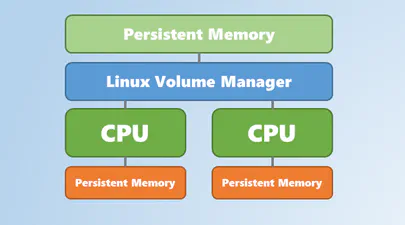
Using Linux Volume Manager (LVM) with Persistent Memory
In this article, we show how to use the Linux Volume Manager (LVM) to create concatenated, striped, and mirrored logical volumes using persistent memory modules as the backing storage device. Specifically, we will be using the Intel® Optane™ Persistent Memory Modules on a two socket system with Intel® Cascade Lake Xeon® CPUs, also referred to as 2nd Generation Intel® Xeon® Scalable Processors.
Contents

How to Create a Bootable Windows USB in Fedora Linux
In this tutorial, I am going to show you how to create a Windows Server 2019 bootable USB in Linux, though any Windows version will work. I am using Fedora 30 for this tutorial but the steps should be valid for other Linux distributions as well.
Here’s what you need:
Windows Server 2019 ISO (or Windows 10 ISO)
WoeUSB Application
A USB key (pen drive or stick) with at least 6 Gb of space
Read More

Percona Live 2019
I will be speaking at this year’s Percona Live event. Percona Live 2019 takes place in Austin, Texas from May 28-30, 2019 at the Hyatt Regency . You can register for the event and check out the schedule of talks. See you there.
About Percona Live
Percona Live conferences provide the open source database community with an opportunity to discover and discuss the latest open source trends, technologies and innovations. The conference includes the best and brightest innovators and influencers in the open source database industry.
Read More