Blog Posts

How to Confirm Virtual to Physical Memory Mappings for PMem and FSDAX Files
Are you curious whether your application’s memory-mapped files are really using Intel Optane Persistent Memory (PMem), Compute Express Link (CXL) Non-Volatile Memory Modules (NV-CMM), or another DAX-enabled persistent memory device? Want to understand how virtual memory maps onto physical, non-volatile regions? Let’s use easily adaptable scripts in both Python and C to confirm this on your Linux system, definitively.
Why Does This Matter?
With the advent of persistent memory and DAX (Direct Access) filesystems, applications can memory-map files directly onto PMem, bypassing the traditional DRAM page cache. This promises significant performance and durability improvements for data-intensive workloads and databases, such as SQLite, Redis, and others.
Read More
CXL Memory NUMA Node Mapping with Sub-NUMA Clustering (SNC) on Linux
CXL (Compute Express Link) memory devices are revolutionizing server architectures, but they also introduce new NUMA complexity, especially when advanced memory configurations, such as Sub-NUMA Clustering (SNC), are enabled. One of the most confusing issues is the mismatch between NUMA node numbers reported by CXL sysfs attributes and those used by Linux memory management tools.
This blog post walks through a real-world scenario, complete with command outputs and diagrams, to help you understand and resolve the CXL NUMA node mapping issue with SNC enabled.
Read More
CXL Device & Fabric Buyer's Guide: A List of GA Components
Last Updated: June 2, 2026
This guide provides a curated list of generally available (GA) Compute Express Link (CXL) devices, fabric components, and memory appliances. It is a technical resource for engineers, architects, and hardware specialists looking to identify and compare CXL memory expansion modules, switches, and full system-level appliances from leading vendors. The tables below detail market-ready components, focusing on the specifications required to design and build CXL-enabled infrastructure.
Read More
CXL Server Buyer's Guide: A Complete List of GA Platforms
Last Updated: June 2, 2026
This quick-reference guide provides a definitive, up-to-date list of generally available (GA) Compute Express Link (CXL) servers from major OEMs including Dell, HPE, Lenovo, and Supermicro. It is designed for data center architects, engineers, and IT decision-makers who need to identify and compare server platforms that support CXL 1.1 and CXL 2.0 for memory expansion and pooling.
Compute Express Link (CXL) is an open-standard interconnect that enables high-speed, low-latency communication between processors and attached devices such as accelerators and memory expanders. CXL 2.0 adoption has accelerated significantly since 2025, with all major CPU platforms now supporting it natively and the first hyperscale cloud deployments validated in production.
Read More
Your Personal Codespace: Self-Host VS Code on Any Server
GitHub Codespaces and other cloud IDEs have revolutionized development, offering a complete VS Code environment that runs on a remote server and is accessible from any browser. It’s a game-changer for productivity and flexibility.
But what if you could have that same powerful, seamless experience on your own terms?
This guide will show you how to build your very own private Codespace, replicating the convenience of the GitHub experience on any server you control—be it a machine in your home lab, a dedicated server, or a budget-friendly cloud VM. We’ll explore two distinct paths to get you up and running with a persistent, browser-based VS Code instance on Ubuntu 24.04, complete with AI assistants like Gemini and GitHub Copilot to boost your workflow.
Read More
Unlock Your CXL Memory: How to Switch from NUMA (System-RAM) to Direct Access (DAX) Mode
As a Linux System Administrator working with Compute Express Link (CXL) memory devices, you should be aware that as of Linux Kernel 6.3, Type 3 CXL.mem devices are now automatically brought online as memory-only NUMA nodes. While this can be beneficial for most situations, it might not be ideal if your application is designed to directly manage the CXL memory as a DAX (Direct Access) device using mmap().
This blog post will explain this behavior and provide a step-by-step guide on how to convert a CXL memory device from a memory-only NUMA node back to DAX mode, allowing applications to mmap the underlying /dev/daxX.Y device. We’ll also cover troubleshooting steps if the memory is actively in use by the kernel or other processes.

Linux Kernel v6.15 is Released: This is What's New for Compute Express Link (CXL)
The Linux Kernel v6.15 release brings several improvements and additions related to Compute Express Link (CXL) technology.
Release Highlights
Linux Kernel v6.15 includes 55 commits to the CXL and DAX subsystems:
| Category | Commits |
|---|---|
| New Features & Hardware | 6 |
| Bug Fixes | 4 |
| Performance | 1 |
| Refactoring & Cleanup | 9 |
| Other | 35 |
The Linux v6.15 kernel marks a meaningful expansion of CXL’s userspace interface story. The headline addition is FWCTL support: CXL devices can now expose get-feature and set-feature mailbox commands to userspace through the fwctl subsystem, giving operators and tooling a standardized RPC path to query and configure device-specific feature registers without requiring bespoke kernel drivers for each capability. This is the groundwork that enables feature negotiation at the management layer — expect CXL tooling to start consuming these interfaces quickly.
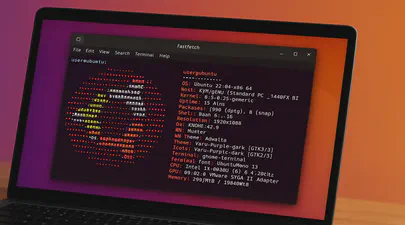
Fastfetch: The Speedy Successor Neofetch Replacement Your Ubuntu Terminal Needs
If you love customizing your Linux terminal and getting a quick, visually appealing overview of your system specs, you might have used neofetch in the past. However, neofetch is now deprecated and no longer actively maintained. A fantastic, actively maintained alternative is Fastfetch – known for its speed, extensive customization options, and feature set.
While you might be able to install Fastfetch on Ubuntu 22.04 (Jammy Jellyfish) using the standard sudo apt install fastfetch, the version available in the default Ubuntu repositories is often outdated. To get the latest features, bug fixes, and performance improvements, you’ll want to use a different method.
Categories
- 3D Printing ( 7 )
- AI ( 11 )
- Books ( 2 )
- Cloud Computing ( 1 )
- Conferences ( 2 )
- CXL ( 24 )
- Data Center ( 2 )
- Development ( 2 )
- Events ( 2 )
- Hardware ( 1 )
- How To ( 35 )
- HowTo ( 1 )
- Linux ( 32 )
- Machine Learning ( 1 )
- OrcaSlicer ( 2 )
- Performance ( 2 )
- Persistent Memory ( 1 )
- PMEM ( 1 )
- Product Manager ( 1 )
- Projects ( 3 )
- Servers ( 1 )
- Storage ( 1 )
- System Administration ( 2 )
- Troubleshooting ( 4 )
- Ubuntu ( 1 )
- Vector Databases ( 1 )
Tags
- 3D Printing
- 3MF
- ACPI
- ACPI-CA
- Acpidump
- Active-Memory
- Agent
- Agent Runtime
- Agent Skills
- Agent Teams
- AI
- AI Agents
- AI Engineering
- AI Infrastructure
- AMD
- API
- Apple Silicon
- Arcade
- Artificial Intelligence
- AST Extraction
- AutoGen
- AWS EC2
- Bash
- Benchmark
- Blackwell
- Blister Pack
- Book
- Boot
- Bootable-Usb
- Build From Source
- Buyer's Guide
- C
- C-2
- Chat Completions
- Chat GPT
- ChatGPT
- Claude Code
- Clflushopt
- Cloud
- CMake
- Code Tunnel
- Code-Server
- Codespaces
- Codex
- Compute Express Link
- Cpu
- Crawling
- CrewAI
- Custom GPT
- Custom-Kernel
- CXL
- CXL 1.0
- CXL 1.1
- CXL 2.0
- CXL 3.0
- CXL Devices
- CXL Specification
- Data Center
- DAX
- Daxctl
- Debugging
- DeepSeek-R1
- Dell
- Development
- Device-Mapper
- DGX Spark
- Dm-Writecache
- Docker
- Docker Compose
- DRAM
- Edge
- Enfabrica
- Esxi
- Fastfetch
- Featured
- Fedora
- Firecrawl
- Firmware
- Free AI Models
- Free LLM API
- Frequency
- FSDAX
- G-Code
- GB10
- Gemma3
- Generative Prompt Engineering
- Git
- GLM-4.7
- Governor
- Gpg
- GPT
- Gpt-3
- Gpt-4
- GPU
- Grafana
- Graph Database
- Graphify
- GraphRAG
- Groq
- H3 Platform
- Hermes-Agent
- Home Lab
- HPE
- Iasl
- Intel
- Ipmctl
- Java
- Kernel
- Knowledge Graph
- Kvm
- LangChain
- LangGraph
- Lenovo
- Linux
- Linux Kernel
- Linux-Volume-Manager
- LiteLLM
- Llama.cpp
- LLM
- LLM Fallback
- LLM Gateway
- Local LLM
- Lvm
- Machine Learning
- MacOS
- Mainline
- MAME
- Max_tokens
- MCP
- MCP Server
- MemMachine
- Memory
- Memory Management
- Memory Mapping
- Memory-Tiering
- Micron
- Microsoft
- ML
- Mmap
- Model Serving
- MoE
- Movdir64b
- MTP
- Mysql
- Napkin Math
- NDCTL
- Neo4j
- Neofetch
- NIM
- NUMA
- Nvdimm
- NVFP4
- NVIDIA
- NVIDIA Builder
- NVIDIA Developer Program
- NVIDIA NIM
- Ollama
- Open Source
- Open Source Maintenance
- Open WebUI
- OpenAI-Compatible
- OpenAI-Compatible API
- OpenClaw
- OpenRouter
- OpenWebUI
- Optane
- OrcaSlicer
- Pagemap
- PCIe
- Percona
- Performance
- Performance Tuning
- Persistent Memory
- Personal Branding
- Physical Address
- Physical Memory
- Pmdk
- PMem
- Powersave
- Procfs
- Product Manager
- Programming
- Prometheus
- Prompt Engineering
- Python
- Qdrant
- QEMU
- Qwen3
- Qwen3.6
- RAG
- Rate Limiting
- Reasoning Models
- RedHatAI
- Remote Development
- Retimers
- Retrieval Augmented Generation
- Rust
- Samsung
- Self-Hosting
- Server
- Servers
- SGLang
- SNC
- Spec-Driven Development
- Speculative Decoding
- SSH
- STREAM Benchmark
- Sub-NUMA Cluster
- Sub-NUMA Clustering
- Subagents
- Supermicro
- Switches
- Sysadmin
- Sysfs
- System Administration
- System Information
- System-Ram
- Technical Documentation
- Terminal
- Thinking Mode
- Tiered-Memory
- Token Reduction
- Travel Moves
- Tree-Sitter
- Tutorial
- Ubuntu
- Ubuntu 22.04
- Ubuntu 25.04
- Uv
- Vector Databases
- VFIO
- Virtual Memory
- Virtualization
- VLLM
- Vmware
- Vmware-Esxi
- Vpmem
- VS Code
- Vsphere
- Web Scraping
- Website
- Window
- Windows
- Windows-Server
- Working-Set-Size
- Wss
- Xcode
- ZeroClaw