Blog Posts
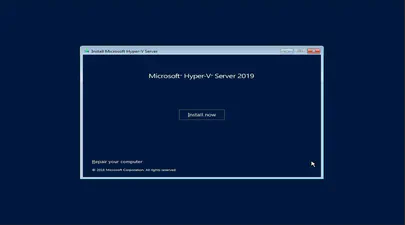
How To Install and Boot Microsoft Hyper-V 2019 from Persistent Memory (or not)
In a previous post I described how to install and boot Fedora Linux using only Persistent Memory, no SSDs are required. For this follow on post, I attempted to install Microsoft Windows Server 2022 onto the persistent memory.
TL;DR - I was able to select the PMem devices as the install disk, but when the installer begins to write data, we get an “Error code: 0xC0000005”. I haven’t found a solution to this problem (yet).
Read More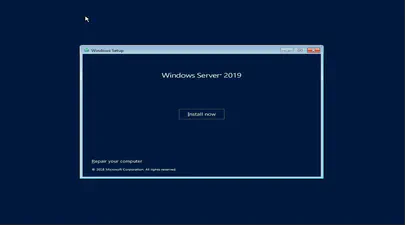
How To Install and Boot Microsoft Windows Server 2019 from Persistent Memory
In a previous post I described how to install and boot Fedora Linux using only Persistent Memory, no SSDs are required. For this follow on post, I attempted to install Microsoft Windows Server 2019 and 2022 onto the persistent memory.
TL;DR - I was able to select the PMem devices as the install disk, but when the installer begins to write data, we get an “Error code: 0xC0000005”. I haven’t found a solution to this problem (yet).
Read More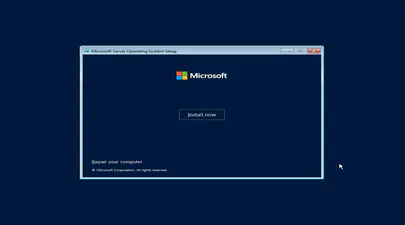
How To Install and Boot Microsoft Windows Server 2022 from Persistent Memory (or not)
In a previous post I described how to install and boot Fedora Linux using only Persistent Memory, no SSDs are required. For this follow on post, I attempted to install Microsoft Windows Server 2022 onto the persistent memory.
TL;DR - I was able to select the PMem devices as the install disk, but when the installer begins to write data, we get an “Error code: 0xC0000005”. I haven’t found a solution to this problem (yet).
Read More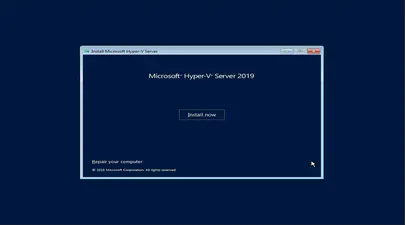
How To Install and Boot Microsoft Hyper-V 2019 from Persistent Memory (or not)
In a previous post I described how to install and boot Fedora Linux using only Persistent Memory, no SSDs are required. For this follow on post, I attempted to install Microsoft Windows Server 2022 onto the persistent memory.
TL;DR - I was able to select the PMem devices as the install disk, but when the installer begins to write data, we get an “Error code: 0xC0000005”. I haven’t found a solution to this problem (yet).
Read More
How To Install and Boot Microsoft Windows Server 2022 from Persistent Memory (or not)
In a previous post I described how to install and boot Fedora Linux using only Persistent Memory, no SSDs are required. For this follow on post, I attempted to install Microsoft Windows Server 2022 onto the persistent memory.
TL;DR - I was able to select the PMem devices as the install disk, but when the installer begins to write data, we get an “Error code: 0xC0000005”. I haven’t found a solution to this problem (yet).
Read More
How To Install and Boot Microsoft Windows Server 2019 from Persistent Memory
In a previous post I described how to install and boot Fedora Linux using only Persistent Memory, no SSDs are required. For this follow on post, I attempted to install Microsoft Windows Server 2019 and 2022 onto the persistent memory.
TL;DR - I was able to select the PMem devices as the install disk, but when the installer begins to write data, we get an “Error code: 0xC0000005”. I haven’t found a solution to this problem (yet).
Read More
How to Boot Linux from Intel® Optane™ Persistent Memory
Introduction
In this article, I will demonstrate how to configure a system with Intel Optane Persistent Memory (PMem) and use part of the PMem as a boot device. This little known feature can reduce boot times for those that need it.
The basic steps include:
- Configure the Persistent Memory in AppDirect Interleaved
- Create two small SECTOR namespaces, one per Region
- Install the OS and select one or both of the namespaces (single disk install, or mirrored LVM)
Configure the Persistent Memory
The following figure shows how we will provision the persistent memory.
Read More
How to Boot Linux from Intel® Optane™ Persistent Memory
Introduction
In this article, I will demonstrate how to configure a system with Intel Optane Persistent Memory (PMem) and use part of the PMem as a boot device. This little known feature can reduce boot times for those that need it.
The basic steps include:
Configure the Persistent Memory in AppDirect Interleaved
Create two small SECTOR namespaces, one per Region
Install the OS and select one or both of the namespaces (single disk install, or mirrored LVM)
Read More
Categories
- 3D Printing ( 7 )
- AI ( 4 )
- Books ( 2 )
- Cloud Computing ( 1 )
- Conferences ( 2 )
- CXL ( 15 )
- Data Center ( 2 )
- Development ( 2 )
- Events ( 2 )
- Hardware ( 1 )
- How To ( 35 )
- Linux ( 31 )
- Machine Learning ( 1 )
- OrcaSlicer ( 2 )
- Performance ( 2 )
- Persistent Memory ( 1 )
- PMEM ( 1 )
- Product Manager ( 1 )
- Projects ( 3 )
- Servers ( 1 )
- Storage ( 1 )
- System Administration ( 2 )
- Troubleshooting ( 4 )
- Ubuntu ( 1 )
- Vector Databases ( 1 )
Tags
- 3D Printing
- 3MF
- ACPI
- ACPI-CA
- Acpidump
- Active-Memory
- Agent
- AI
- AMD
- API
- Apple Silicon
- Arcade
- Artificial Intelligence
- AWS EC2
- Bash
- Benchmark
- Blister Pack
- Book
- Boot
- Bootable-Usb
- Build From Source
- Buyer's Guide
- C
- C-2
- Chat Completions
- Chat GPT
- ChatGPT
- Clflushopt
- Cloud
- CMake
- Code Tunnel
- Code-Server
- Codespaces
- Compute Express Link
- Cpu
- Custom GPT
- Custom-Kernel
- CXL
- CXL 1.0
- CXL 1.1
- CXL 2.0
- CXL 3.0
- CXL Devices
- CXL Specification
- Data Center
- DAX
- Daxctl
- Debugging
- Dell
- Development
- Device-Mapper
- Dm-Writecache
- DRAM
- Edge
- Enfabrica
- Esxi
- Fastfetch
- Featured
- Fedora
- Firmware
- Free AI Models
- Frequency
- FSDAX
- G-Code
- Generative Prompt Engineering
- Git
- Governor
- Gpg
- GPT
- Gpt-3
- Gpt-4
- GPU
- Grafana
- H3 Platform
- Home Lab
- HPE
- Iasl
- Intel
- Ipmctl
- Java
- Kernel
- Kvm
- Lenovo
- Linux
- Linux Kernel
- Linux-Volume-Manager
- LLM
- Lvm
- Machine Learning
- MacOS
- Mainline
- MAME
- Memory
- Memory Management
- Memory Mapping
- Memory-Tiering
- Micron
- Microsoft
- ML
- Mmap
- Movdir64b
- Mysql
- Napkin Math
- NDCTL
- Neofetch
- NIM
- NUMA
- Nvdimm
- NVIDIA
- NVIDIA Builder
- NVIDIA Developer Program
- Ollama
- Open Source
- Open WebUI
- Optane
- OrcaSlicer
- Pagemap
- PCIe
- Percona
- Performance
- Performance Tuning
- Persistent Memory
- Personal Branding
- Physical Address
- Physical Memory
- Pmdk
- PMem
- Powersave
- Procfs
- Product Manager
- Programming
- Prometheus
- Prompt Engineering
- Python
- Qdrant
- QEMU
- RAG
- Remote Development
- Retimers
- Retrieval Augmented Generation
- Rust
- Samsung
- Self-Hosting
- Server
- Servers
- SNC
- SSH
- STREAM Benchmark
- Sub-NUMA Cluster
- Sub-NUMA Clustering
- Supermicro
- Switches
- Sysadmin
- Sysfs
- System Administration
- System Information
- System-Ram
- Technical Documentation
- Terminal
- Tiered-Memory
- Travel Moves
- Tutorial
- Ubuntu
- Ubuntu 22.04
- Vector Databases
- Virtual Memory
- Vmware
- Vmware-Esxi
- Vpmem
- VS Code
- Vsphere
- Website
- Window
- Windows
- Windows-Server
- Working-Set-Size
- Wss
- Xcode