Blog Posts

Using Linux Kernel Tiering with Compute Express Link (CXL) Memory
In this blog post, we will walk through the process of enabling the Linux Kernel Transparent Page Placement (TPP) feature with CXL memory mapped as NUMA nodes using the system-ram namespace. This feature allows the kernel to automatically place pages in different types of memory based on their usage patterns.
Prerequisites
This guide assumes that you are using a Fedora 36 system with Kernel 5.19.13, and that your system has a Samsung CXL device installed. You can confirm the presence of the CXL device with the following command:
Read More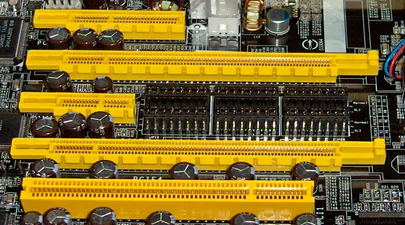
Understanding Compute Express Link (CXL) and Its Alignment with the PCIe Specifications
How CXL Uses PCIe Electricals and Transport Layers
CXL utilizes the PCIe infrastructure, starting with the PCIe 5.0. This ensures compatibility with existing systems while introducing new features for device connectivity and memory coherency. CXL’s ability to maintain memory coherency across shared memory pools is a significant advancement, allowing for efficient resource sharing and operand movement between accelerators and target devices.
CXL builds upon the familiar foundation of PCIe, utilizing the same physical interfaces, transport layer, and electrical signaling. This shared foundation makes CXL integration with existing PCIe systems seamless. Here’s a breakdown of how it works:
Read More
A Practical Guide to Identify Compute Express Link (CXL) Devices in Your Server
In this article, we will provide four methods for identifying CXL devices in your server and how to determine which CPU socket and NUMA node each CXL device is connected. We will use CXL memory expansion (CXL.mem) devices for this article. The server was running Ubuntu 22.04.2 (Jammy Jellyfish) with Kernel 6.3 and ‘cxl-cli ’ version 75 built from source code. Many of the procedures will work on Kernel versions 5.16 or newer.
Read MoreHow To Install a Mainline Linux Kernel in Ubuntu
Note: This article was updated on Thursday, July 31st, 2025 and will work with newer Ubuntu releases.
By default, Ubuntu systems run with the Ubuntu kernels provided by the Ubuntu repositories. To get unmodified upstream kernels that have new features or to confirm that upstream has fixed a specific issue, we often need to install the mainline Kernel. The mainline kernel is the most recent version of the Linux kernel released by the Linux Kernel Organization. It undergoes several stages of development, including merge windows, release candidates, and final releases. Mainline kernels are designed to offer the latest features and improvements, making them attractive to developers and power users. Kernel.org lists the available Kernel versions.
Read More
An Introduction to Generative Prompt Engineeering
Introduction
Over the past few years, there has been a significant explosion in the use and development of large language models (LLMs). An LLM is a language model consisting of a neural network with many parameters (commonly multi-billions of weights), trained on large quantities of text. Some of the most popular large language models are: GPT-3 (Generative Pretrained Transformer 3) – developed by OpenAI ; BERT (Bidirectional Encoder Representations from Transformers) – developed by Google; RoBERTa (Robustly Optimized BERT Approach) – developed by Facebook AI; T5 (Text-to-Text Transfer Transformer) – developed by Google. Many others exist and continue to emerge. These language models are designed to understand and generate natural language text, allowing for a wide range of applications such as chatbots, content creation, language translation, and more.
Read More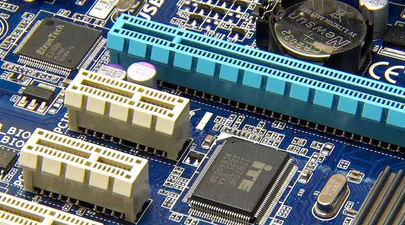
How To Map a CXL Endpoint to a CPU Socket in Linux
When working with CXL Type 3 Memory Expander endpoints, it’s nice to know which CPU Socket owns the root complex for the endpoint. This is very useful for memory tiering solutions where we want to keep the execution of application processes and threads ’local’ to the memory.
CXL memory expanders appear in Linux as memory-only or cpu-less NUMA Nodes. For example, NUMA nodes 2 & 3 do not have any CPUs assigned to them.
Read More
Linux NUMA Distances Explained
TL;DR: The memory latency distances between a node and itself is normalized to 10 (1.0x). Every other distance is scaled relative to that 10 base value. For example, the distance between NUMA Node 0 and 1 is 21 (2.1x), meaning if node 0 accesses memory on node 1 or vice versa, the access latency will be 2.1x more than for local memory.
Introduction
Non-Uniform Memory Access (NUMA) is a multiprocessor model in which each processor is connected to dedicated memory but may access memory attached to other processors in the system. To date, we’ve commonly used DRAM for main memory, but next-gen platforms will begin offering High-Bandwidth Memory (HBM) and Compute Express Link (CXL) attached memory. Accessing remote (to the CPU) memory takes much longer than accessing local memory, and not all remote memory has the same access latency. Depending on how the memory architecture is configured, NUMA nodes can be multiple hops away with each hop adding more latency. HBM and CXL devices will appear as memory-only (CPU-less) NUMA nodes.
Read More
Using Linux Kernel Memory Tiering
In this post, I’ll discuss what memory tiering is, why we need it, and how to use the memory tiering feature available in the mainline v5.15 Kernel.
What is Memory Tiering?
With the advent of various new memory types, some systems will have multiple types of memory, e.g. High Bandwidth Memory (HBM), DRAM, Persistent Memory (PMem), CXL and others. The Memory Storage hierarchy should be familiar to you.

Memory Storage Hierarchy
Read MoreCategories
- 3D Printing ( 7 )
- AI ( 11 )
- Books ( 2 )
- Cloud Computing ( 1 )
- Conferences ( 2 )
- CXL ( 24 )
- Data Center ( 2 )
- Development ( 2 )
- Events ( 2 )
- Hardware ( 1 )
- How To ( 35 )
- HowTo ( 1 )
- Linux ( 32 )
- Machine Learning ( 1 )
- OrcaSlicer ( 2 )
- Performance ( 2 )
- Persistent Memory ( 1 )
- PMEM ( 1 )
- Product Manager ( 1 )
- Projects ( 3 )
- Servers ( 1 )
- Storage ( 1 )
- System Administration ( 2 )
- Troubleshooting ( 4 )
- Ubuntu ( 1 )
- Vector Databases ( 1 )
Tags
- 3D Printing
- 3MF
- ACPI
- ACPI-CA
- Acpidump
- Active-Memory
- Agent
- Agent Runtime
- Agent Skills
- Agent Teams
- AI
- AI Agents
- AI Engineering
- AI Infrastructure
- AMD
- API
- Apple Silicon
- Arcade
- Artificial Intelligence
- AST Extraction
- AutoGen
- AWS EC2
- Bash
- Benchmark
- Blackwell
- Blister Pack
- Book
- Boot
- Bootable-Usb
- Build From Source
- Buyer's Guide
- C
- C-2
- Chat Completions
- Chat GPT
- ChatGPT
- Claude Code
- Clflushopt
- Cloud
- CMake
- Code Tunnel
- Code-Server
- Codespaces
- Codex
- Compute Express Link
- Cpu
- Crawling
- CrewAI
- Custom GPT
- Custom-Kernel
- CXL
- CXL 1.0
- CXL 1.1
- CXL 2.0
- CXL 3.0
- CXL Devices
- CXL Specification
- Data Center
- DAX
- Daxctl
- Debugging
- DeepSeek-R1
- Dell
- Development
- Device-Mapper
- DGX Spark
- Dm-Writecache
- Docker
- Docker Compose
- DRAM
- Edge
- Enfabrica
- Esxi
- Fastfetch
- Featured
- Fedora
- Firecrawl
- Firmware
- Free AI Models
- Free LLM API
- Frequency
- FSDAX
- G-Code
- GB10
- Gemma3
- Generative Prompt Engineering
- Git
- GLM-4.7
- Governor
- Gpg
- GPT
- Gpt-3
- Gpt-4
- GPU
- Grafana
- Graph Database
- Graphify
- GraphRAG
- Groq
- H3 Platform
- Hermes-Agent
- Home Lab
- HPE
- Iasl
- Intel
- Ipmctl
- Java
- Kernel
- Knowledge Graph
- Kvm
- LangChain
- LangGraph
- Lenovo
- Linux
- Linux Kernel
- Linux-Volume-Manager
- LiteLLM
- Llama.cpp
- LLM
- LLM Fallback
- LLM Gateway
- Local LLM
- Lvm
- Machine Learning
- MacOS
- Mainline
- MAME
- Max_tokens
- MCP
- MCP Server
- MemMachine
- Memory
- Memory Management
- Memory Mapping
- Memory-Tiering
- Micron
- Microsoft
- ML
- Mmap
- Model Serving
- MoE
- Movdir64b
- MTP
- Mysql
- Napkin Math
- NDCTL
- Neo4j
- Neofetch
- NIM
- NUMA
- Nvdimm
- NVFP4
- NVIDIA
- NVIDIA Builder
- NVIDIA Developer Program
- NVIDIA NIM
- Ollama
- Open Source
- Open Source Maintenance
- Open WebUI
- OpenAI-Compatible
- OpenAI-Compatible API
- OpenClaw
- OpenRouter
- OpenWebUI
- Optane
- OrcaSlicer
- Pagemap
- PCIe
- Percona
- Performance
- Performance Tuning
- Persistent Memory
- Personal Branding
- Physical Address
- Physical Memory
- Pmdk
- PMem
- Powersave
- Procfs
- Product Manager
- Programming
- Prometheus
- Prompt Engineering
- Python
- Qdrant
- QEMU
- Qwen3
- Qwen3.6
- RAG
- Rate Limiting
- Reasoning Models
- RedHatAI
- Remote Development
- Retimers
- Retrieval Augmented Generation
- Rust
- Samsung
- Self-Hosting
- Server
- Servers
- SGLang
- SNC
- Spec-Driven Development
- Speculative Decoding
- SSH
- STREAM Benchmark
- Sub-NUMA Cluster
- Sub-NUMA Clustering
- Subagents
- Supermicro
- Switches
- Sysadmin
- Sysfs
- System Administration
- System Information
- System-Ram
- Technical Documentation
- Terminal
- Thinking Mode
- Tiered-Memory
- Token Reduction
- Travel Moves
- Tree-Sitter
- Tutorial
- Ubuntu
- Ubuntu 22.04
- Ubuntu 25.04
- Uv
- Vector Databases
- VFIO
- Virtual Memory
- Virtualization
- VLLM
- Vmware
- Vmware-Esxi
- Vpmem
- VS Code
- Vsphere
- Web Scraping
- Website
- Window
- Windows
- Windows-Server
- Working-Set-Size
- Wss
- Xcode
- ZeroClaw