Ollama
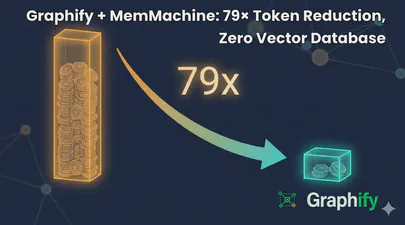
Graphify + MemMachine: 79× Token Reduction, Zero Vector Database
I help maintain MemMachine — an open-source long-term memory layer for AI agents. It’s a real codebase: 442 source files, 171 docs, a graph database, a SQL store, an MCP server, a REST API, a Python SDK, and integrations with eight different agent frameworks. When a new contributor asks “where does episodic memory actually get written?”, grep, the tool of choice for many AI coding assistants, doesn’t cut it. The answer threads through five files in three folders, plus a docker-compose service definition and a Helm chart. Each question you ask, it has to search all of these files, using the LLM to semantically understand the question and the files, then piece together an answer. This can take a lot of tokens and consume much of the context window.
Read More
Running Open WebUI and Ollama on Ubuntu 22.04 for a Local ChatGPT Experience
Introduction
Open WebUI and Ollama are powerful tools that allow you to create a local chat experience using GPT models. Whether you’re experimenting with natural language understanding or building your own conversational AI, these tools provide a user-friendly interface for interacting with language models. In this guide, we’ll walk you through the installation process step by step.
Ollama is a cutting-edge platform designed to run open-source large language models locally on your machine. It simplifies the complexities involved in deploying and managing these models, making it an attractive choice for researchers, developers, and anyone who wants to experiment with language models1. Ollama provides a user-friendly interface for running large language models (LLMs) locally, specifically on MacOS and Linux (with Windows support on the horizon).
Read More