Performance
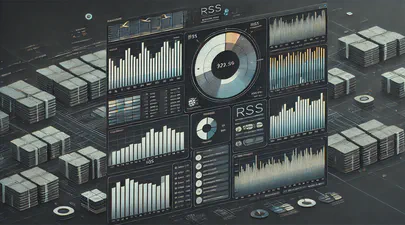
Understanding Memory Usage with `smem`
Memory management is crucial for Linux administrators and developers, especially when optimizing performance for resource-intensive applications. While tools like top and htop are commonly used to monitor system performance, they often don’t provide enough detail regarding memory usage breakdown. This is where smem comes into play.
What is smem?
smem is a command-line tool that reports memory usage per process and provides better insight into shared memory than most traditional tools, taking shared memory pages into account. Unlike top or htop, which primarily display RSS (Resident Set Size), smem can also show USS (Unique Set Size), which is a better metric for understanding how much memory would be freed if a particular process were terminated. This blog will guide you through using smem, explaining these critical memory metrics and providing comparisons to more familiar tools.

Benchmarking GPUs: Measuring Throughput between CPU and GPU
This article was inspired by a LinkedIn post by Dennis Kennetz . The CPU to GPU bandwidth check is available on GitHub which uses a specific flow to assess the data transfer rates. Like many in the industry, my focus is on AI and ML workloads and how we can improve efficiencies and performance using DRAM, CXL, CPU, GPUs, and software improvements.
In the rapidly evolving landscape of artificial intelligence (AI) and machine learning (ML), the ability to process vast amounts of data efficiently is paramount. As AI models grow in complexity and size, the demand for high-performance computing resources intensifies. At the heart of this demand lies the crucial task of optimizing data transfers between various components of a computing system, particularly from DRAM, CPU, and emerging technologies like CXL (Compute Express Link) to and from the GPU.
Read More
How To Install Prometheus and Grafana on Fedora Server
[Updated] This article was updated on 03/13/2021 using Fedora Server 33, Prometheus v2.25.0, Grafana v7.4.3, and Node Exporter v1.1.2.
In this article, we will show how to install Prometheus and Grafana to collect and display system performance metrics.
Prometheus is an open source monitoring and alerting toolkit for bare metal systems, virtual machines, containers, and microservices. Grafana allows you to query, visualize, and alert on metrics using fully customizable dashboards .
Read More
How To Set Linux CPU Scaling Governor to Max Performance
The majority of modern processors are capable of operating in a number of different clock frequency and voltage configurations, often referred to as Operating Performance Points or P-states (in ACPI terminology). As a rule, the higher the clock frequency and the higher the voltage, the more instructions can be retired by the CPU over a unit of time, but also the higher the clock frequency and the higher the voltage, the more energy is consumed over a unit of time (or the more power is drawn) by the CPU in the given P-state. Therefore there is a natural trade-off between the CPU capacity (the number of instructions that can be executed over a unit of time) and the power drawn by the CPU.
Read More