Persistent Memory

Is Your Application Really Using Persistent Memory? Here’s How to Tell.
Persistent memory (PMEM), especially when accessed via technologies like CXL, promises the best of both worlds: DRAM-like speed with the durability of an SSD. When you set up a filesystem like XFS or EXT4 in FSDAX (File System Direct Access) mode on a PMEM device, you’re paving a superhighway for your applications, allowing them to map files directly into their address space and bypass the kernel’s page cache entirely.
But here’s the crucial question: after all the setup and configuration, how do you prove that your application’s data is physically residing on the PMEM device and not just in regular RAM? I’ve run into this question myself, so I wrote a small Python script to get a definitive answer using SQLite3 as an example application. However, before we proceed with the script, let’s examine how you can verify this manually.
Read More
How to Confirm Virtual to Physical Memory Mappings for PMem and FSDAX Files
Are you curious whether your application’s memory-mapped files are really using Intel Optane Persistent Memory (PMem), Compute Express Link (CXL) Non-Volatile Memory Modules (NV-CMM), or another DAX-enabled persistent memory device? Want to understand how virtual memory maps onto physical, non-volatile regions? Let’s use easily adaptable scripts in both Python and C to confirm this on your Linux system, definitively.
Why Does This Matter?
With the advent of persistent memory and DAX (Direct Access) filesystems, applications can memory-map files directly onto PMem, bypassing the traditional DRAM page cache. This promises significant performance and durability improvements for data-intensive workloads and databases, such as SQLite, Redis, and others.
Read More
Building NDCTL Utilities from Source: A Comprehensive Guide
Building NDCTL with Meson on Ubuntu 24.04
The NDCTL
package includes the cxl, daxctl, and ndctl utilities. It uses the Meson build system for streamlined compilation. This guide reflects the modern build process for managing NVDIMMs, CXL, and PMEM on Ubuntu 24.04.
If you do not install a more recent Kernel than the one provided by the distro, then it is not recommended to compile these utilities from source code. If you have installed a mainline Kernel, then you will likely require a newer version of these utilities that are compatible with your Kernel. See the NDCTL Releases as the Kernel support information is provided there.
Read More
Programming Persistent Memory: A Comprehensive Guide for Developers
Description
This is a comprehensive guide to persistent memory programming, is targeted towards experienced programmers. You will understand how persistent memory brings together several new software/hardware requirements, and offers great promise for better performance and faster application startup times—a huge leap forward in byte-addressable capacity compared with current DRAM offerings.
This revolutionary new technology gives applications significant performance and capacity improvements over existing technologies. It requires a new way of thinking and development, which makes this highly disruptive to the IT/computing industry. The full spectrum of industry sectors that will benefit from this technology include, but are not limited to, in-memory and traditional databases, AI, analytics, HPC, virtualization, and big data.
Read More
Using Linux Kernel Memory Tiering
In this post, I’ll discuss what memory tiering is, why we need it, and how to use the memory tiering feature available in the mainline v5.15 Kernel.
What is Memory Tiering?
With the advent of various new memory types, some systems will have multiple types of memory, e.g. High Bandwidth Memory (HBM), DRAM, Persistent Memory (PMem), CXL and others. The Memory Storage hierarchy should be familiar to you.

Memory Storage Hierarchy
Read More
How To Emulate CXL Devices using KVM and QEMU
What is CXL?
Compute Express Link (CXL) is an open standard for high-speed central processing unit-to-device and CPU-to-memory connections, designed for high-performance data center computers. CXL is built on the PCI Express physical and electrical interface with protocols in three areas: input/output, memory, and cache coherence.
CXL is designed to be an industry open standard interface for high-speed communications, as accelerators are increasingly used to complement CPUs in support of emerging applications such as Artificial Intelligence and Machine Learning.
Read More
How To Enable Debug Logging in ipmctl
The ipmctl utility is used for configuring and managing Intel Optane Persistent Memory modules (DCPMM/PMem). It supports the functionality to:
- Discover Persistent Memory on the server
- Provision the persistent memory configuration
- View and update the firmware on the persistent memory modules
- Configure data-at-rest security
- Track health and performance of the persistent memory modules
- Debug and troubleshoot persistent memory modules
I wrote the IPMCTL User Guide showing how to use the tool, but what if ipmctl returns an error or something you’re not expecting? How do you debug the debugger? On Linux, ipmctl relies on libndctl to help perform communication to the BIOS and persistent memory modules themselves. This is a complicated stack involving multiple kernel drivers and the physical hardware itself. Anything along this path could be causing a problem.
Read More
How To Install and Boot Microsoft Hyper-V 2019 from Persistent Memory (or not)
In a previous post I described how to install and boot Fedora Linux using only Persistent Memory, no SSDs are required. For this follow on post, I attempted to install Microsoft Windows Server 2022 onto the persistent memory.
TL;DR - I was able to select the PMem devices as the install disk, but when the installer begins to write data, we get an “Error code: 0xC0000005”. I haven’t found a solution to this problem (yet).
Read More
How To Install and Boot Microsoft Windows Server 2019 from Persistent Memory
In a previous post I described how to install and boot Fedora Linux using only Persistent Memory, no SSDs are required. For this follow on post, I attempted to install Microsoft Windows Server 2019 and 2022 onto the persistent memory.
TL;DR - I was able to select the PMem devices as the install disk, but when the installer begins to write data, we get an “Error code: 0xC0000005”. I haven’t found a solution to this problem (yet).
Read More
How To Install and Boot Microsoft Windows Server 2022 from Persistent Memory (or not)
In a previous post I described how to install and boot Fedora Linux using only Persistent Memory, no SSDs are required. For this follow on post, I attempted to install Microsoft Windows Server 2022 onto the persistent memory.
TL;DR - I was able to select the PMem devices as the install disk, but when the installer begins to write data, we get an “Error code: 0xC0000005”. I haven’t found a solution to this problem (yet).
Read More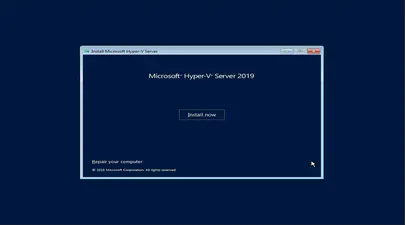
How To Install and Boot Microsoft Hyper-V 2019 from Persistent Memory (or not)
In a previous post I described how to install and boot Fedora Linux using only Persistent Memory, no SSDs are required. For this follow on post, I attempted to install Microsoft Windows Server 2022 onto the persistent memory.
TL;DR - I was able to select the PMem devices as the install disk, but when the installer begins to write data, we get an “Error code: 0xC0000005”. I haven’t found a solution to this problem (yet).
Read More
How To Install and Boot Microsoft Windows Server 2022 from Persistent Memory (or not)
In a previous post I described how to install and boot Fedora Linux using only Persistent Memory, no SSDs are required. For this follow on post, I attempted to install Microsoft Windows Server 2022 onto the persistent memory.
TL;DR - I was able to select the PMem devices as the install disk, but when the installer begins to write data, we get an “Error code: 0xC0000005”. I haven’t found a solution to this problem (yet).
Read More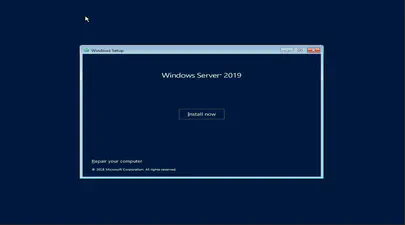
How To Install and Boot Microsoft Windows Server 2019 from Persistent Memory
In a previous post I described how to install and boot Fedora Linux using only Persistent Memory, no SSDs are required. For this follow on post, I attempted to install Microsoft Windows Server 2019 and 2022 onto the persistent memory.
TL;DR - I was able to select the PMem devices as the install disk, but when the installer begins to write data, we get an “Error code: 0xC0000005”. I haven’t found a solution to this problem (yet).
Read More
How to Boot Linux from Intel® Optane™ Persistent Memory
Introduction
In this article, I will demonstrate how to configure a system with Intel Optane Persistent Memory (PMem) and use part of the PMem as a boot device. This little known feature can reduce boot times for those that need it.
The basic steps include:
- Configure the Persistent Memory in AppDirect Interleaved
- Create two small SECTOR namespaces, one per Region
- Install the OS and select one or both of the namespaces (single disk install, or mirrored LVM)
Configure the Persistent Memory
The following figure shows how we will provision the persistent memory.
Read More
How to Boot Linux from Intel® Optane™ Persistent Memory
Introduction
In this article, I will demonstrate how to configure a system with Intel Optane Persistent Memory (PMem) and use part of the PMem as a boot device. This little known feature can reduce boot times for those that need it.
The basic steps include:
Configure the Persistent Memory in AppDirect Interleaved
Create two small SECTOR namespaces, one per Region
Install the OS and select one or both of the namespaces (single disk install, or mirrored LVM)
Read More
How To Install and Boot VMWare VSphere/ESXi from Persistent Memory (or not)
In a previous post I described how to install and boot Linux using only Persistent Memory, no SSDs are required. For this follow on post, I attempted to install VMWare VSphere/ESXi v7.0u2 onto the persistent memory.
TL;DR - It doesn’t work. The installer doesn’t list the PMem devices, and I was unable to find a way to manually select the PMem device(s).
I assume you followed the previous post to configure sector namespaces that we’ll use to install ESXi.
Read More
How To Install and Boot VMWare VSphere/ESXi from Persistent Memory (or not)
In a previous post I described how to install and boot Linux using only Persistent Memory, no SSDs are required. For this follow on post, I attempted to install VMWare VSphere/ESXi v7.0u2 onto the persistent memory.
TL;DR - It doesn’t work. The installer doesn’t list the PMem devices, and I was unable to find a way to manually select the PMem device(s).
I assume you followed the previous post to configure sector namespaces that we’ll use to install ESXi.
Read More
Linux Device Mapper WriteCache (dm-writecache) performance improvements in Linux Kernel 5.8
The Linux ‘dm-writecache’ target allows for writeback caching of newly written data to an SSD or NVMe using persistent memory will achieve much better performance in Linux Kernel 5.8.
Red Hat developer Mikulas Patocka has been working to enhance the dm-writecache performance using Intel Optane Persistent Memory (PMem) as the cache device.
The performance optimization now queued for Linux 5.8 is making use of CLFLUSHOPT within dm-writecache when available instead of MOVNTI. CLFLUSHOPT is one of Intel’s persistent memory instructions that allows for optimized flushing of cache lines by supporting greater concurrency. The CLFLUSHOPT instruction has been supported on Intel servers since Skylake and on AMD since Zen.
Read More
"ipmctl show -memoryresources" returns "Error: GetMemoryResourcesInfo Failed"
Issue:
Running ipmctl show -memoryresources returns an error similar to the following:
# ipmctl show -memoryresources

Error: GetMemoryResourcesInfo Failed
Applies To:
Linux & Microsoft Windows
Intel Optane Persistent Memory
ipmctl utility
Cause:
The Platform Configuration Data (PCD) is invalid or has been erased using a previously executed ipmctl delete -dimm -pcd command or the system has new persistent memory modules that have not been initialized yet.
A module with an empty PCD will show information similar to the following. This shows an example of PCD of DIMM ID 0x0001. To review the PCD for all modules in the system use ipmctl show -dimm -pcd.
Intel Optane Persistent Memory Modules report "Non-functional" state in ipmctl
Issue
Executing ipmctl show-dimm to get device information shows the persistent memory modules in a ‘Non-functional’ health state, eg:
# ipmctl show -dimm

 DimmID | Capacity | HealthState    | ActionRequired | LockState | FWVersion
=============================================================================
 0x0001 | 0.0 GiB  | Non-functional | N/A            | N/A       | N/A
 0x0011 | 0.0 GiB  | Non-functional | N/A            | N/A       | N/A
 0x0021 | 0.0 GiB  | Non-functional | N/A            | N/A       | N/A
 0x0101 | 0.0 GiB  | Non-functional | N/A            | N/A       | N/A
 0x0111 | 0.0 GiB  | Non-functional | N/A            | N/A       | N/A
 0x0121 | 0.0 GiB  | Non-functional | N/A            | N/A       | N/A
 0x1001 | 0.0 GiB  | Non-functional | N/A            | N/A       | N/A
 0x1011 | 0.0 GiB  | Non-functional | N/A            | N/A       | N/A
 0x1021 | 0.0 GiB  | Non-functional | N/A            | N/A       | N/A
 0x1101 | 0.0 GiB  | Non-functional | N/A            | N/A       | N/A
 0x1111 | 0.0 GiB  | Non-functional | N/A            | N/A       | N/A
 0x1121 | 0.0 GiB  | Non-functional | N/A            | N/A       | N/A
Other ipmctl commands may fail and return “No functional DIMMs in the system.”, eg:

Edge-to-Cloud
I collaborated with Marty Poniatowski, where I wrote Chapter 17.
Marty who is a Senior Director at Hewlett Packard Enterprise in the Business Development, Enablement, Solutions, and Technology (BEST) organization. During his career Marty has written 18 books and 50 articles on various technical topics.
UNDERSTAND TOOLS AND TECHNOLOGIES DRIVING THE ENTERPRISE OF THE FUTURE: An under‐the‐covers look at the tools and technologies to accelerate digital transformation
The enterprise of the future will be edge‐centric, cloud‐enabled, and data‐driven. By 2022, 55 billion devices will be connected worldwide. Of that data, 75% is not created in the data center or cloud. It is created where we live and work. Workloads and data are moving to the edge, and the cloud is not so much a destination but an experience to be delivered wherever it is desired.
Read More
How To Verify Linux Kernel Support for Persistent Memory
Linux Kernel support for persistent memory was first delivered in version 4.0 of the mainline kernel, however, it was not enabled by default until version 4.2.
If you use a Linux distribution that uses kernel 4.2 or later, or the distro backports features in to an older kernel, you will almost certainly have persistent memory support enabled by default. It is still worth verifying what features are enabled and disabled as this may vary by distro and release version for the very latest persistent memory features.
Read More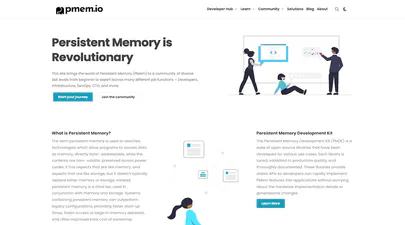
pmem.io website
Today, I’m diving into the process of designing and building PMem.io, the website for the Persistent Memory Development Kit (PMDK). We’ll explore how we migrated the site from Jekyll to Hugo, a static site generator, and crafted a custom Tailwind CSS theme to support the new website’s features.
Requirements
Before diving in, let’s outline the key requirements we wanted for the updated PMem.io website:
- Improved User Experience (UX): A clean, modern, intuitive, and responsive design that caters to users from diverse technical backgrounds.
- Content Management: A user-friendly content management system (CMS) to simplify content creation and updates.
- Documentation Integration: Seamless integration with existing PMDK documentation for easy access.
- Community Building: Features to foster interaction and collaboration within the PMDK community.
- Static website for speed as there’s no dynamic content.
- Fast SSG build time.
- Improved searchability.
We chose to migrate PMem.io from Jekyll to Hugo for several reasons:
Read More
Programming Persistent Memory: A Comprehensive Guide for Developers Book
After many months of hard work by everyone involved, I’m very pleased to announce that the book “Programming Persistent Memory: A Comprehensive Guide for Developers” is now available for download in digital PDF & ePUB formats from https://pmem.io/book , and Kindle & paperback through Amazon .
Beginner and experienced programmers will use this comprehensive guide to persistent memory programming. You will understand how persistent memory brings together several new software/hardware requirements, and offers great promise for better performance and faster application startup times―a huge leap forward in byte-addressable capacity compared with current DRAM offerings.
Read More
This revolutionary new technology gives applications significant performance and capacity improvements over existing technologies. It requires a new way of thinking and developing, which makes this highly disruptive to the IT/computing industry. The full spectrum of industry sectors that will benefit from this technology include, but are not limited to, in-memory and traditional databases, AI, analytics, HPC, virtualization, and big data.
Programming Persistent Memory describes the technology and why it is exciting the industry. It covers the operating system and hardware requirements as well as how to create development environments using emulated or real persistent memory hardware. The book explains fundamental concepts; provides an introduction to persistent memory programming APIs for C, C++, JavaScript, and other languages; discusses RMDA with persistent memory; reviews security features; and presents many examples. Source code and examples that you can run on your own systems are included.
What You’ll Learn
- Understand what persistent memory is, what it does, and the value it brings to the industry
- Become familiar with the operating system and hardware requirements to use persistent memory
- Know the fundamentals of persistent memory programming: why it is different from current programming methods, and what developers need to keep in mind when programming for persistence
- Look at persistent memory application development by example using the Persistent Memory Development Kit (PMDK)
- Design and optimize data structures for persistent memory
- Study how real-world applications are modified to leverage persistent memory
- Utilize the tools available for persistent memory programming, application performance profiling, and debugging
Who This Book Is For
C, C++, Java, and Python developers, but will also be useful to software, cloud, and hardware architects across a broad spectrum of sectors, including cloud service providers, independent software vendors, high performance compute, artificial intelligence, data analytics, big data, etc.
How To Extend Volatile System Memory (RAM) using Persistent Memory on Linux
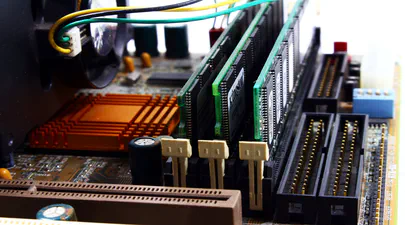
Intel(R) Optane(TM) Persistent Memory delivers a unique combination of affordable large capacity and support for data persistence. Electrically compatible with DDR4, large capacity modules up to 512GB each can be installed in compatible servers alongside DDR on the memory bus.
Intel’s persistent memory product can be provisioned in a volatile “Memory Mode” which replaces DRAM volatile capacity with the persistent memory capacity, and persistent “AppDirect” mode which presents both DRAM and persistent memory to the operating system and applications. Both modes are explained in more detail here . It is possible to configure a system to utilize a percentage of persistent memory as volatile and persistent, but this mixed-mode still provisions all the DRAM capacity as a Last-Level Cache.
Read More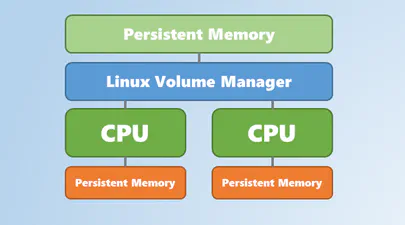
Using Linux Volume Manager (LVM) with Persistent Memory
In this article, we show how to use the Linux Volume Manager (LVM) to create concatenated, striped, and mirrored logical volumes using persistent memory modules as the backing storage device. Specifically, we will be using the Intel® Optane™ Persistent Memory Modules on a two socket system with Intel® Cascade Lake Xeon® CPUs, also referred to as 2nd Generation Intel® Xeon® Scalable Processors.