Windows-Server
How To Install and Boot Microsoft Hyper-V 2019 from Persistent Memory (or not)
In a previous post I described how to install and boot Fedora Linux using only Persistent Memory, no SSDs are required. For this follow on post, I attempted to install Microsoft Windows Server 2022 onto the persistent memory.
TL;DR - I was able to select the PMem devices as the install disk, but when the installer begins to write data, we get an “Error code: 0xC0000005”. I haven’t found a solution to this problem (yet).
Read More
How To Install and Boot Microsoft Windows Server 2019 from Persistent Memory
In a previous post I described how to install and boot Fedora Linux using only Persistent Memory, no SSDs are required. For this follow on post, I attempted to install Microsoft Windows Server 2019 and 2022 onto the persistent memory.
TL;DR - I was able to select the PMem devices as the install disk, but when the installer begins to write data, we get an “Error code: 0xC0000005”. I haven’t found a solution to this problem (yet).
Read More
How To Install and Boot Microsoft Windows Server 2022 from Persistent Memory (or not)
In a previous post I described how to install and boot Fedora Linux using only Persistent Memory, no SSDs are required. For this follow on post, I attempted to install Microsoft Windows Server 2022 onto the persistent memory.
TL;DR - I was able to select the PMem devices as the install disk, but when the installer begins to write data, we get an “Error code: 0xC0000005”. I haven’t found a solution to this problem (yet).
Read More
How To Install and Boot Microsoft Hyper-V 2019 from Persistent Memory (or not)
In a previous post I described how to install and boot Fedora Linux using only Persistent Memory, no SSDs are required. For this follow on post, I attempted to install Microsoft Windows Server 2022 onto the persistent memory.
TL;DR - I was able to select the PMem devices as the install disk, but when the installer begins to write data, we get an “Error code: 0xC0000005”. I haven’t found a solution to this problem (yet).
Read More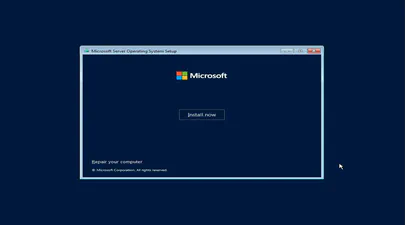
How To Install and Boot Microsoft Windows Server 2022 from Persistent Memory (or not)
In a previous post I described how to install and boot Fedora Linux using only Persistent Memory, no SSDs are required. For this follow on post, I attempted to install Microsoft Windows Server 2022 onto the persistent memory.
TL;DR - I was able to select the PMem devices as the install disk, but when the installer begins to write data, we get an “Error code: 0xC0000005”. I haven’t found a solution to this problem (yet).
Read More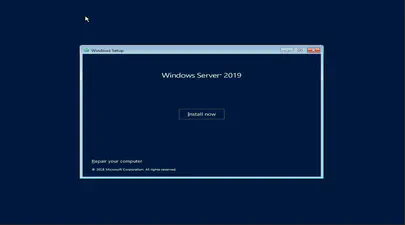
How To Install and Boot Microsoft Windows Server 2019 from Persistent Memory
In a previous post I described how to install and boot Fedora Linux using only Persistent Memory, no SSDs are required. For this follow on post, I attempted to install Microsoft Windows Server 2019 and 2022 onto the persistent memory.
TL;DR - I was able to select the PMem devices as the install disk, but when the installer begins to write data, we get an “Error code: 0xC0000005”. I haven’t found a solution to this problem (yet).
Read More